
If you've spent any time in the GoHighLevel community, you've seen the requests. "How do I make my calendar look like iClosed?" "Can I get the Hormozi-style booking page in GHL?" "Why can't I show the form before the calendar?"
Over 251 people voted for this exact feature. GoHighLevel marked it "complete" in 2024. But scroll through the comments and you'll find people still asking for it, because what GHL shipped and what iClosed actually looks like are two different things.
Here's the good news: you can get the iClosed look inside GoHighLevel right now. No third-party tools. No migration. Just a settings change and some custom CSS/JavaScript that transforms your booking widget into the polished, form-first experience your leads expect.
We figured out how to do it, and in this post we'll walk you through the approach.
Why the iClosed Calendar Converts Better
Before we get into the how, let's talk about why this matters.
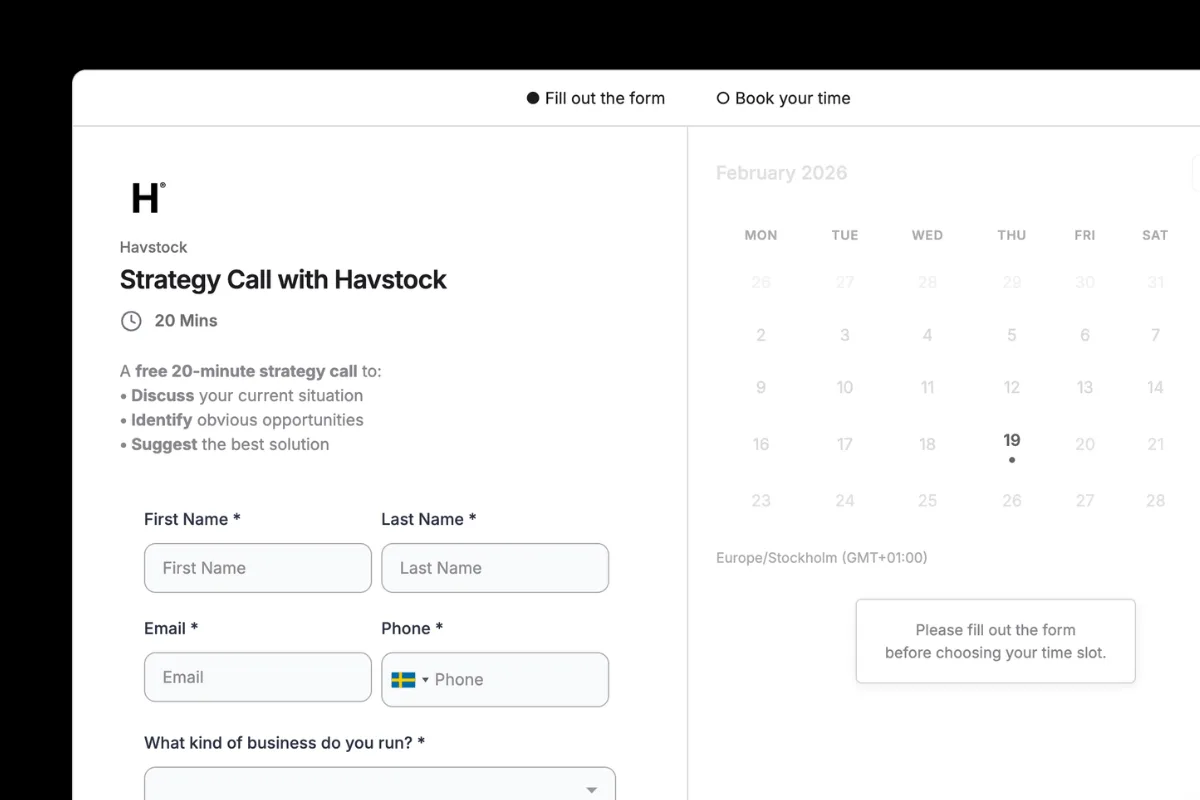
iClosed built their entire business around one insight: capture the lead before you show the calendar. Their 2-step scheduler puts a form on the left side of the screen with a calendar preview on the right. The lead fills out their name, email, phone number, and any qualifying questions first. Then they click Continue and the full calendar opens.
This does three things that a traditional calendar widget does not.
First, it captures contact information before the lead sees available times. If someone fills out the form but never picks a time, you still have their info. You can follow up. With a standard calendar, if they bounce after browsing time slots, they're gone forever.
Second, it qualifies the lead before they book. You can ask screening questions in the form. Service type, budget, company size. Whatever filters out the tire-kickers before they eat up your calendar.
Third, the visual layout builds trust. A clean, professional booking experience with the form and calendar side by side looks like a real business. It looks like you've invested in your process. That perception matters when you're selling high-ticket services.
“If someone lands on your booking page and bounces without entering their info, you've lost them forever.”
The Hormozi-style feature request on the GHL ideas board cited 30-50% higher capture rates with the form-first approach. That number comes from the simple fact that every single visitor who starts filling out the form becomes a contact record, whether they finish booking or not.
What GoHighLevel Actually Shipped
In October 2024, GoHighLevel rolled out "Calendar Widget Reorder" as part of their Neo widget update. This lets you change the order so the form appears before the time selection.
That's a step in the right direction. But it's not what people were asking for.
Here's what the native form-first setting does: it shows your form fields, then after the lead fills them out, it shows the calendar. Sequential. One after the other. The form takes up the full width, and then the calendar takes up the full width.
Here's what iClosed does: form on the left, calendar preview on the right, side by side. The lead can see available times while they're filling out the form. After they submit, the Continue button transitions them to the full calendar view. It's a fundamentally different visual experience.
The 251 voters got the functionality they asked for. But the community is still posting requests for the iClosed "style" because the look and feel didn't change. And in conversion optimization, look and feel is half the battle.
The Fix: Form First + Custom CSS/JS
Here's the approach we use to transform a standard GoHighLevel calendar into the iClosed-style layout. It works with the Neo widget on any calendar type.
The concept is straightforward:
Use GHL's native form-first setting to control the booking order
Apply custom CSS to rearrange the layout into the side-by-side view (form left, calendar preview right)
Add custom JavaScript to handle the Continue button behavior and calendar reveal
No external tools. No iframes. No third-party scripts. Everything runs inside GoHighLevel's existing calendar infrastructure.
Step by Step: Building Your iClosed-Style Calendar
Step 1: Set Your Calendar to Form First
Open your calendar settings in GoHighLevel. Navigate to the Forms & Payment tab. You'll see a Widget Order option that controls whether leads see the time selection or the form first.
Set this to Form First.
If you haven't already attached a custom form to this calendar, create one under Sites > Forms. Include the fields you want to capture before booking: name, email, phone, and any qualifying questions. Then select that form in the calendar's Forms & Payment settings.
Step 2: Switch to the Neo Widget Style
The custom CSS and JavaScript only work with GHL's Neo widget style. Classic doesn't support custom styling.
Go to Widget Customization in your calendar settings. Make sure Neo is selected as the widget style. While you're here, set your primary color and background color to match your brand. These become the base that your custom CSS builds on.
Step 3: Add Custom CSS for the Side-by-Side Layout
This is where the transformation happens. In your calendar's custom code section, you'll add CSS that restructures the default vertical layout into the iClosed-style horizontal layout.
Here's the basic concept behind what the CSS does:
/* Target the calendar widget container */
.calendar-widget-container {
  display: flex;
  flex-direction: row;
  gap: 2rem;
}

/* Form takes the left side */
.calendar-widget-container .form-section {
  flex: 1;
  max-width: 50%;
}

/* Calendar preview sits on the right */
.calendar-widget-container .calendar-section {
  flex: 1;
  max-width: 50%;
  opacity: 0.7;
  pointer-events: none;
}
The actual implementation uses GHL's specific class names and handles responsive behavior, loading states, and edge cases. The snippet above shows the general approach: flexbox to create the two-column layout, with the calendar preview visible but non-interactive until the form is submitted.
Step 4: Add Custom JavaScript for the Continue Button
The JavaScript handles the transition from the form view to the full calendar view. When the lead fills out the form and clicks Continue, the script:
Validates the form fields
Animates the transition from the split view to the full calendar
Makes the calendar interactive (removes the preview state)
Scrolls smoothly to the time selection
Here's the concept:
// Listen for the form submission / Continue click
document.querySelector('.continue-btn')
  .addEventListener('click', function() {
    // Transition from split view to full calendar
    document.querySelector('.form-section')
      .classList.add('completed');
    document.querySelector('.calendar-section')
      .classList.add('active');
});
Again, the production code is more involved. It handles GHL's specific DOM structure, accounts for different calendar types (Round Robin, Collective, Service), and includes fallbacks for edge cases.
Step 5: Preview and Test
Use GHL's Preview Widget button to see your changes in action. Test the full flow:
Does the form appear on the left with the calendar preview on the right?
Does the Continue button trigger the calendar reveal?
Does the calendar function normally after the transition?
Does it look right on mobile? (The CSS should stack the form above the calendar on smaller screens)
“Your form captures the lead. The calendar preview builds trust. The Continue button creates commitment.”
The Result
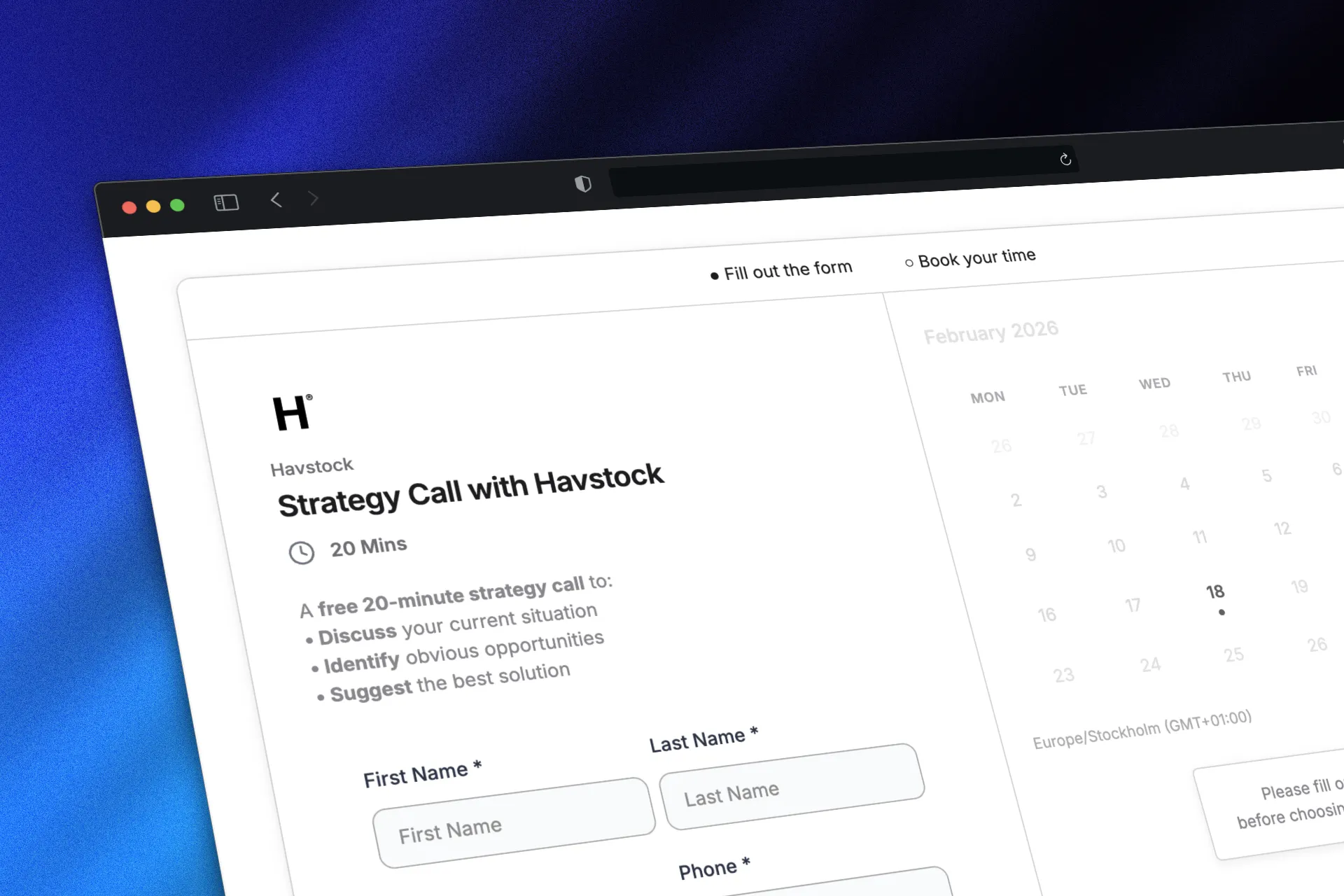
When everything is wired up, your GoHighLevel calendar goes from the standard full-width form-then-calendar flow to a polished, iClosed-style experience. Form on the left. Calendar preview on the right. Professional, clean, and built to capture leads before they pick a time.
Your leads see a booking experience that rivals tools charging $200+ per month. But you're running it entirely inside GoHighLevel, connected to your CRM, automations, and workflows with zero friction.
The contacts who fill out the form but don't finish booking? They're in your CRM. You can trigger a follow-up sequence. Send a text. Queue a call. That "partial lead" capture is exactly what makes iClosed's approach so effective, and now it's running in your GoHighLevel account.
Want the Complete Code?
The CSS and JavaScript snippets above show the concept, but the full implementation has a lot more going on. Responsive breakpoints, GHL-specific selectors, calendar type handling, animation timing, and fallback logic.
We packaged the complete, copy-paste-ready code so you don't have to piece it together yourself.
Drop your email below and we'll send you the full CSS and JavaScript code that transforms your GoHighLevel calendar into the iClosed-style layout.
No fluff. No 47-email sequence. Just the code, delivered to your inbox, ready to paste into your calendar settings.
FAQ
Can you customize the GoHighLevel calendar widget?
Yes. GoHighLevel's Neo widget style supports custom CSS that overrides the default styling. You can change colors, fonts, layout, spacing, and more. The CSS customizations take precedence over the built-in widget settings. Classic style has limited customization, so make sure you're using Neo.
How do I add a form before the calendar in GoHighLevel?
Go to your calendar settings, click the Forms & Payment tab, and change the Widget Order to "Form First." You'll also need to attach a custom form (created under Sites > Forms) to the calendar. This makes leads fill out the form before they see available time slots.
What is iClosed and why does everyone want it in GoHighLevel?
iClosed is an AI-powered scheduling platform built for high-ticket sales teams. It uses a 2-step booking flow where leads submit their contact information first, then see the calendar. The visual layout shows the form and calendar side by side. It's popular because companies like those run by Alex Hormozi use similar booking flows, and the form-first approach is reported to increase lead capture rates by 30-50%.
Does GoHighLevel support custom CSS on calendars?
Yes, but only on the Neo widget style. Navigate to your calendar's Widget Customization settings and look for the custom code section. Any CSS you add here overrides the default widget appearance. You can also add custom JavaScript for additional functionality.
What's the difference between Classic and Neo calendar widget styles?
Classic is GHL's original calendar style with a simpler layout and limited customization. Neo is the modern style with full customization support including custom colors, backgrounds, button text, and custom CSS/JS. Neo is the default for Group Calendars and is required if you want to implement the iClosed-style layout.
Will this work with Round Robin calendars?
Yes. The CSS/JS approach works with all GoHighLevel calendar types including Round Robin, Collective, Class Booking, and Service calendars. The Neo widget is required for all of them, and staff selection in Round Robin calendars also requires Neo.
Do I need coding experience to implement this?
Not if you use our pre-built code. The implementation is copy-paste: you add the CSS and JavaScript to your calendar's custom code section in GoHighLevel. If you understand the basics of where to paste code in the calendar settings, you can do this in under 10 minutes.
Can I capture leads who don't finish booking?
Yes. With the form-first approach, contacts are created in your CRM as soon as they submit the form, before they pick a time. If they abandon after the form but before selecting a slot, you still have their name, email, and phone number. You can trigger automations to follow up with these partial leads.
Ready to turn your GoHighLevel calendar into a lead-capturing machine? If you're building out high-ticket funnels and want the complete system (not just the calendar), check out the High Ticket OS. It includes the full funnel infrastructure, from opt-in to booking to close, built specifically for GoHighLevel.