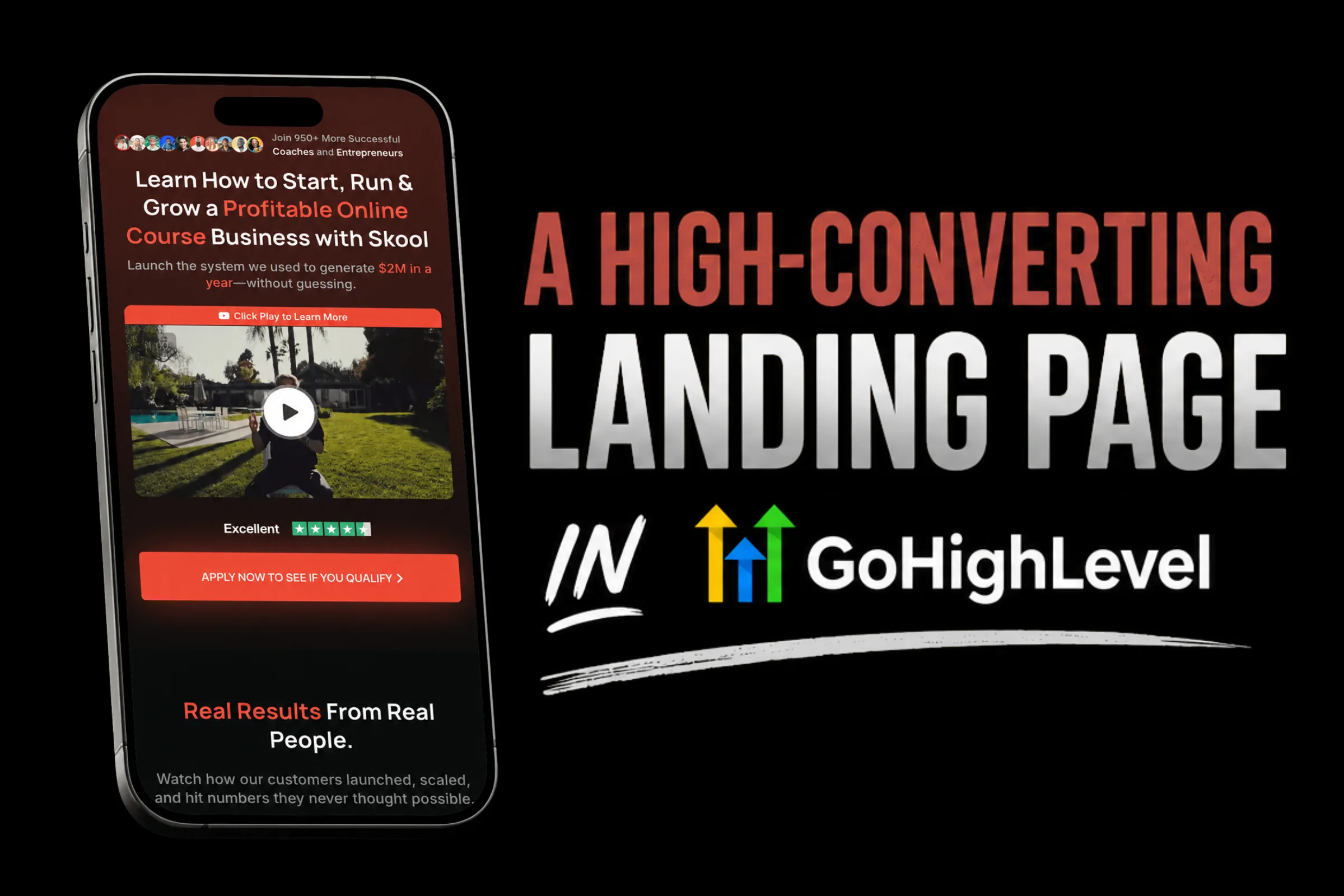
Most landing pages fail for the same reason most first dates fail: they try to do too much at once. A homepage link here, a navigation menu there, three different calls to action, a blog feed in the sidebar. The visitor lands on the page, gets overwhelmed, and leaves without doing the one thing you wanted them to do.
A landing page has one job. One offer, one audience, one action. That simplicity is what makes it powerful, and GoHighLevel gives you everything you need to build pages that actually convert.
Whether you are collecting leads for a discovery call funnel, promoting a webinar, or selling a low-ticket offer, this guide walks you through building a landing page in GoHighLevel that converts visitors into leads and leads into clients.
Why Landing Pages Beat Regular Website Pages
Your website is a brochure. Your landing page is a salesperson.
A website has navigation, multiple pages, blog links, about sections, and a dozen paths a visitor can take. That is fine for brand awareness and SEO. But when you are running ads, sending emails, or sharing a link on social media, you need something focused.
Landing pages convert 2 to 5 times better than standard website pages because they eliminate distractions. No nav bar. No footer links. No "check out our blog" sidebar. Just a headline, a value proposition, and a button.
Here is what the research consistently shows:
- Pages with a single CTA convert 266% more than pages with multiple competing actions.
- Removing the navigation bar from landing pages can increase conversions by up to 100%.
- The average landing page conversion rate across industries sits around 5.89%, but top performers hit 25% or higher.
Those numbers are not theoretical. They are measurable. And GoHighLevel makes building these pages accessible even if you have never touched a line of code.
“A landing page with one clear action will always outperform a beautiful website with ten competing ones.”
The Anatomy of a High-Converting Landing Page
Before you touch the builder, you need to understand what goes on the page. Every high-converting landing page shares these elements:
1. A Headline That Stops the Scroll
Your headline is the single most important element on the page. David Ogilvy said it decades ago: "On average, five times as many people read the headline as read the body copy." That ratio has only gotten worse in the age of short attention spans.
A strong headline does three things:
- Speaks directly to the visitor's problem or desire
- Promises a specific outcome or benefit
- Creates enough curiosity to keep them reading
Weak: "Welcome to Our Coaching Practice"
Strong: "Book 15+ Discovery Calls Per Month Without Spending a Dollar on Ads"
The strong version speaks to a specific outcome (15+ discovery calls), addresses an objection (no ad spend), and targets a clear audience (coaches who want more clients).
2. A Subheadline That Adds Context
The subheadline supports the headline with proof, specificity, or a qualifying statement. It is the "how" or "who" that makes the headline believable.
Example: "The exact funnel template used by 200+ coaches to fill their calendars using organic content and GoHighLevel automations."
3. A Hero Image or Video
Show the outcome. If you are selling a template, show the template. If you are selling coaching, show a screenshot of results, a video of a client testimonial, or an image of the transformation.
Do not use generic stock photos. A stock image of two people shaking hands communicates nothing about your specific offer. A screenshot of your actual dashboard showing real booked calls communicates everything.
4. Bullet Points That Sell the Offer
People scan, they do not read. Bullet points are the most scanned element on any page after the headline. Each bullet should highlight a specific benefit or deliverable.
Format each bullet as: Feature + Benefit
- "Pre-built follow-up sequences that nurture leads while you sleep"
- "Mobile-responsive design that looks professional on every device"
- "Calendar integration that lets prospects book directly from the page"
Three to five bullets is the sweet spot. Enough to communicate value, not so many that the reader zones out.
5. Social Proof
Testimonials, case studies, logos, review counts, or media mentions. Social proof answers the visitor's unspoken question: "Has this worked for someone like me?"
The best testimonials are specific. "This was great!" means nothing. "I went from 2 discovery calls a month to 18 in 6 weeks using this exact funnel" means everything.
6. A Single, Clear Call to Action
One button. One action. "Book Your Free Call," "Download the Template," "Get Instant Access." The CTA button should contrast with the page colors so it stands out visually, and the text should describe what happens when they click.
Avoid vague CTAs like "Submit" or "Learn More." Those create friction because the visitor does not know what they are getting.
“Every element on your landing page either pushes toward the CTA or pulls away from it. If it pulls away, delete it.”
Building Your Landing Page in GoHighLevel: Step by Step
Let's build this thing. Log into your GoHighLevel account and follow along.
Step 1: Create a New Funnel
Navigate to Sites > Funnels in your dashboard. Click "+ New Funnel."
You have two options:
- Start from scratch: Choose a blank template and build from zero.
- Use a snapshot: Import a pre-built funnel template. If you have the High Ticket OS, you already have high-converting funnel templates ready to customize.
Name your funnel something descriptive. "Discovery Call Funnel - Q2 2026" beats "New Funnel 4."
Step 2: Add a Landing Page Step
Inside the funnel builder, add a step. Select "Opt-in Page" or "Landing Page" as the step type. This creates the page you will build.
Click on the page to open the drag-and-drop editor.
Step 3: Set Up Your Page Structure
GoHighLevel's page builder uses rows, columns, and elements. Think of it as building blocks:
- Rows are horizontal sections (hero section, benefits section, testimonial section, CTA section).
- Columns divide rows into side-by-side layouts.
- Elements are the actual content: text, images, buttons, forms, videos.
Start with this structure:
- Hero Section (Row 1): Headline, subheadline, hero image or video, CTA button
- Problem Section (Row 2): Agitate the problem your audience faces
- Solution Section (Row 3): Introduce your offer as the solution
- Benefits Section (Row 4): Bullet points of what they get
- Social Proof Section (Row 5): Testimonials, case studies, or logos
- FAQ Section (Row 6): Handle common objections
- Final CTA Section (Row 7): Repeat the call to action
Step 4: Design the Hero Section
This is where visitors decide to stay or leave. You have about 3 seconds.
Add a full-width row. Set the background to a solid color or a subtle gradient that matches your brand. Do not use a busy background image because it competes with your text.
Add your headline using a heading element. Make it H1, bold, and large enough to read without squinting. Center it for most layouts.
Add the subheadline below in a smaller, lighter font. This can be a paragraph element.
Add your CTA button. Make it big, make it a contrasting color, and use action-oriented text. "Book My Free Strategy Call" is better than "Click Here."
Add an image or video to the right side (or below on mobile). If it is a video, keep it under 90 seconds. If it is an image, make it relevant to the offer.
“Design is not about looking pretty. It is about directing attention to the action you want visitors to take.”
Step 5: Build the Social Proof Section
Add a new row with a light background to create visual contrast. Include:
- Testimonial cards: Quote, name, photo (if available), and result achieved
- Star ratings or review counts if you have them
- Client logos if you serve businesses
GoHighLevel's element library includes testimonial templates you can drag in and customize. Use real testimonials only. Fabricated social proof destroys trust the moment someone checks.
Step 6: Create Your Form or Calendar Embed
This is the conversion mechanism. Depending on your offer:
For lead capture (lead magnets, free resources):
- Add a form element from the GoHighLevel builder
- Keep it short: Name, email, phone (optional)
- Every additional field reduces conversions by roughly 11%
- Connect the form to a workflow for instant follow-up (see our guide on GoHighLevel automations)
For booking pages (discovery calls, consultations):
- Embed your GoHighLevel calendar directly on the page
- The calendar element syncs with your availability and handles time zones automatically
- Add it below your social proof section so visitors are "warm" before they see the booking widget
Step 7: Optimize for Mobile
Over 60% of landing page traffic comes from mobile devices. GoHighLevel's builder lets you switch between desktop and mobile views.
Check every section on mobile:
- Is the headline readable without horizontal scrolling?
- Does the CTA button span the full width of the screen?
- Are images sized correctly and not cropped awkwardly?
- Is there enough spacing between elements?
- Does the form or calendar work properly on touchscreens?
Fix anything that looks off in mobile view. A page that looks great on desktop but breaks on mobile is leaving half your conversions on the floor.
Step 8: Set Your Page URL and SEO Settings
Before publishing:
- Custom path: Set a clean URL slug like %%INLINECODE0%% or %%INLINECODE1%%
- Meta title: Include your primary keyword and keep it under 60 characters
- Meta description: 150 to 160 characters describing what the visitor gets
- Favicon: Upload your brand favicon for a professional touch
If you are running ads to this page, SEO matters less. But if you are sharing the link organically, these details make a difference in click-through rates from search and social.
Step 9: Connect Your Automations
A landing page without a follow-up workflow is like a store without a cashier. The lead fills out the form, and then what?
At minimum, connect:
- A confirmation email or SMS that fires immediately after form submission
- A tag or pipeline action that segments the new lead
- An internal notification so you or your team knows someone converted
GoHighLevel workflows connect directly to your funnel forms, so setting this up takes minutes. If you have already built the automations, just point the form trigger to the right workflow.
7 Mistakes That Kill Landing Page Conversions
Knowing what to do is half the equation. Knowing what to avoid is the other half.
1. Including Navigation Links
A nav bar gives visitors escape routes. They came to this page for a reason. Do not give them 7 other places to go. Remove the header navigation on every landing page.
2. Using Vague Headlines
"Transform Your Business Today" could apply to literally anything. Specificity converts. "Book 15+ Discovery Calls Per Month" tells the visitor exactly what they are getting.
3. Asking for Too Much Information
Every form field is friction. Name and email are the minimum. Phone number is reasonable if you plan to use SMS follow-up. Anything beyond that (company name, revenue, job title) should go in a secondary form after the initial conversion.
4. Slow Page Load Times
If your page takes more than 3 seconds to load, 53% of mobile visitors will leave. Optimize images, avoid heavy video embeds above the fold, and use GoHighLevel's built-in hosting rather than layering on external scripts.
5. Weak or Multiple CTAs
One offer, one action. If your page has "Book a Call" and "Download the Guide" and "Join Our Community," the visitor does not know which one to choose, so they choose none.
6. No Mobile Optimization
We covered this already, but it bears repeating. Check mobile. Then check it again on a different phone. Then have someone else check it. Mobile is not optional.
7. Ignoring Page Speed and Image Sizes
Large uncompressed images are the number one cause of slow landing pages. Compress every image before uploading. Aim for under 200KB per image. WebP format delivers the best quality-to-size ratio.
“The best landing page is not the prettiest one. It is the one that makes the next step feel obvious.”
Advanced Tactics for Higher Conversions
Once your basic page is live and converting, here are ways to push performance further:
Add a Countdown Timer
Urgency drives action. If your offer has a genuine deadline (limited spots, price increase, enrollment close), add a countdown timer. GoHighLevel supports timer elements natively.
Do not fake urgency with timers that reset every visit. Visitors catch on, and it destroys trust.
Use Exit-Intent Popups
When a visitor moves their cursor toward the browser's close button, trigger a popup with a secondary offer or a last-chance message. GoHighLevel supports popup triggers including exit intent.
Keep the popup simple: one headline, one sentence, one button. "Wait! Before you go, grab our free funnel checklist." Capture the email even if they are not ready for the main offer.
Implement Two-Step Opt-Ins
Instead of showing the full form immediately, start with just a CTA button. When they click, the form appears in a popup. This micro-commitment (clicking the button) increases the likelihood they complete the form.
This technique can lift conversions by 30% or more compared to displaying the form directly on the page.
A/B Test Your Headlines
Your headline is the highest-leverage element to test. Create two versions of the page with different headlines and split your traffic. Run the test until you have statistically significant data (at least 100 conversions per variation), then go with the winner.
GoHighLevel allows you to create page variants within the funnel builder for easy A/B testing.
Landing Page Templates vs. Building from Scratch
Building from scratch gives you complete control, but it takes time. Templates give you a proven structure that you customize with your own copy, images, and branding.
For most coaches, consultants, and agency owners, starting with a template is the smarter move. You skip the "staring at a blank page" phase and go straight to customizing.
The Lead Magnet OS includes GoHighLevel funnel templates specifically designed for lead capture, with pre-built pages, forms, and follow-up workflows. Import the snapshot, swap in your content, and you are live in an afternoon.
If you are building a discovery call funnel specifically, the High Ticket OS is the more targeted choice. It includes the full funnel structure: landing page, application form, booking page, and confirmation page, plus the automation workflows that tie it all together.
“Templates are not shortcuts. They are starting points built on conversion principles that have already been tested.”
Measuring What Matters
Your landing page is live. Now what? Track these metrics:
- Conversion rate: The percentage of visitors who take the desired action. Benchmark: 5 to 10% for cold traffic, 15 to 30% for warm traffic.
- Bounce rate: The percentage of visitors who leave without interacting. High bounce rate usually means your headline or page load speed needs work.
- Time on page: How long visitors stay. Under 10 seconds means your above-the-fold content is not compelling enough.
- Form abandonment: How many people start filling out the form but do not submit. If this is high, your form has too many fields or the perceived value of the offer is too low.
GoHighLevel tracks funnel page analytics natively, so you can monitor all of this from your dashboard without external tools.
FAQ
How many landing pages should I have in GoHighLevel?
As many as you need. Each offer, each audience segment, and each traffic source deserves its own landing page. A Facebook ad for coaches should land on a different page than a Google ad for consultants, even if the core offer is the same. The messaging and framing should match where the visitor came from.
What is a good conversion rate for a GoHighLevel landing page?
It depends on your traffic temperature. Cold traffic (ads to people who have never heard of you) typically converts at 3 to 8%. Warm traffic (email list, social media followers, referrals) converts at 15 to 30%. If you are below 3% on any traffic source, something fundamental is off with your page.
Can I use my own domain with GoHighLevel landing pages?
Yes. GoHighLevel lets you connect custom domains to your funnels. Navigate to Settings > Domains, add your domain, and point your DNS records. Your landing page will load on your branded URL instead of a generic GoHighLevel subdomain.
Do I need coding skills to build landing pages in GoHighLevel?
No. The drag-and-drop builder handles everything visually. You can add custom CSS or JavaScript if you want advanced customizations, but it is entirely optional. Most high-converting pages are built using only the native builder elements.
How do I connect my landing page form to a follow-up workflow?
In your workflow, set the trigger to "Form Submission" and select the specific form on your landing page. Every time someone submits that form, the workflow fires automatically. You can also use "Funnel Page Visited" as a trigger for retargeting workflows.
Should I use a video on my landing page?
If you have a good video, yes. Video can increase landing page conversions by up to 86%. But a bad video (low quality, too long, unfocused) will hurt more than help. Keep it under 90 seconds, lead with the benefit, and include captions for people scrolling without sound.
What is the difference between a funnel page and a website page in GoHighLevel?
Funnel pages are conversion-focused with no navigation and a single CTA. Website pages are part of your full site with headers, footers, navigation, and multiple links. Use funnel pages for specific campaigns and traffic from ads or email. Use website pages for organic search traffic and brand presence.
How fast should my landing page load?
Under 3 seconds on mobile. Every additional second of load time drops conversions by roughly 7%. Optimize your images, avoid embedding heavy third-party scripts, and use GoHighLevel's built-in hosting for the fastest load times.
Build Your First Landing Page Today
You have the framework, the step-by-step process, and the optimization checklist. The only thing left is building the page.
Start with your highest-value offer. The one that drives the most revenue per conversion. Build a single, focused landing page for that offer. Connect it to a follow-up workflow. Drive traffic. Measure results. Optimize.
If you want to skip the blank-page phase entirely, the High Ticket OS gives you a complete discovery call funnel with landing pages, forms, booking pages, and automations ready to import into GoHighLevel. Customize, launch, done.