
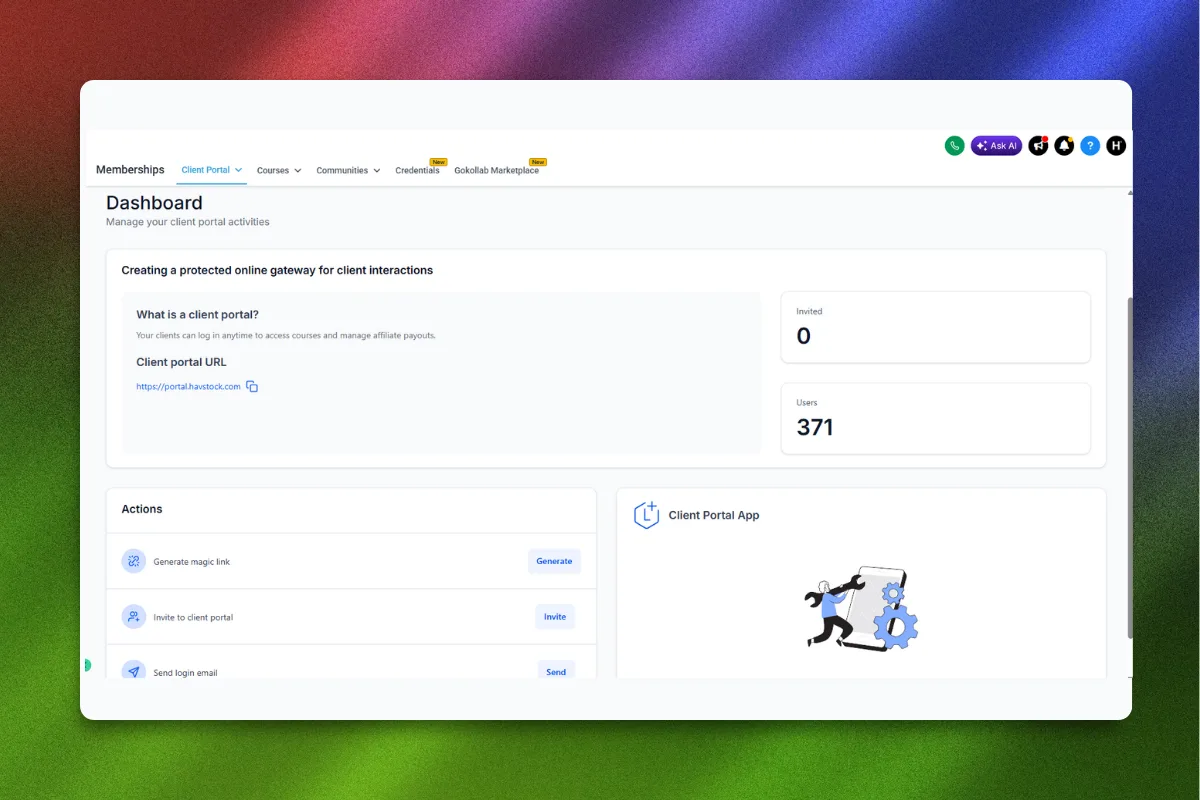
If you are running a coaching business and paying for a separate course platform, you are burning money on a problem GoHighLevel already solves. Most coaches piece together Teachable or Kajabi for courses, Stripe for payments, Zapier for automations, and a CRM for client management. That stack costs $300 to $500 per month before you enroll a single student. GoHighLevel rolls all of it into one platform.
This guide breaks down exactly how to build a membership site inside GoHighLevel, structure your courses for completion rates that actually matter, automate enrollment and onboarding, and turn your knowledge into recurring revenue without stitching together five different tools.
Why Coaches Are Moving Course Hosting Into GoHighLevel
The coaching industry hit a wall with tech stacks. Every new tool means another login, another monthly bill, another integration that breaks at 2 AM when you are running a launch. GoHighLevel's membership area was built specifically to eliminate that problem.
Here is what makes it different from standalone course platforms:
No per-student pricing. Teachable and Thinkific charge more as you grow. GoHighLevel does not. Your margins stay intact whether you have 10 students or 10,000.
Native CRM integration. Every student who enrolls is already in your CRM. No Zapier required. Their purchase history, email engagement, course progress, and pipeline stage all live in one place.
Built-in funnels and payment processing. Your sales page, checkout, upsells, and course delivery all happen inside the same system. No redirect chains breaking on mobile.
Workflow automation on enrollment. The second someone purchases, you can trigger welcome emails, SMS sequences, calendar invites, community access, and pipeline moves. All automatic.
“Your course platform should sell your course, not just host it.”
The biggest mistake coaches make is treating course hosting as a content delivery problem. It is a sales and retention problem. GoHighLevel treats it that way.
Setting Up Your First Membership Site: Step by Step
Let us walk through the entire process from zero to a working membership site with courses, lessons, and automated enrollment.
Step 1: Create Your Membership Area
Navigate to Sites in the left sidebar, then click Membership. Hit Create New in the top right corner.
Give your membership area a name. This is the umbrella that holds all your courses. Think of it like your school. If you are a business coach, something like "Growth Academy" or "[Your Name] Training Hub" works well.
Choose your domain. You can use a subdomain of your main site (courses.yourdomain.com) or GoHighLevel's default URL. Custom domains look more professional and build trust with buyers.
Step 2: Design Your Course Structure
Before building anything, plan your content architecture. The most effective structure for coaching courses follows this pattern:
Module-based structure:
Module 1: Foundation (3 to 5 lessons)
Module 2: Core Framework (5 to 8 lessons)
Module 3: Implementation (4 to 6 lessons)
Module 4: Advanced Strategies (3 to 5 lessons)
Module 5: Case Studies and Templates (2 to 4 lessons)
Each lesson should be 10 to 20 minutes of video content with supporting materials. Shorter lessons get higher completion rates. Netflix figured this out. Your students are the same people who binge shows. Give them that same dopamine loop with clear progress markers.
Step 3: Build Your Course Content
Inside your membership area, click Add Course. Name it and add a description that sells the transformation, not the content.
Bad: "Learn about Facebook ads."
Good: "Build a Facebook ad system that generates 30+ discovery calls per month on autopilot."
For each module, click Add Category (these function as modules). Inside each category, create individual lessons with:
Video content: Upload directly or embed from Vimeo/YouTube. Direct uploads keep students inside your platform instead of wandering off to YouTube.
Text content: Use the built-in editor for written materials, transcripts, or action steps.
Downloadable resources: Attach PDFs, templates, worksheets, and checklists. These increase perceived value and give students something tangible to implement.
“Courses that include implementation templates get 3x higher completion rates than video-only programs.”
Step 4: Configure Access and Drip Content
GoHighLevel gives you two primary content delivery models:
Full access: Students unlock everything on purchase. Works best for self-paced programs where students have different starting points.
Drip content: Lessons unlock on a schedule (e.g., one module per week). This prevents overwhelm, increases engagement, and gives you time to provide feedback between modules.
To set up drip content, click on each lesson and set the Drip Schedule. You can drip by:
Days after enrollment
Specific dates
Completion of previous lessons
The completion-based drip model is powerful for coaching programs because it ensures students actually do the work before moving forward.
Step 5: Set Up Your Offer and Payment
Go to Payments and create a new product linked to your course. GoHighLevel supports:
One-time payments: Clean and simple. Charge $497, $997, or whatever your price point is.
Payment plans: Split a $997 program into 3 payments of $349. This increases conversions significantly for anything over $500.
Recurring subscriptions: Monthly access at $47, $97, or $197 per month. Ideal for ongoing membership communities with fresh content.
Free offers: Use $0 products for lead magnets, free mini-courses, or trial access that upgrades into paid tiers.
Connect Stripe as your payment processor. GoHighLevel integrates directly with Stripe, so payments process instantly and students get immediate access.
Building the Sales Funnel That Fills Your Membership
Having a course means nothing without a system to sell it. Here is where GoHighLevel's all-in-one nature becomes a genuine competitive advantage.
The Course Sales Funnel Stack
Your sales funnel should follow this flow:
Lead Magnet Page: Offer a free resource related to your course topic
Thank You / Tripwire Page: Deliver the freebie and present a low-ticket offer ($27 to $97)
Email Nurture Sequence: 5 to 7 emails building authority and addressing objections
Sales Page: Long-form page with testimonials, curriculum breakdown, and guarantee
Checkout Page: Clean, distraction-free checkout with order bump and payment plan options
Upsell Page: Offer a VIP tier, coaching add-on, or related product
Thank You / Onboarding: Welcome video, community access, first lesson
All seven steps live inside GoHighLevel. You build each page in the funnel builder, connect them to your email sequences through workflows, and link payments to course access grants.
“The best course creators spend more time on their sales funnel than their course content.”
If you want a head start on this funnel structure, the High Ticket OS includes pre-built funnel templates designed specifically for coaches selling programs in the $997 to $5,000 range.
Automating the Enrollment Experience
This is where GoHighLevel separates itself from every standalone course platform. Build a workflow that triggers on purchase:
Trigger: Payment received for [Course Product]
Actions:
Grant membership access to the course
Send welcome email with login credentials
Send SMS with a personal welcome message
Move contact to "Active Student" pipeline stage
Add tag "Course: [Name] - Enrolled"
Schedule a 7-day check-in email
If they purchased a coaching add-on, send calendar booking link
Add to the course-specific community (if using Communities)
This entire sequence fires in seconds. Your student goes from credit card swipe to logged into their first lesson with zero manual intervention from you.
Retention Workflows That Keep Students Engaged
Enrollment is just the beginning. The real money in courses is completion rates (which drive testimonials and referrals) and renewals (for membership models).
Build these retention automations:
Engagement tracking workflow:
If student has not logged in for 7 days, send a nudge email
If student completed Module 1, send a congratulations email with a teaser for Module 2
If student completed the entire course, send a testimonial request and upsell to the next offer
Community engagement:
Auto-post a welcome message when a new student joins
Weekly discussion prompts scheduled via automation
Tag and notify you when a student asks a question so you can jump in quickly
Renewal and upsell sequences:
30 days before subscription renewal, send a value recap email
7 days before, send a "what's coming next month" preview
If they cancel, trigger a win-back sequence with a special offer
“A 10% increase in course completion rates translates directly into more testimonials, more referrals, and higher lifetime value.”
Advanced Membership Strategies
Tiered Access Models
Create multiple offers linked to the same course with different access levels:
Bronze ($297): Core course content only
Silver ($597): Course + templates + community access
Gold ($997): Everything + group coaching calls + priority support
Each tier is a separate product in GoHighLevel, but they all grant access to the same membership area with different permission levels. Use tags and workflows to control what each tier can access.
Certification Programs
If you train professionals (coaches, consultants, agencies), add a certification track:
Create a final exam using GoHighLevel's survey/form builder
Set a passing threshold (e.g., 80% correct)
Build a workflow: if score >= 80%, send certificate email with a custom PDF, add "Certified" tag, and list them on your website
If score < 80%, send encouragement email with study resources and allow a retry
Certification creates scarcity, increases perceived value, and gives graduates a credential they will share publicly, driving organic leads back to your program.
Using Communities for Cohort-Based Courses
GoHighLevel's Communities feature pairs perfectly with cohort-based programs where a group of students moves through the material together.
Set up a dedicated community space for each cohort. Schedule weekly live sessions using GHL's calendar. Post replays as course lessons after each session. Use the community feed for accountability, Q&A, and peer support.
Cohort models command higher prices (typically 2x to 5x a self-paced equivalent) because they include live interaction, accountability, and a defined start/end date that creates urgency.
Membership Site Design Best Practices
Branding Your Portal
GoHighLevel's membership area supports custom branding:
Upload your logo and set brand colors
Customize the sidebar navigation
Add a custom favicon
Set up a branded login page
Keep the design clean. Students come to learn, not to be impressed by your design skills. White space, clear typography, and logical navigation beat flashy layouts every time.
Mobile Optimization
Over 60% of course consumption happens on mobile devices. Test every lesson on your phone before launching:
Do videos play properly without horizontal scrolling?
Are downloadable resources easy to access on mobile?
Is the text readable without zooming?
Does the navigation make sense on a small screen?
GoHighLevel's membership portal is responsive by default, but always verify with your actual content.
Progress Tracking
Students need to see how far they have come. GoHighLevel shows a completion percentage for each course. Use this psychologically:
Reference their progress in automated emails: "You are 60% through the program. Here is what is waiting in Module 4."
Celebrate milestones: "You just completed the hardest module. The rest is implementation."
Create urgency for drip content: "Module 3 unlocks in 3 days. Make sure you have finished the Module 2 worksheet."
Pricing Your Membership or Course
Pricing strategy matters more than most coaches think. Here are proven models for GoHighLevel-hosted programs:
Start with one offer and expand. Most successful course creators launch with a single flagship program, prove the model, collect testimonials, then layer on additional offers.
Use GoHighLevel's Revenue Calculator to model different pricing scenarios and see what your coaching business could generate.
Common Mistakes to Avoid
Building the course before the funnel. Your sales system should be ready before you record a single video. Validate demand with a waitlist or founding member offer first.
Over-producing content. Your first version does not need cinematic production quality. A clear screen recording with good audio beats a professionally shot video with mediocre content. You can always re-record later.
Ignoring completion data. GoHighLevel tracks which lessons students complete. If everyone drops off at Module 3, the problem is Module 3, not your students. Use the data.
Not building a community. Isolated learners quit. Connected learners finish and buy more. Use GoHighLevel's Communities to create peer support that keeps students showing up.
Skipping the onboarding sequence. The first 48 hours after purchase determine whether a student becomes a success story or a refund request. Your automated onboarding workflow is not optional.
“The coaches who win are not the ones with the most content. They are the ones with the best systems.”
FAQ
How many courses can I host on GoHighLevel?
There is no limit on the number of courses or membership sites you can create within your GoHighLevel account. You can build unlimited courses, categories, and lessons across multiple membership areas.
Can I use my own domain for my membership portal?
Yes. GoHighLevel supports custom domains and subdomains for your membership area. You can set up courses.yourdomain.com or learn.yourdomain.com to match your brand.
Does GoHighLevel support video hosting for courses?
GoHighLevel allows direct video uploads to your lessons. You can also embed videos from Vimeo, YouTube, or Wistia. Direct uploads keep students on your platform and reduce the chance of them getting distracted.
How do I handle refunds for course purchases?
Process refunds through your connected Stripe account. You can build a workflow in GoHighLevel that automatically revokes course access and updates the student's tags and pipeline stage when a refund is issued.
Can I offer free trials of my membership?
Yes. Create a $0 product that grants limited membership access. Set up a workflow that upgrades or revokes access after the trial period (typically 7 or 14 days) based on whether they convert to a paid plan.
Is GoHighLevel better than Kajabi for course hosting?
For coaches who also need CRM, funnels, email marketing, and automation, GoHighLevel is significantly more cost-effective. Kajabi charges $149 to $399 per month for course hosting alone. GoHighLevel includes courses as part of the full platform at a lower total cost. The trade-off is that Kajabi has a slightly more polished course player out of the box, but GoHighLevel's all-in-one value is hard to beat.
Can I sell courses through affiliates?
Yes. GoHighLevel has a built-in affiliate management system. You can set commission rates, provide affiliate links, track referrals, and manage payouts all within the platform.
How do I migrate courses from another platform to GoHighLevel?
There is no automated migration tool, but the process is straightforward. Export your video files and written content from your current platform, then recreate the course structure in GoHighLevel. Re-upload videos, rebuild your lesson structure, and redirect your existing course URLs to the new membership area.
Ready to build your course or membership site without juggling five different platforms? The High Ticket OS gives you pre-built funnels, email sequences, and automation workflows designed for coaches selling programs. Plug it into your GoHighLevel account and launch your course sales system today.