
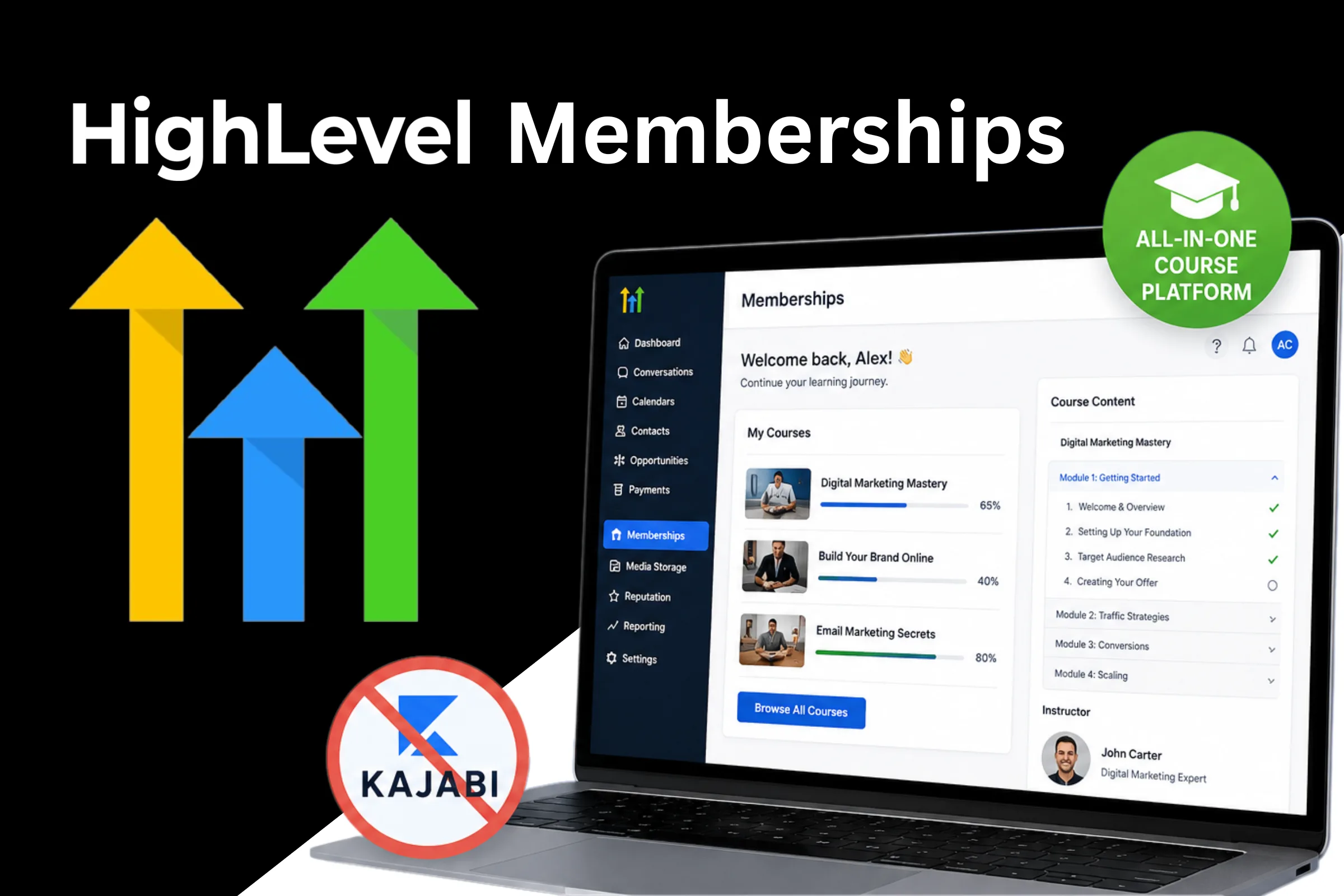
Most coaches paying for Kajabi, Thinkific, or Teachable are doing it because they didn't realise GoHighLevel already does everything those platforms do, inside the same system where their CRM, funnels, and automations live. That's a separate monthly fee for functionality you already own.
GoHighLevel's membership and course builder is a fully featured learning platform. You can create structured courses with sections and lessons, drip content on a schedule, gate access based on purchase, manage students, and automate everything from enrollment to completion emails. This guide walks through how to build your first course, attach it to a paid offer, and automate the delivery so students get in the moment they pay.
Why GoHighLevel for Memberships and Courses
The obvious answer is consolidation. One platform instead of four. But there's a deeper reason.
When your course platform lives inside the same system as your CRM, automations, and pipelines, you can do things that are impossible with separate tools. When a student completes module 3, you can trigger a personalised check-in email. When someone stops logging in for 14 days, you can automatically send a re-engagement sequence. When a student finishes the course, you can immediately offer an upsell and track whether they bought in your pipeline.
None of that requires Zapier or custom integrations. It's all native inside GoHighLevel.
“The real power of GHL memberships isn't the course builder. It's what you can trigger when students engage or disengage with your content.”
Understanding the GHL Membership Structure
Before building, understand how GHL organises memberships:
- Products: The top-level container. This is your course or membership program.
- Categories: Sections within a product. These are the modules in your course.
- Posts: Individual lessons within each category.
- Offers: The purchasable bundle that grants access to one or more products.
So the structure looks like this:
Product (Your Course)
  Category (Module 1: Introduction)
    Post (Lesson 1: Welcome)
    Post (Lesson 2: Core Framework)
  Category (Module 2: Implementation)
    Post (Lesson 3: Setup)
    Post (Lesson 4: First Campaign)
Offer (attached to Product, priced at $497)
When someone buys the Offer, GHL grants them access to the attached Product automatically.
Step 1: Create Your Membership Product
Go to Memberships > Courses > Products and click Create Product.
Fill in:
- Title: The name of your course as students will see it
- Description: A short summary that appears on the course overview page
- Image: Your course cover image (recommended: 1200x630)
- Instructor: Select from your location's team members or create a custom instructor name
Choose a layout template or build from scratch. GHL provides pre-designed layouts that work out of the box. Pick one and customise to match your branding.
Setting Up Categories (Modules)
Inside your product, click Add Category to create your first module. Give it a descriptive name:
- Module 1: Foundation
- Module 2: Client Acquisition
- Module 3: Automation Systems
You can reorder categories by dragging. Students see them in the order you set.
Adding Lessons (Posts)
Inside each category, click Add Post to create a lesson.
For each lesson, you can add:
- Video: Upload directly to GHL or embed from YouTube, Vimeo, Wistia, or Loom
- Text Content: The lesson body, formatted with a rich text editor
- Files: PDFs, worksheets, templates, or any downloadable resource
- Audio: MP3 or other audio files
- Images: Screenshots, diagrams, or supporting visuals
- Quiz: Optional assessment at the end of the lesson
This is where GHL outperforms a lot of standalone course platforms. The lesson editor handles mixed media well, and you're not paying extra per video upload like you do on some platforms.
“Most coaches under-build their first course. Start with fewer, better lessons. 8 focused lessons that get results beat 30 rushed ones that overwhelm students.”
Step 2: Set Up Drip Scheduling (Optional)
Drip scheduling releases lessons on a schedule after enrollment instead of giving students access to everything at once.
When to use drip: if you're running a cohort, if your program is time-sensitive (students need to do week 1 before week 2 makes sense), or if you've found that students who get everything upfront are more likely to request refunds without engaging.
When not to use drip: self-paced programs where students want flexibility, or lower-ticket offers where the perception of "too much wait" hurts reviews.
To enable drip, go to your Category settings and set the drip schedule relative to enrollment date. For example: "Category 2 unlocks 7 days after enrollment."
Step 3: Create an Offer and Attach Pricing
The Offer is what you sell. It connects a product (or multiple products) to a price point.
Go to Memberships > Courses > Offers and click Create Offer.
Set:
- Offer Name: What the purchasable product is called (can differ from the course name)
- Description: The sales-facing description for the checkout page
- Image: Offer-specific image (optional)
- Courses attached: Select which products this offer grants access to
- Price: One-time, subscription, or payment plan
Pricing Options in GHL
GHL supports three pricing structures for membership offers:
One-time payment: Customer pays once, gets lifetime access. Simple, low friction, works well for self-paced courses.
Subscription: Monthly or annual recurring. Best for ongoing membership communities, rolling content, or programs that add new content regularly.
Payment plan: Split the total across multiple charges. For example, $497 total paid as 3 payments of $166. Common for higher-ticket programs.
You can also create multiple offers at different price points that grant access to different products. This is how you set up tiered access: a $97 self-study version vs a $497 version with community access.
Step 4: Sell the Offer Through a Funnel
Once your offer is created, you need a checkout. GHL's funnel builder includes an Order Form element that connects directly to your Membership offers.
The typical flow:
- Sales page — describes the course, outcomes, testimonials
- Checkout/Order Form page — connected to your Offer, handles payment via Stripe
- Thank you page — confirms purchase, sets expectations, links to the membership area
In your funnel, add an Order Form element and select your Membership Offer from the dropdown. GHL handles the payment processing and access granting automatically.
“Your sales page does the selling. The checkout page just collects payment. Keep checkout pages friction-free: minimum fields, clear price, strong button text.”
For a pre-built funnel structure with Stripe-connected checkout, the High Ticket OS includes a complete high-ticket sales page + checkout + onboarding sequence designed for coaching programs.
Step 5: Automate Enrollment and Access
When someone buys your offer, GHL can trigger a workflow automatically. Here's the enrollment automation setup:
Trigger: Order Submitted (or Payment Received for subscriptions)
Actions:
- Send enrollment confirmation email with login link and getting-started instructions
- Add contact to a "Students - Active" Smart List
- Tag the contact with the course name (for segmentation)
- Move them to an "Enrolled" pipeline stage if you're tracking student journeys
- Send a day-1 onboarding SMS with their login URL
This means the moment someone pays, they get an email, an SMS, access to the course, and you can see them in your pipeline. Zero manual intervention.
Automating Re-Engagement for Inactive Students
This is where most course platforms fail and GHL shines.
Set up a second workflow:
Trigger: Membership Login Activity (student hasn't logged in for X days)
Actions:
- Send a "We miss you" email with a direct link to where they left off
- If no login within 3 more days, send an SMS check-in
- If still inactive after 7 days, tag contact as "Low Engagement"
A student who completes your course is a better candidate for your next offer than a lead who hasn't bought yet. Keep engagement high and completion rates become a business metric, not just a vanity one.
Course Completion Automation
Trigger: Membership Access Granted (or lesson completed event, depending on your GHL version)
Actions:
- Send a completion congratulations email
- Tag as "Course Completed"
- Start an upsell sequence (if you have a next-tier offer)
- Request a testimonial 48 hours after completion
That last one is automated referral harvesting. Most coaches forget to ask. GHL remembers.
Step 6: Manage Students and Access
Student Management
Under Memberships > Courses > Students, you can see all enrolled students, their enrollment date, access level, and last login.
From here you can:
- Manually grant or revoke access
- Search for specific students
- Export student lists for email campaigns
- See which offers each student has purchased
Handling Refunds and Access Revocation
When a refund is processed through Stripe, you'll need to manually revoke course access in GHL. Go to the student's profile, find their offer, and remove access. Then tag them accordingly in the CRM.
If you're running a subscription-based membership, configure your workflow to watch for payment failures. When a subscription charge fails, GHL can automatically:
- Send a payment failure notification
- Pause access after a grace period
- Send multiple retry reminders
- Revoke access if payment isn't recovered
This keeps your revenue protected without you manually chasing failed payments.
Advanced Features Worth Using
Multiple Instructor Profiles
If you have team members or guest experts delivering content, you can create separate instructor profiles for each one. This adds credibility to your course and is a nice touch for programs with multiple expert contributors.
Certificates of Completion
GHL supports custom completion certificates that students can download or share after finishing a course. Enable this under your product settings and upload your certificate template.
Video Hosting Considerations
GHL doesn't have native video hosting in the same way Wistia or Vimeo Pro do. Options:
- YouTube (unlisted): Free, reliable, but videos can be found if someone knows the URL. Acceptable for most courses.
- Vimeo: Privacy controls, no YouTube ads, clean player. $20-80/month depending on storage.
- Wistia: Marketing analytics on video engagement, heatmaps. Pricier but powerful if you're serious about optimising content.
- GHL native upload: Works for shorter videos and is included in your GHL plan.
For most coaches starting out, YouTube unlisted or Vimeo is the move.
Community Integration
GHL's community feature (groups) can be connected to your membership area. When a student enrolls, they can automatically get added to a private community group where they can interact with other students and post questions.
This transforms a passive course into an active community, which dramatically improves completion rates and reduces refund requests.
Comparing GHL Memberships to Kajabi
The common question: should I use GHL or Kajabi for my courses?
If you're already on GoHighLevel for your CRM, funnels, and automations, the answer is almost always to use GHL memberships. Here's why:
Cost: Kajabi starts at $149/month. GHL at $97/month. GHL's membership features are included in the core plan. If you're paying for both, you're double-paying for overlapping functionality.
Integration: In Kajabi, connecting course completions to your CRM or triggering automations based on student behavior requires Zapier. In GHL, it's all native.
Funnels: Kajabi's funnel builder is basic. GHL's is significantly more powerful for sales-focused coaching businesses.
Where Kajabi wins: More polished student UI out of the box, native podcast hosting, and a more established reputation in some niches where students recognize the Kajabi brand.
For most coaches and consultants building high-ticket or mid-ticket offers, GHL's membership tools are more than enough, and the CRM integration is the deciding factor.
“If you're paying for Kajabi AND GoHighLevel, that's likely $250+ a month for tools that overlap 70% in functionality. Consolidate.”
Setting Up Your First Course: A Quick Checklist
- Create the Product (your course) with title, description, and cover image
- Add Categories for each module
- Add Posts (lessons) to each category with video, text, and downloadable resources
- Configure drip schedule if applicable
- Create an Offer attached to the product with pricing
- Connect the Offer to an Order Form in your sales funnel
- Build enrollment automation workflow (confirmation email, SMS, pipeline update)
- Set up login access email with member portal URL
- Test the full flow: complete a test purchase and confirm access is granted
- Set up completion automation with upsell or testimonial request
FAQ
Can I create multiple membership tiers in GoHighLevel?
Yes. Create separate Products for each tier and create separate Offers at different price points. Each Offer grants access to its corresponding Product. This lets you offer self-study, group coaching, and VIP tiers with different content and pricing.
Does GoHighLevel membership integrate with Stripe for payments?
Yes. You connect your Stripe account to GHL under Settings > Payments. All course sales process through Stripe, and GHL handles the payment confirmation and access granting automatically.
Can I migrate my existing Kajabi courses to GoHighLevel?
GHL doesn't have a direct import tool from Kajabi. Migration is manual: recreate the course structure, re-upload or re-embed videos, and rebuild the checkout flow. Depending on course size, this takes 4-20 hours. Worth doing if you're paying for both platforms.
Can students access the course on mobile?
Yes. GHL's membership area is responsive and works on mobile browsers. There's no native iOS or Android app for students, which is a limitation compared to some dedicated course platforms. For most students, the mobile browser experience is adequate.
How do I handle failed subscription payments automatically?
In Workflows, use the "Payment Failed" trigger. Build a sequence that sends a notification email, an SMS, and a final warning before suspending access. GHL's Stripe integration handles the actual payment retry logic.
Can I sell group access, like multiple seats for a team?
GHL doesn't have native group/team seat functionality. The workaround is to manually add team members to the offer, or to set up a custom intake form that collects team member emails and triggers individual enrollment workflows.
Does GHL support course completion certificates?
Yes. Under your Product settings, enable completion certificates and upload a branded template. Students receive their certificate after completing all lessons.
Can I drip content on a weekly schedule?
Yes. Set drip delays at the Category level. For example: Category 1 unlocks on enrollment, Category 2 unlocks 7 days later, Category 3 unlocks 14 days later. You can customise the interval for each category independently.
The Bottom Line
GoHighLevel memberships aren't a secondary feature bolted on as an afterthought. The course builder, student management, and offer system are genuinely capable of running a full education business, and they're natively connected to the CRM and automation engine that powers everything else.
For coaches and consultants who are already on GHL, building your course inside the platform eliminates a separate subscription, removes integration complexity, and gives you automation capabilities that standalone platforms can't match.
The consolidation play alone is worth it. But the real win is what you can do with student behavior data when it lives inside the same system as your entire client relationship.
Want a pre-built high-ticket funnel with checkout, onboarding sequence, and pipeline already configured? The High Ticket OS gives you the full system ready to launch, so you spend your time on the offer, not the tech.