
Winning a new client is exciting.
But what happens after they sign the contract?
For many agencies, that's where things start to fall apart.
Emails go back and forth.
Files get lost.
Someone forgets to request login credentials.
The kickoff meeting gets delayed.
The client wonders what's happening.
A poor onboarding experience can damage trust before you've even started delivering results.
The good news?
You can automate most of the process.
With GoHighLevel, you can build a client onboarding system that creates a consistent experience, reduces manual work, and helps your team start every project on the right foot.
Here's how.
Why Client Onboarding Matters
Onboarding isn't just paperwork.
It's your client's first real experience working with your agency.
A smooth onboarding process:
Builds confidence
Sets expectations
Reduces delays
Improves communication
Creates a professional first impression
When onboarding is disorganized, clients often assume the rest of the service will be too.
What Your Onboarding System Should Accomplish
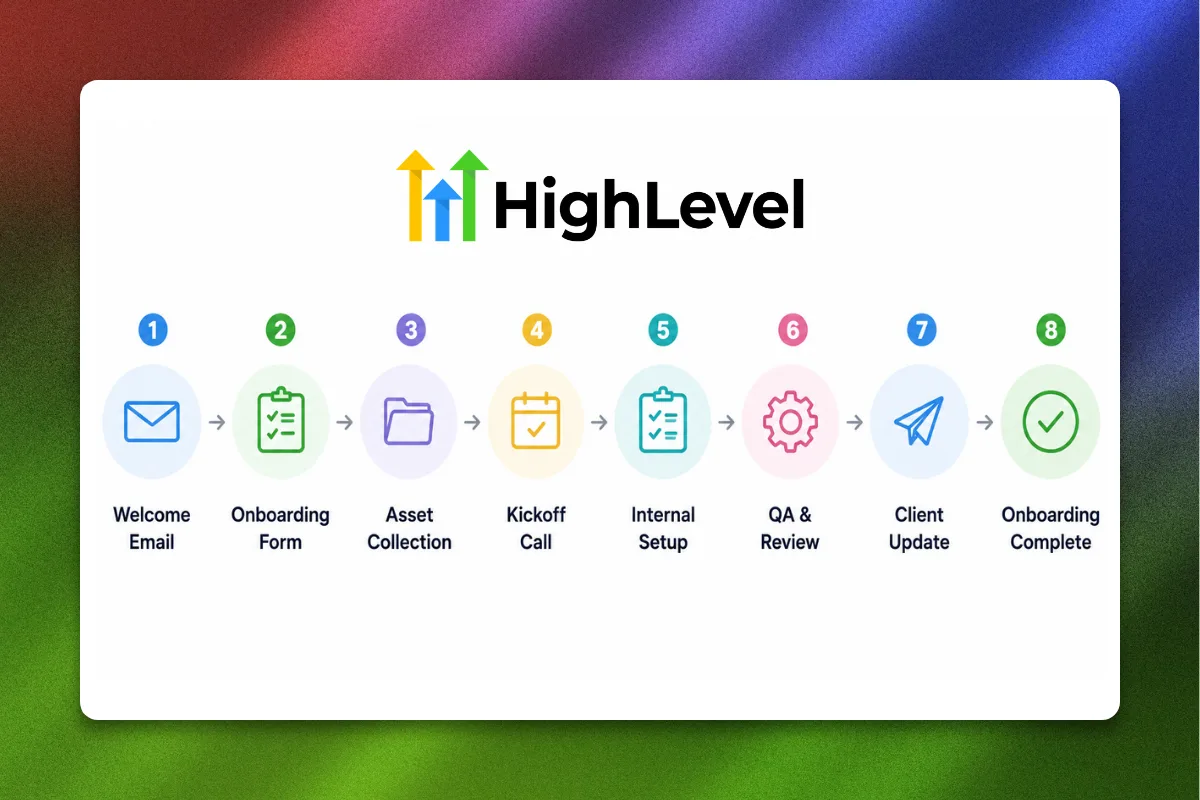
Every new client should move through the same structured process.
Your onboarding system should:
Welcome the client
Collect required information
Assign internal tasks
Schedule a kickoff call
Deliver helpful resources
Keep everyone informed
The goal is consistency—not complexity.
Step 1: Create a New Client Pipeline
Start by creating a dedicated onboarding pipeline inside GoHighLevel.
Example stages:
This gives your team a clear view of every client's progress.
Step 2: Automate the Welcome Email
The moment a client is marked as "Won," trigger an automated welcome email.
Include:
Thank-you message
What happens next
Timeline
Link to onboarding form
Support contact information
A quick response reassures clients they've made the right decision.
Step 3: Collect Everything in One Form
Instead of sending multiple emails requesting information, create a single onboarding form.
Ask for:
Business name
Website
Social media links
Brand assets
Logo
Target audience
Existing tools
Login credentials (through a secure method)
Collecting everything at once saves time for both your team and the client.
Step 4: Automatically Assign Internal Tasks
Every new client should trigger a checklist for your team.
Examples include:
Create CRM
Import contacts
Connect domain
Set up calendars
Build workflows
Verify integrations
Automation ensures nothing gets missed.
Step 5: Schedule the Kickoff Call
Once the onboarding form is complete, automatically send the client a calendar link.
During the kickoff call:
Review goals
Confirm timelines
Introduce team members
Answer questions
Starting with clear expectations reduces misunderstandings later.
Step 6: Deliver an Onboarding Guide
Don't make clients wonder what happens next.
Create a simple onboarding guide that covers:
Project timeline
Communication channels
Support hours
Reporting schedule
Frequently asked questions
The more informed your clients are, the fewer support requests you'll receive.
Step 7: Send Progress Updates
Silence creates uncertainty.
Even if you're busy behind the scenes, keep clients updated.
Automated emails can notify them when:
Assets are received
Setup begins
Integrations are complete
Campaigns are ready
Transparency builds trust.
Step 8: Build Internal SOPs
Automation works best when your internal process is standardized.
Create SOPs for:
Account setup
CRM configuration
Workflow creation
QA testing
Final review
Every team member should follow the same process.
Common Onboarding Mistakes
Waiting Too Long to Respond
Clients expect immediate communication after signing.
Requesting Information Over Multiple Emails
Use one structured form instead.
Skipping Expectations
Clearly explain timelines and deliverables.
Forgetting Internal Tasks
Automate repetitive checklists whenever possible.
Benefits of an Automated Onboarding System
When built correctly, your onboarding process can:
Reduce administrative work
Improve client satisfaction
Shorten setup time
Eliminate repetitive tasks
Help your agency scale
The bigger your agency grows, the more valuable automation becomes.
Client onboarding sets the tone for your entire relationship.
A smooth, automated process creates confidence, improves communication, and allows your team to focus on delivering results instead of chasing paperwork.
GoHighLevel makes it easy to build repeatable onboarding systems that scale as your agency grows.
The sooner you automate your onboarding, the sooner you'll create a better experience for both your clients and your team.
FAQs
What is client onboarding?
Client onboarding is the process of welcoming new clients, collecting information, setting expectations, and preparing projects before work begins.
Can GoHighLevel automate client onboarding?
Yes. GoHighLevel can automate emails, forms, task assignments, pipelines, calendars, and workflows to streamline onboarding.
What should every onboarding system include?
A welcome email, onboarding form, kickoff call, internal task list, and progress updates.
Why is onboarding important?
A structured onboarding process improves communication, builds trust, and reduces delays.
Is automation better than manual onboarding?
For most agencies, yes. Automation creates consistency while saving time and reducing human error.
Ready to Streamline Your Client Onboarding?
At Havstock, we help agencies build efficient GoHighLevel systems that automate onboarding, client communication, and service delivery. Whether you're onboarding five clients a month or fifty, the right workflows can save hours while creating a better client experience.