
 Nathan Field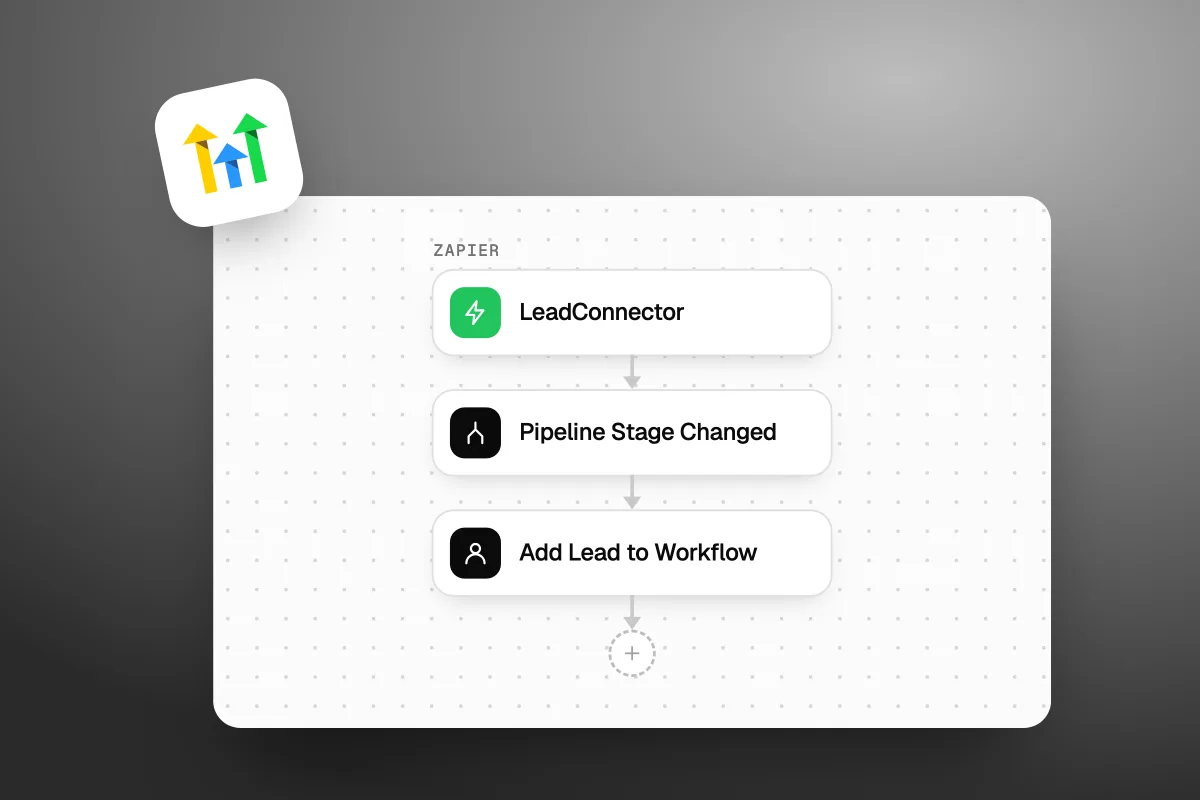
The GoHighLevel Zapier integration is listed as LeadConnector, not GoHighLevel or HighLevel. Search Zapier for "LeadConnector", sign in with your normal HighLevel login, and pick the sub-account you want to connect. This guide covers why the name is different, what the app can and cannot do, what it costs on both sides, and how to fix the Zaps that break most often. Every feature and price below was checked on Zapier's and GoHighLevel's own pages on 12 October 2026.
The short answer
On Zapier, GoHighLevel is called LeadConnector. GoHighLevel's help center calls it the official, white label HighLevel connection. You sign in with your HighLevel email and password. No API key. The app has 1 trigger (Pipeline Stage Changed) and 5 actions. For any other event, send it out of a GoHighLevel workflow with a webhook.
Why is GoHighLevel called LeadConnector on Zapier?
LeadConnector is the white label name HighLevel uses, so the app does not carry the HighLevel brand. GoHighLevel's own help article asks the question straight out: is the Zapier app named HighLevel? Its answer is to use LeadConnector, because "it's the official, whitelabeled HighLevel connection" (How to Connect a HighLevel Sub-Account with Zapier).
That is why so many people think GoHighLevel is missing from Zapier. It is there. It just has another name. We tried the obvious web addresses on 12 October 2026. zapier.com/apps/highlevel sends you straight to the LeadConnector page. zapier.com/apps/gohighlevel does not exist.
You will see the same name in other places too. The free GoHighLevel mobile app is also called LeadConnector, which we cover in what GoHighLevel is. Same company, same account, different label. Agencies like it because their clients see a neutral name, not the software behind it.
Looking for GoHighLevel on Zapier? Search for LeadConnector. It is the same product under a different name.
How do you connect GoHighLevel to Zapier?
You log in to your HighLevel account from inside Zapier and pick one sub-account. These steps come from GoHighLevel's help article, last modified 18 September 2025:
- Log in to Zapier and click Create, then Zaps.
- Click the trigger block and choose LeadConnector.
- Pick a trigger event, such as Pipeline Stage Changed.
- Under Account, click Sign In.
- Enter the email and password you use for HighLevel.
- Choose the sub-account this connection should use.
- Check that LeadConnector now shows under Accounts in your Zap.
A sub-account is one business inside GoHighLevel. If you run one business, there is only one to pick. If you are an agency, each client is its own sub-account, so each client needs its own LeadConnector connection in Zapier. To move a Zap to another client, add a new connection, pick the other sub-account, then switch the account the Zap uses.
To remove a connection, open App Connections in Zapier's left menu, click the three dots next to LeadConnector and choose Delete.
Not on GoHighLevel yet? Our special link gets you a 30-day free trial of GoHighLevel (we may earn a commission from this link) plus a free live bootcamp. Sign up on GoHighLevel's own site and you get the standard 14 days, with no bootcamp.
Do you need an API key?
No. GoHighLevel's help article says the standard LeadConnector connection needs no API key. You sign in with your CRM login instead.
Older videos and guides tell you to paste a "location API key" into Zapier. That was the old way. GoHighLevel's API Migration Guide (modified 21 August 2026) says its v1 API reached end of support on 31 December 2025. Old v1 setups may still run, but they are no longer maintained or supported. For custom builds, GoHighLevel now points you to a Private Integration token, with a separate token for each tool.
If a guide tells you to paste an API key into Zapier, it is out of date. Sign in with your HighLevel login instead.
What can the LeadConnector Zapier app do?
It has one trigger and five actions. That is the full list under "Supported triggers and actions" on Zapier's LeadConnector page, checked 12 October 2026.
| Type | Name | What it does | Worth knowing |
|---|---|---|---|
| Trigger | Pipeline Stage Changed | Starts a Zap when an opportunity moves to a new stage | Instant, so no waiting for Zapier to check |
| Action | Add/Update Contact | Adds a contact, or updates one that already exists | Takes name, email, phone, address, tags, source, notes and business name |
| Action | Add/Update Opportunity | Adds or updates a deal in a pipeline | You pick the pipeline, the stage and the user |
| Action | Add Lead to Workflow | Puts a lead into a workflow you already built | Needs the workflow ID |
| Action | Stop All Workflows for Lead | Stops every workflow running for that lead | Finds the lead by phone, email or name |
| Action | Add Task | Adds a task in the account | Needs a title and a description |
One warning. Lower down, the same Zapier page has a help section that mentions triggers like "Contact Tag Added", "New Contact" and "New Opportunity". None of them are in the supported list. Go by the list. If you need those events, use the webhook route in the next section.
Keep the Zap small
The setup we suggest: let Zapier do the hand-off, and let GoHighLevel do the follow-up. Use Add Lead to Workflow to drop the lead into a GoHighLevel workflow, with their name, phone, email and tags. Then the texts, emails, tags and reminders all live in GoHighLevel, where you can see and change them in one place.
Stop All Workflows for Lead is the other useful one. Say leads get a run of "book a call" texts, but some book through a tool outside GoHighLevel. A Zap from that booking tool can stop the texts the moment they book. Nobody wants a reminder to book a call they already booked.
Small Zaps also matter for cost. Zapier's free plan only runs two-step Zaps: one trigger, one action. A two-step Zap into a GoHighLevel workflow fits that.
How do you send other GoHighLevel events to Zapier?
Use a GoHighLevel workflow with a Webhook action, and catch it in Zapier with Webhooks by Zapier. This is how you send any event the LeadConnector app does not cover, like a form fill, a booked appointment or a new tag.
- In Zapier, start a Zap with Webhooks by Zapier and the Catch Hook event. Copy the URL it gives you.
- In GoHighLevel, open a workflow with the trigger you want, for example a form being submitted.
- Add the Webhook action and paste in the Zapier URL.
- Save and publish the workflow. A workflow left in draft does not run.
- Run a real test, like filling in the form yourself.
- Back in Zapier, pull in the test data and map the fields to your next app.
The catch: catching webhooks needs a paid Zapier plan. GoHighLevel's own guide, "How to Use Webhooks in HighLevel (Zapier)", says so, and Zapier's pricing page lists webhooks as a Professional plan feature, not a Free one.
Sending custom data into GoHighLevel
If the LeadConnector actions do not have the fields you need, go the other way. In GoHighLevel, start a workflow with the Inbound Webhook trigger. It gives you a URL. In Zapier, use Webhooks by Zapier to send your data to that URL. Then map each field inside the workflow.
Two rules from GoHighLevel's guide. Inbound Webhook is a premium trigger, so it costs money per run (see the next section). And every GoHighLevel workflow needs a contact to run on. Add a Create/Update Contact or Find Contact step that uses the email or phone from your data. Skip it and the workflow breaks.
Let Zapier hand the lead over. Let GoHighLevel do everything after that. Fewer steps, fewer places to break.
What does it cost to use Zapier with GoHighLevel?
Connecting is free on both sides. You pay Zapier if your Zaps need more than its free plan, and GoHighLevel charges per run for premium workflow steps like webhooks. Both price lists below were checked on 12 October 2026.
Zapier's side
| Zapier plan | Price | What matters for GoHighLevel |
|---|---|---|
| Free | $0 | 100 tasks a month. Two-step Zaps only. Other apps' triggers are checked every 15 minutes |
| Professional | From $19.99 a month, billed yearly | Multi-step Zaps, premium apps and webhooks. Checks every 2 minutes |
| Team | From $69 a month, billed yearly | 25 users, shared Zaps and shared app connections. Checks every minute |
Source: Zapier's pricing page. The check speed matters if you text new leads fast. A lead from a form app on the free plan can sit for up to 15 minutes before Zapier picks it up. The LeadConnector trigger itself is instant.
Watch for premium apps too. On Zapier's LeadConnector page, Facebook Lead Ads is marked Premium, so a Facebook leads Zap needs a paid plan. That is a good reason to use GoHighLevel's own Facebook trigger instead (more on that below).
GoHighLevel's side
We found no GoHighLevel fee for the LeadConnector connection itself. Premium workflow steps do cost money. GoHighLevel's premium list includes Inbound Webhooks, Custom Webhooks, Google Sheets actions and Slack actions (Workflow Premium Features, modified 28 September 2026).
| Option | Price | Premium runs included | Each run after that |
|---|---|---|---|
| Free | $0 | 100, once (lifetime, not monthly) | $0.01 |
| Workflow Pro Starter | $10 a month | 10,000 a month | $0.008 |
| Workflow Pro Growth | $25 a month | 30,000 a month | $0.006 |
| Workflow Pro Scale | $50 a month | 65,000 a month | $0.004 |
Unused runs do not roll over. If you go over, workflows keep running and you pay the overage rate. Quick maths: at $0.01 a run, $10 buys 1,000 runs. So the Starter bundle only pays off once you pass about 1,000 premium runs a month. Below that, pay as you go.
An agency has to switch premium steps on first. In the agency view, go to Settings, then Company settings, find Workflow - Premium Features and turn it on. The GoHighLevel plan itself starts at $97 a month for Starter on GoHighLevel's pricing page (checked 12 October 2026). Our GoHighLevel pricing guide breaks down every plan and usage fee.
Do you need Zapier with GoHighLevel at all?
Often, no. GoHighLevel workflows already do a lot of what people buy Zapier for, inside the account you already pay for. Check these first:
- Facebook lead ads. GoHighLevel has its own "Facebook Lead Form Submitted" workflow trigger. Connect your Facebook page and lead forms in GoHighLevel, and leads land in your workflows without Zapier.
- Google Sheets and Slack. Both are GoHighLevel workflow actions. They are premium, so each run costs a little, but you skip a Zapier plan.
- Texts, emails, tags and pipeline moves. All built into workflows. Our post on GoHighLevel workflow automations has ten worth copying.
Zapier earns its place when the other app has no GoHighLevel option at all, or when your business already runs on Zaps. GoHighLevel's webhook guide also names Make and Pabbly Connect as other ways to connect, both through LeadConnector. For AI tools on top, like ChatGPT or Claude, see our list of AI integrations for GoHighLevel.
Where this setup is the wrong choice: if GoHighLevel only does one small job for you, like sending texts, and the rest of the business lives in another CRM. Then Zapier plus GoHighLevel means two bills and two places for things to break. Pick one system to be the main one and keep the other to a minimum.
Before you build a Zap, check whether a GoHighLevel workflow can do the job alone. Often it can.
Why is my GoHighLevel Zap not working?
Most broken GoHighLevel Zaps come down to one of six things. Check them in this order.
- Wrong sub-account. Each connection points at one sub-account. If contacts land in the wrong client, check which LeadConnector connection the Zap uses.
- An old API key setup. Zaps built from old guides may still use the v1 API, which lost support at the end of 2025. Rebuild them with the LeadConnector sign-in.
- Premium steps not switched on. An Inbound Webhook trigger needs Workflow Premium Features turned on in the agency settings first.
- No contact in the workflow. An inbound webhook workflow needs a Create/Update Contact or Find Contact step, or it stops.
- The workflow is still a draft. GoHighLevel's guide says to save and publish. A draft workflow sends nothing to Zapier.
- Zapier plan limits. The free plan has two steps, no premium apps, no webhooks and 100 tasks a month. A Facebook Lead Ads Zap or a Catch Hook will not run on it.
Test each fix with a real record, like your own name and phone number, not Zapier's sample data. Sample data can pass a test that a real lead then fails.
Each LeadConnector connection points at one sub-account. Most "leads went to the wrong client" problems start there.
How do agencies run Zapier across many sub-accounts?
With one LeadConnector connection per client sub-account, each named clearly so nobody picks the wrong one. A few more things help at agency scale:
- Shared connections. Zapier's Team plan adds shared app connections and shared Zaps, so your team builds from the same logins.
- Rebilling. GoHighLevel lets you pass premium workflow costs to each client, with a markup, from Manage Client, then Rebilling, in the agency view.
- Whitelabel Zap. GoHighLevel's pricing guide in its help center lists a paid add-on where its team builds a Zap with your agency's branding.
- Sub-accounts from Zapier. GoHighLevel's help center also has a guide to creating sub-accounts through Zapier, marked Agency Pro plan only.
GoHighLevel is the tool. Someone still has to do the work: build the workflows, test the Zaps, fix them when an app changes. If you would rather hand that part over, see how Havstock Unlimited works. This kind of setup is what our CRM and automations work covers.
FAQ
Is there a GoHighLevel app on Zapier?
Yes, but it is called LeadConnector. GoHighLevel's help center says LeadConnector is its official white label connection on Zapier. If you search for GoHighLevel or HighLevel, you may not spot it. The address zapier.com/apps/highlevel redirects to the LeadConnector page, which confirms they are the same app.
Is the LeadConnector Zapier app free?
The app costs nothing to connect. Your costs come from your Zapier plan and from any premium GoHighLevel steps. Zapier's free plan gives 100 tasks a month and two-step Zaps. Webhooks and premium apps like Facebook Lead Ads need a paid plan, from $19.99 a month billed yearly (checked 12 October 2026).
Can Zapier trigger when a new contact is added in GoHighLevel?
Not with the LeadConnector app alone. Its only trigger is Pipeline Stage Changed. To send new contacts, form fills or bookings to Zapier, build a GoHighLevel workflow with that trigger and add a Webhook action. Catch it in Zapier with Webhooks by Zapier, which needs a paid Zapier plan.
Do I need an API key to connect GoHighLevel to Zapier?
No. You sign in with your HighLevel email and password, then choose a sub-account. Guides that use a location API key are out of date. GoHighLevel's v1 API reached end of support on 31 December 2025. Custom builds should use a Private Integration token, with one token per tool.
Can I connect more than one sub-account to Zapier?
Yes. Each LeadConnector connection points at one sub-account, so add one connection per sub-account. To move a Zap to another client, add the new connection and switch the account inside the Zap. Name each connection after the client so your team never sends leads to the wrong business.
Can GoHighLevel get Facebook leads without Zapier?
Yes. GoHighLevel has a native "Facebook Lead Form Submitted" workflow trigger. Connect your Facebook page and lead forms inside GoHighLevel and the leads start workflows directly. That skips Zapier, where Facebook Lead Ads is a premium app that needs a paid plan. It also means one less tool to check when something breaks.
So that is the GoHighLevel Zapier integration: one app called LeadConnector, one trigger, five actions, and webhooks for everything else. Keep the Zaps small and let GoHighLevel workflows do the follow-up. If you want to try it, our special link gets you a 30-day free trial of GoHighLevel and a free live bootcamp, instead of the standard 14 days.