Nathan Field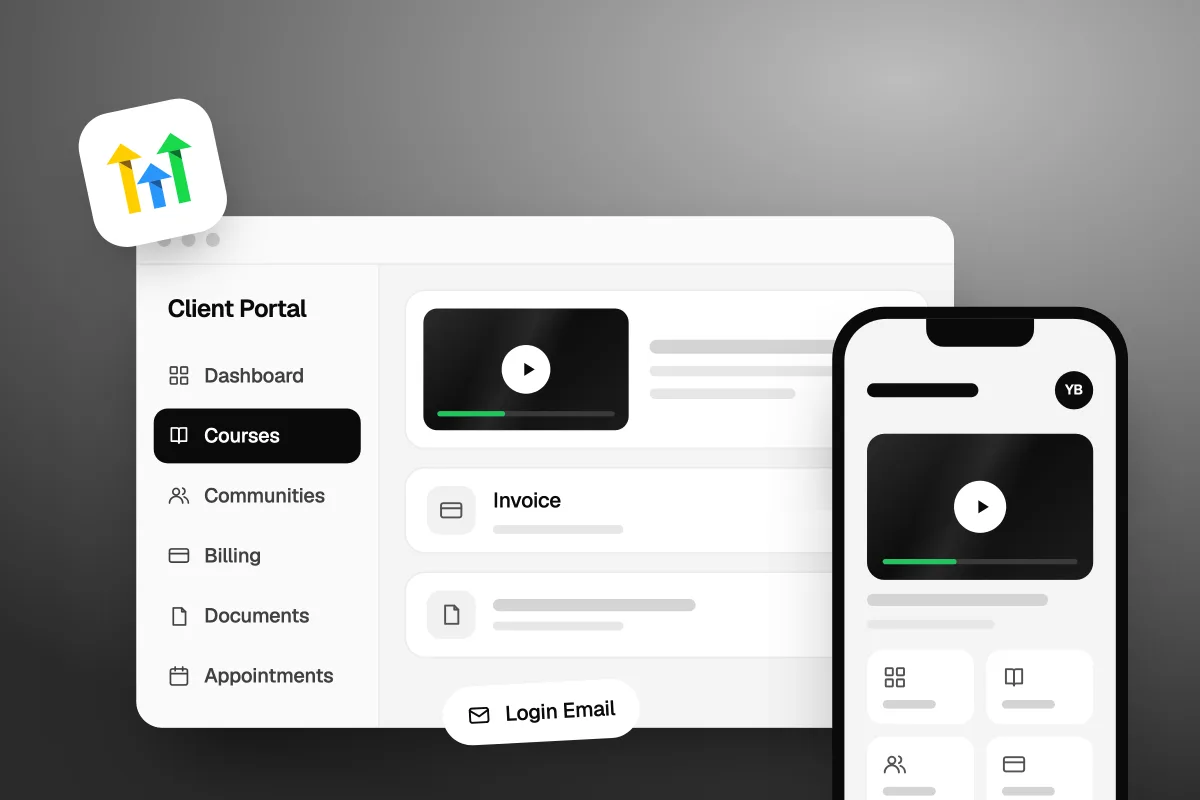
The GoHighLevel Client Portal is one branded login where your customers find everything they have with your business: courses, communities, invoices and subscriptions, estimates, shared files and booked appointments. You set it up in each sub-account under Memberships, then Client Portal: connect your domain, add your brand, choose which apps show, and invite your customers. The web portal is not a paid add-on on GoHighLevel's pricing page. Only the branded mobile app costs extra. We checked every fact below on GoHighLevel's own help pages and pricing page on 18 October 2026.
What is the GoHighLevel Client Portal?
It is the customer side of your GoHighLevel account. Your team works in the CRM. Your customers log in to the Client Portal to see what they bought, what they owe and what you shared with them. Some people search for it as the Go High Level client portal or the GHL client portal. It is the same thing.
- Who uses it: your customers, students, members and affiliates. Not your staff.
- Where it lives: on a clientclub.net web address by default, or your own domain.
- What is inside: the apps you switch on, such as Courses, Communities, Affiliates, billing, documents and appointments.
- What it costs: the web portal is not listed as an add-on. The Branded Client Portal App is $49 a month per sub-account on the pricing page.
- Who sets it up: each sub-account, on its own. Branding, domain and app choices are per sub-account.
GoHighLevel's help docs call the apps inside the portal "child apps". You choose which child apps each sub-account's portal shows.
What can your customers do in the client portal?
They can learn, pay, sign, share files and book time with you, all behind one login. Here is what GoHighLevel's help articles list, with the date each article was last changed:
| Area | What customers can do | Help article (last modified) |
|---|---|---|
| Courses | Take the courses they have access to, and pick up where they left off | Unified Client Portal Experience (8 Aug 2026) |
| Communities | Join and post in the community groups you give them | Unified Client Portal Experience (8 Aug 2026) |
| Affiliates | See their referral links, commission rates and earnings | How to set up the Client Portal (4 Aug 2026) |
| Billing and subscriptions | View and cancel subscriptions, view and download invoices | Subscription Management in Client Portal (19 Sep 2024) |
| Estimates | View estimates, accept or reject them, download signed copies | View and Manage Estimates (6 May 2025) |
| Documents | Upload files to you, like PDFs, Word and Excel files and images | Upload Documents Through the Client Portal (30 Jun 2026) |
| Appointments | Book, view, reschedule or cancel meetings on calendars you choose | Client Portal Appointments (9 Sep 2026) |
A few details matter in real use:
- Uploaded files land on the contact. They show in the CRM under the contact's Documents, then Received, then Client Portal. Video files cannot be uploaded.
- Cancelling is instant. The subscription article says access to that subscription is lost as soon as the customer cancels it. If you do not want customers cancelling on their own, you can turn billing access off.
- Appointments need the new portal. The appointments article says booking works only in the new Client Portal design for now, and support for branded apps is "coming soon".
- Email alerts are yours to set. You can turn on emails for shared invoices, estimates and contracts, so customers know a document is waiting.
Courses and memberships have their own setup, which we cover in our guide to GoHighLevel membership sites for courses and coaches. Invoices and payments are covered in how to collect money with GoHighLevel payments.
How much does the GoHighLevel client portal cost?
The web portal is not a paid add-on, and the branded mobile app is $49 a month per sub-account. GoHighLevel's pricing page lists Courses, Communities and Payments & Invoicing as core features on every plan. Its add-on list has one portal line: "Branded Client Portal App $49/month per sub-account" (checked 18 October 2026).
| What | Cost (GoHighLevel's pricing page, 18 Oct 2026) |
|---|---|
| GoHighLevel Starter, 3 sub-accounts | $97 a month |
| GoHighLevel Unlimited, unlimited sub-accounts | $297 a month |
| Web Client Portal | Not listed as an add-on |
| Branded Client Portal App | $49 a month per sub-account |
One thing to check before you resell the app. GoHighLevel's branded app reselling guide (last modified 25 September 2025) still says the agency pays HighLevel $79 a month per location. That is older than the pricing page, but the two do not match. Look at Agency Settings, then Billing, then Subscription for your real charge before you set a client price.
Usage fees still apply around the portal, like the emails it sends, which GoHighLevel bills by use. Our what is GoHighLevel guide explains the plans and what each one includes.
How do you set up the GoHighLevel client portal?
You set it up inside the sub-account, in this order: domain, brand, apps, then invites. These steps come from GoHighLevel's How to set up the Client Portal article (modified 4 August 2026, checked 18 October 2026) and its App Permissions article. In some accounts the menu shows Sites instead of Memberships.
- Open the settings. In the sub-account, click Memberships, then Client Portal at the top, then Settings.
- Add your domain. Go to Domain Setup, choose Custom domain and type it in, for example portal.yourbusiness.com. At your domain provider, add an A record pointing to 162.159.140.166, or a CNAME pointing to preview.clientclub.net. Wait for the records to spread, then click Update Domain. GoHighLevel suggests allowing 24 to 48 hours.
- Add your brand. Open Branding and fill in the Portal Name, Portal Description, two brand colours, Favicon (square, up to 16x16 pixels), Portal Image (square, up to 720x720), Logo (square, up to 200x200), Support Email and copyright line. Click Save Settings.
- Pick a language. Optional. Under Language Settings, choose the default. Customers can still change their own.
- Choose the apps. Open App Permissions. Turn on the child apps you want customers to see, such as Courses, Communities and Affiliates, and turn off the rest. This is also where you switch Sign in with Google on or off.
- Turn on email alerts. Under Email Settings, then Client Portal, switch on emails for invoices, estimates and contracts if you use them.
- Invite customers. Copy the portal link from Domain Setup and send it, or invite people from the Client Portal Dashboard (more on that below).
If you change the domain later, GoHighLevel shows visitors on the old address a notice with the new link, and redirects them after 30 seconds. Still, set the domain before you invite anyone. Changing the address on live customers causes support emails.
Do the domain first and the invites last. Customers should only ever see one address for your portal.
Not on GoHighLevel yet? Our special link gets you a 30-day free trial of GoHighLevel (we may earn a commission from this link) plus a free live bootcamp. Sign up on GoHighLevel's own site and you get the standard 14 days, with no bootcamp.
How do customers sign up and log in to the client portal?
They sign up with a name, email and password, or you send them a link that logs them straight in. GoHighLevel's guide to how customers use the portal says new users enter their full name and email, choose a password, then type a verification code sent by email. The code expires after 15 minutes, so tell people to check their spam folder.
Customers who already have course access do not need to sign up again. They log in with the same email and password.
The App Permissions article lists four ways in:
- Email and password, always on.
- Secure code, a one-time code sent by email, always on.
- Magic link, a one-click login link you create, always on.
- Sign in with Google, which you can turn on or off.
The Client Portal Dashboard is where you invite people. GoHighLevel's dashboard article (modified 25 September 2026) lists three actions: Generate Magic Link, Invite to Client Portal (an existing contact or a new email), and Login Email, which sends a quick login button and works for many contacts at once. A magic link made from the dashboard expires after 15 minutes. For links inside workflow emails, the article says to use the custom values, which build the link for each contact.
The dashboard also shows two counts: invited users and joined users. If the joined number is much lower, people are not getting in. Send the login email again before you change anything else.
Should you switch to the new unified client portal?
Yes, once you have previewed it. GoHighLevel's Unified Client Portal Experience article (modified 8 August 2026) says it brings Dashboard, Courses, Communities, billing, shared files and account settings into one place with one menu. It is a Labs feature, which means GoHighLevel may still change it.
Its rollout article (modified 17 August 2026) gives the steps:
- In the sub-account, go to Memberships, then Client Portal, then Dashboard.
- Click Open preview to see the new design in a private tab. Members still see the old one.
- If you use custom CSS or JS, fix it in the preview first.
- Click Enable for everyone. The new look can take up to 5 minutes to show, and you can switch back to the classic portal later.
The rollout also adds a Client Portal email field on each contact, under Actions, then Client portal. That is the email the customer logs in with, kept apart from their main CRM email, so editing one no longer breaks the other. From the same panel you can change a customer's password or send a reset link.
One warning from the same article: duplicate contacts are not merged. A customer with two contact records gets one login that shows resources from both, but the CRM still holds two records. Clean up duplicates on your side.
Is there a GoHighLevel client portal mobile app?
Yes, two kinds: a free member app from GoHighLevel, and a branded app with your name on it.
- The free app. GoHighLevel's quick start guide lists Kollab by LeadConnector on the App Store and Google Play. Its newer help articles call it GoKollab. Members sign in with the same email and password they use for your courses, community or portal.
- The branded app. The Branded Client Portal App puts your own name and logo on the app. It is $49 a month per sub-account on the pricing page. Agencies can resell it: the reselling guide says you set your price in the Agency Reselling tab, and clients buy it under Sites, then Client Portal, then Settings, then Branded Mobile App.
For most small businesses, the free app plus a well-branded web portal is enough. Pay for the branded app when customers open it every week and your brand on their home screen is worth $49 a month to you.
What can't the GoHighLevel client portal do?
It does not track projects or jobs for your clients. None of the Client Portal help articles we read list project boards, task lists or job status for customers. If your clients mainly want to see "where is my project at", a dedicated portal tool fits better. Hubflo, for example, lists a project and job tracker for clients on its Business plan, and its plans start at $67 a month billed yearly (Hubflo's pricing page, checked 18 October 2026).
A few smaller limits from GoHighLevel's own help pages:
- Customers cannot upload video files.
- Appointments do not work in branded apps yet.
- Branding is set per sub-account, so ten client accounts mean ten setups.
- The unified portal is still a Labs feature.
If you sell courses and want a community-first home instead, we compared the two in GoHighLevel memberships vs Skool.
How do you get customers to use the client portal?
Put everything they need in the portal, and send them there every time. A portal nobody opens is just another login. Our advice:
- Send the link in your welcome email. Use a magic link from your workflow so the first visit needs no password.
- Turn off apps they do not use. An empty Communities tab makes the portal feel unfinished.
- Put every document there. Send invoices, estimates and contracts through GoHighLevel with portal emails on, so customers learn where to look.
- Ask for files there. Point customers to Upload Document instead of email attachments. The file lands on their contact record.
- Watch the joined count. If invited is far above joined, resend the Login Email.
If you want to see the customer view before you build it all, start a 30-day trial with our special link, set up one sub-account, and log in as a test customer.
FAQ
Is the GoHighLevel client portal free?
The web portal is not listed as a paid add-on on GoHighLevel's pricing page. Courses, Communities and Payments are core features on every plan, which start at $97 a month. The Branded Client Portal App, a mobile app with your own name and logo, is the paid part at $49 a month per sub-account.
Can I use my own domain for the client portal?
Yes. In the sub-account, go to Memberships, then Client Portal, then Settings, then Domain Setup, and choose Custom domain. Add an A record to 162.159.140.166 or a CNAME to preview.clientclub.net at your domain provider, then click Update Domain. Allow 24 to 48 hours for the records to spread.
Can customers see invoices or cancel subscriptions in the portal?
Customers can view and download invoices and cancel subscriptions under Account Settings, then Billing & Subscription. Cancelling ends their access straight away. If you would rather handle cancellations yourself, an admin can switch off subscription management for customers in the portal's app permissions settings.
How is the client portal different from a membership site?
The membership site is the course itself. The client portal is the login around it, which also holds communities, affiliate stats, billing, documents and appointments. Existing course members can log in to the portal with the same details. If you only sell one course, the difference barely matters. If customers buy several things, the portal keeps them together.
Can I control what each customer sees?
Partly. App Permissions switch child apps on or off for everyone in that sub-account's portal, not for one person. What each person sees inside an app depends on their access: the courses they bought, the community groups you added them to, and their own invoices, estimates and appointments.
Why can't my customer log in to the client portal?
Check three things. The verification code expires after 15 minutes, so they may need a new one. Magic links from the dashboard also expire after 15 minutes. And on the new portal, they log in with the Client Portal email on their contact record, which may differ from their main email. Send a reset link from that panel.
Who builds the portal and what goes in it?
The GoHighLevel client portal gives your customers one place for courses, billing, documents and bookings. Set the domain first, brand it, switch on only the apps you use, preview the new unified design, then invite people with a magic link.
GoHighLevel is the tool. Someone still has to do the work: build the courses, write the welcome emails, set up the workflows and keep it all tidy as you grow. We build course, membership and portal setups for course creators and coaches. If you would rather hand that over, see how Havstock Unlimited works.