Nathan Field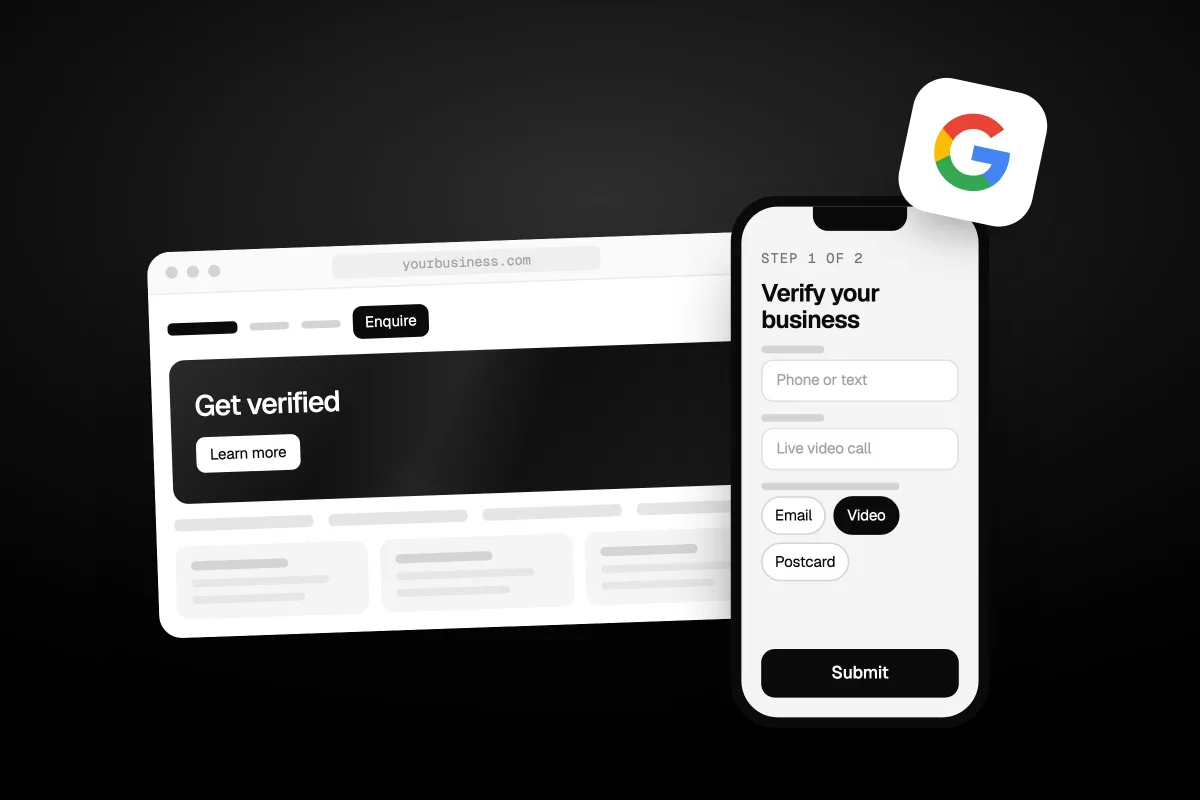
To verify a Google Business Profile, find or add your business, use one of the verification methods Google offers you, then wait up to 5 business days for Google's review. If it fails, the fix depends on what you see next: the "Get verified" button again, a "Review issues" notice on a video, or a request for more info.
This guide covers both halves of Google Business Profile verification: the steps, and what to do when it goes wrong. Every step comes from Google's own help pages, checked on 18 October 2026. Where Google gives no answer, we say so.
The short answer
- Sign in to a Google Account and find your business on Google, or add it.
- Select Get verified and use a method Google offers you. You cannot pick a method Google does not show.
- If video verification is offered, Google recommends it.
- Wait up to 5 business days for Google's review.
- Watch for a confirmation email. If you get "Review issues" or see "Get verified" again, fix the problem and try again.
Why do you need to verify your Google Business Profile?
You need to verify so you can edit your business info and deal with customers on Google. Google says verifying is how "you gain ownership of your Business Profile." Until then, you cannot change your name, hours or other details.
It matters for being found, too. Google's help page on finding your business says "only verified businesses can show their business info on Maps and Search." You also need it for two tools you will want later:
- Replying to reviews. Google says you must verify your business before you can reply.
- Local Services Ads. Google says advertisers must have "a public and verified Google Business profile." That is the first step to the badge in our post on how Google Guaranteed became Google Verified.
Your profile is also one of the few lead sources you own outright. It sits near the top of our list in how to get more plumbing leads for that reason.
What do you need before you start?
You need a Google Account, a business that is allowed a profile, and access to whatever Google will use to check you. Sort these out first and most failed attempts never happen.
- A Google Account. Google says you can use a Gmail address or any email address you already have. If you have a company email, you can link it to your Google Account.
- A business that deals with customers in person. Google says an online-only business, like an online shop with no in-person service, is not eligible for a Business Profile and cannot be verified.
- The right business type. If you have no permanent sign at your premises, Google says to list yourself as a service-area business, not a storefront.
- Your real phone line. For phone verification you must be able to answer your business phone or get texts on it. Google says automated phone menus, called IVR systems, "won't get the code."
- A name that matches. The name in a verification video must match the name on your profile. Use your real business name, with no extra words added.
Which verification method will Google give you?
Google chooses the method for you. Its help page says "verification methods are automatically determined by Google and can't be changed." They depend on your business type, public info, region and business hours. Sometimes Google asks you to use more than one.
| Method | What you do | Watch out for |
|---|---|---|
| Phone or text | Answer a call or open a text, then enter the code on your profile | IVR phone menus will not get the code |
| Follow the steps in an email Google sends | You must be able to use the email address shown | |
| Video (a recording) | Record a live video on your phone and upload it | At least 30 seconds, one take, no edits |
| Live video call | Show your business to a Google support person on a video call | Only during your business hours, and not offered to everyone |
| Postcard | Google mails a 5-digit code to your business address | Do not edit your profile while you wait |
Source: Google's Verify your business on Google, checked 18 October 2026.
Use the method that fits your setup best. If Google offers video, it says "we recommend that you use this option."
How do you verify with a video recording?
You record one live, unedited video on your phone that shows where you are, that the business is real and that you run it. Google's video page sets the rules. Your video must be:
- An unedited, unique and complete recording with no breaks.
- At least 30 seconds long.
- Recorded and uploaded from a mobile device, through your Business Profile.
You cannot record it offline and upload it later. Google says "pre-recorded videos aren't allowed." Plan what you will show before you press record.
What you show depends on your business type:
| Show this | Storefront or hybrid business | Service-area business (like a plumber) |
|---|---|---|
| Where you are | Street signs, building numbers, nearby businesses | Street signs or landmarks near your business address. If you work from home, signs in your neighbourhood |
| The business is real | Your storefront or sign, with the name on a permanent fixture | Your tools, equipment, business cards or branded clothing |
| You run it | Something only staff can reach, like the till, kitchen or storage room | You doing the work, or opening a van with your business branding. A permit, invoice or utility bill in your business name also works |
Source: Google's Verify your business with a video recording, checked 18 October 2026.
Google also lists what must not be in the video: bank account, tax or ID numbers, private info about you or others, and other people's faces. Film when the place is quiet.
To send it, open your profile on your phone, tap Get verified, then Business video. Read the requirements, allow camera and microphone access, record, review, and tap Upload video. You can re-record before you upload.
Most video fails come down to one missing shot. Show the name on the sign, the street around you, and proof you run the place.
How do you verify by phone, text or email?
You select Get verified on your profile, choose Phone or SMS, or Email, and follow the code or link Google sends. These are the quickest methods when Google offers them.
For phone or text, answer the call or open the text, then enter the code on your profile. Make sure a person can answer your business number. If calls go to a menu or an answering service first, the code may never reach you.
For email, open the email and follow the steps. Google says to make sure you can use the email address shown on the verification screen. If that is an old address nobody checks, pick another method if Google offers one.
How does a live video call verification work?
You show your business to a Google support person on a video call, during your business hours. Google says it "may not be available for all businesses."
Be at your business before you start. Google says to be ready to show your current location (outside signs, nearby businesses or a street sign), your products or the tools you use, and proof you manage the business. That proof can be staff-only areas, the cash register, or using your keys to open the building.
To start, select Get verified, then Live video call, choose your language and start a text chat with support. When someone is ready, they help you join the video call. Use your camera to walk them through the business.
How do you verify by postcard?
You request a code, wait for the postcard, then enter the 5-digit code on your profile. Postcards are slow and easy to break, so follow Google's rules to the letter:
- Select Get verified, then Postcard. Check your mailing address is right, then request the code.
- Wait. Google says most codes arrive within 14 days.
- While you wait, do not edit your business name, address or category. Google says if you do, "the code we sent you won't work."
- Do not ask for a new code. That cancels the one already in the mail and starts the wait again.
- When it arrives, enter the code in the Code field on your profile and select Submit.
Codes expire after 30 days, so do not leave the postcard in a drawer. And keep the code to yourself. Google says it "will never ask for your verification code," and you should not share it, even with people who help manage your profile.
How long does Google Business Profile verification take?
Google says verification reviews take up to 5 business days, and on rare occasions longer. That is after you finish the steps. A postcard adds its own wait, with most codes arriving within 14 days.
Some profiles are verified instantly. Google says this can happen when you have already verified your website in Google Search Console, or when you use bulk verification for many locations. When it is done, you get a confirmation email.
Why did your video verification fail?
Your video failed because it missed one of Google's requirements, and Google tells you which one. You will see a "Review issues" notice on your profile. Google gives these examples of reasons:
- Business name not visible on storefront.
- No nearby area shown.
- Missing proof of authorization to operate the business.
To try again, open your profile on your phone, tap Review issues and read what was missing. Then record a new video. Google says it must include all the info from your first video, plus the missing parts. Do not just film the missing shot on its own.
If the upload itself fails, Google's answer is simple: upload it again. Sometimes it does not work on the first try.
What do you do when verification fails or gets stuck?
Read the sign Google gives you, then follow the fix that matches it. Google's help page lists three:
| What you see | What it means | What to do |
|---|---|---|
| The "Get verified" button appears again | Google could not completely verify your business | Re-verify. If other methods show up, try one of those |
| A "Review issues" notice after a video | Your video was not accepted | Select Review issues and follow the on-screen steps |
| A request for more info to re-verify | Likely your business details changed recently | Select Get verified and go through verification again |
If you are still stuck after that, work through this list in order:
- Try every method Google shows you, not just your favourite.
- Check your name, address and category match the real world. Fix the profile first, then verify.
- Check you are not trying to verify a business someone else already owns (next section).
- Contact Google Business Profile support. Google's video page asks you to try the available methods first, because it makes it easier for them to help you.
You can also ask in Google's Business Profile community forum. Answers there come from other users, so check them against Google's own pages.
What if someone else already owns your profile?
You request ownership from the current owner through Google. This often happens when a past employee, an old agency or a former partner verified the profile years ago.
For a storefront or hybrid business, go to business.google.com/add, enter your business name and address and choose it from the list. You will see "Someone else may manage this Business Profile." Select Request Access, fill out the form and submit it.
Google then emails the current owner, who has 3 days to respond:
- Approved: you get an email and can manage the profile.
- Denied: you get an email. You can appeal the decision or suggest an edit to the profile.
- No reply after 3 days: you may get the option to claim it. Open your confirmation email, select View request, then Verify. Google notes this option is not always available.
A service-area business with no shop or office has a different route. Google says to contact support and choose "Transfer ownership of listing" as the issue.
Source: Google's Request ownership of a Business Profile, checked 18 October 2026.
Why is Google asking you to verify again?
Google asks you to verify again because something about your business changed. Its video page says "changes to your business info may require re-verification." Google's main page says it may ask for more details "to make sure your business info is accurate."
Before you change your name, address or category, make sure the change is real and that you can prove it. A new sign, a new lease or a new trading name should all line up before you edit.
What should you do once you are verified?
Add the people who help you, keep the details true, and start using the profile. Google lets you add owners and managers after verification. Add your staff or agency that way. Do not hand over your own Google login.
Keep the profile matching the real world. Verified is not the same as safe. If Google later finds a profile breaks its guidelines, it can suspend it, and our guide to a suspended Google Business Profile covers that case. Then look after your reviews. Our post on how to remove bad Google reviews explains which ones Google takes down.
Should you pay someone to verify your Google Business Profile?
For verification alone, no. Every method above is free, and you are the right person to do it, because Google needs to see you, your sign, your phone or your mailbox. An agency cannot film your storefront for you or answer your business line.
Where help is worth it is what comes after. Getting the profile found, getting reviews and turning searches into calls is ongoing work. Google Business Profile work is part of our SEO and answer engine optimization service. If you would rather hand over the whole marketing job, see how Havstock Unlimited works. If all you need is a verified profile, follow this guide and save the money.
FAQ
Can I choose how I verify my Google Business Profile?
No. Google says verification methods are automatically determined and can't be changed. Your options depend on your business type, public info, region and hours. If several methods show up, you can pick from those. If a video option appears, Google recommends using it.
How long does a Google Business Profile verification postcard take?
Google says most codes arrive within 14 days. Codes expire after 30 days. While you wait, do not edit your business name, address or category, and do not request a new code, or the code already in the mail stops working and the wait starts again.
Why does my profile still say Get verified?
Google says that when the Get verified button appears again, it could not completely verify your business. Try to re-verify. If your profile now shows other methods, try one of those. If nothing works after trying every method, contact Google Business Profile support.
Can I verify a business I run from home?
Yes, as a service-area business. Google says not to show your home address if you do not serve customers there. For video verification, you can film landmarks and street signs in your neighbourhood, plus your tools, branded van or business documents in your business name.
Can an online-only business get a Google Business Profile?
No. Google says a business that operates online only, like an online shop with no in-person service, is not eligible for a Business Profile and can't be verified. You need to meet customers in person, at your premises or at theirs.
Is there a way to get verified instantly?
Sometimes. Google says instant verification can happen if you have already verified your website with Google Search Console, or if you use bulk verification for many locations. It is not guaranteed. Otherwise, reviews take up to 5 business days after you finish the steps.
Should I give my verification code to my agency?
No. Google says to keep the code secure and not share it, even with people who manage your profile. Google will never ask you for it. Verify the profile yourself, then add your agency as a manager from your profile settings.
What should you do first?
Sign in, find your business, and see which methods Google offers you. If video is one of them, plan your shots and record it today. If the postcard is your only choice, leave the profile alone until the code arrives. Google Business Profile verification is a one-time job when it goes right, and these steps are how you make sure it does.