Nathan Field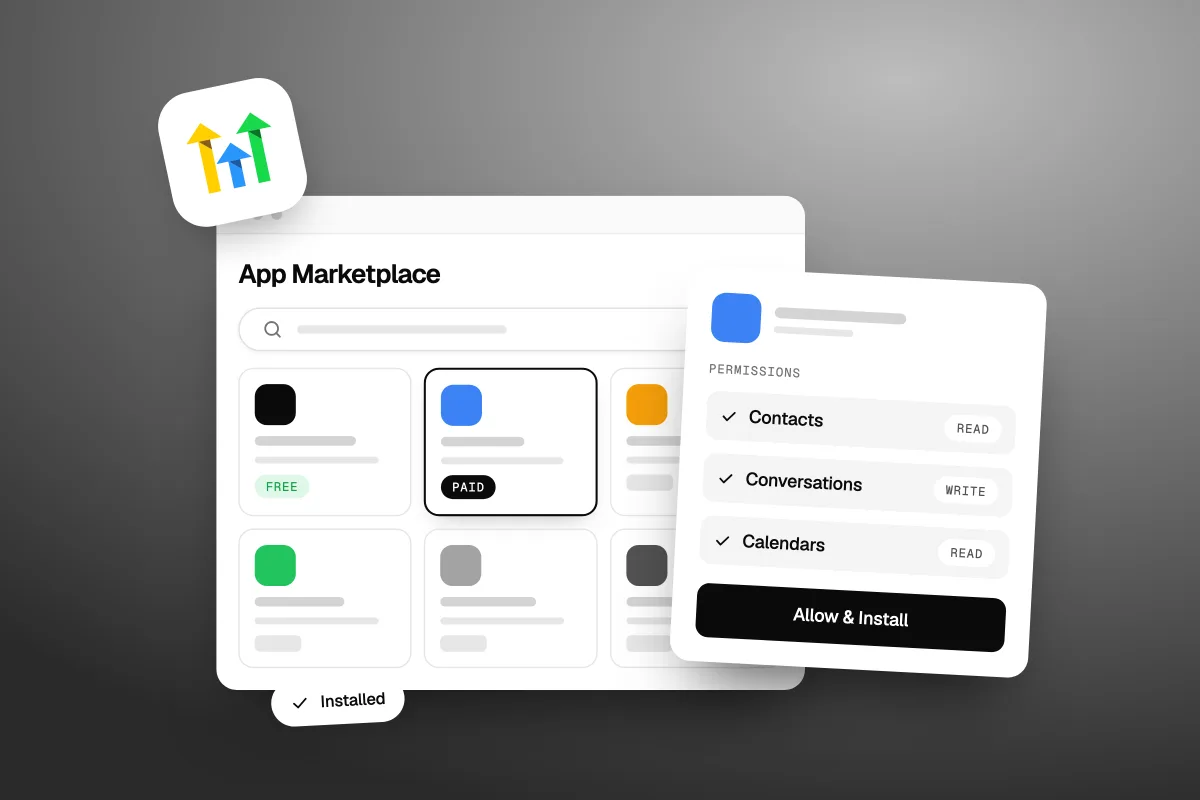
The GoHighLevel App Marketplace is the app store inside GoHighLevel, where you add extra tools to your account, like Make, Canva, Slack, AI agents, texting providers and new workflow actions. You open it from App Marketplace in the left menu, pick an app, check its price and permissions, and click Install. Many apps are free. Paid apps bill your card on file, an external payment page or your wallet, and each app only gets the access you approve. We checked every fact below on GoHighLevel's own marketplace and help pages on 18 October 2026.
What is the GoHighLevel App Marketplace?
It is the list of add-on apps built for GoHighLevel, by GoHighLevel and by outside developers, that you can install into your account. Some people search for it as the Go High Level marketplace or the GHL app marketplace. It is the same thing.
- Where it is: App Marketplace in the left menu of your account, or the public site at marketplace.gohighlevel.com.
- How big it is: 2,675 apps were listed when we checked on 18 October 2026.
- What it costs: browsing is free. Each app sets its own price: free, paid, or free to install with paid parts.
- What to watch: the permissions each app asks for. Approve only what the app needs.
- Who controls it: agency owners and admins can choose which apps their sub-accounts can see and install.
Apps add things GoHighLevel does not do on its own, or connect it to a tool you already use. An app can add new workflow actions and triggers, a new texting or chat provider, widgets for your funnels and websites, or a whole new screen inside your account.
What kinds of apps are in the GoHighLevel marketplace?
Almost every kind of business tool. The marketplace sorts them into categories, including Accounting & Payments, Advertising, Calendar & Scheduling, Calling, Email, Lead Generation, SEO, SMS, Social Media, Webinar, WordPress and Workflow Automation. Tabs at the top split out AI Agents and Templates.
There are also ready-made collections. On 18 October 2026 they were Top installed apps, Newly added apps, Top free apps, Top paid apps, Workflow automation hub, Custom experience hub, Conversation hub, Snapshots hub, Web widget hub, Voice AI hub and Conversation AI hub.
Here are the most installed apps on the public listing that day:
| App | Built by | What it does (from its listing) | Listed price |
|---|---|---|---|
| My CRM Support | MyCRMSupport | CRM support | Free |
| Make | Make | Connects GoHighLevel with thousands of apps | Free |
| Pabbly Connect | Magnet Brains | Connects apps and automates tasks | Free |
| All The Apps | Level Up Marketplace | Agency onboarding, checklists, support | Free to install |
| Assistable.ai | Assistable.ai | AI agents | Free |
| Pipedream | Pipedream | Low-code connections for developers | Free |
| Canva | LeadConnector | Design tool | Free |
| Slack | LeadConnector | Slack for LeadConnector | Free |
LeadConnector is the name GoHighLevel uses for its own apps, so those two are built by GoHighLevel. "Free" here is the label on the GoHighLevel listing. A connector like Make still runs on your own Make account, which has its own plans. A small "WL" tick on a card marks an app that supports white labelling.
For AI tools in particular, our guide to AI integrations for GoHighLevel walks through the ones we would look at first.
How much do GoHighLevel marketplace apps cost?
Each app sets its own price, and many are free. The developer picks the model. GoHighLevel's developer page lists free, subscription, one-time purchase, freemium, usage-based and app reselling. One listing can mix them, like a monthly plan plus a charge per use.
One thing surprised us. When we checked on 18 October 2026, the Pricing tab on paid apps showed "Please login to view pricing" to anyone not logged in. So you cannot compare paid app prices from the public site. Log in to your account and open the app inside App Marketplace to see its plans.
Who pays depends on the type of price:
| Price type | How you pay | Refund rule (GoHighLevel's policy) |
|---|---|---|
| Subscription or one-time, paid inside GoHighLevel | The card on file, when you click Confirm during install | Subscription: prorated refund only if you cancel within 3 days of the first purchase. One-time: only if the app is broken, reported within 3 days |
| Paid on the developer's own page | You are sent to the developer's payment page during install | GoHighLevel cannot refund it. Ask the developer |
| Usage-based | Your wallet, per action, trigger or message | Correct usage charges are not refunded. Report a wrong charge within 3 days |
Sources: GoHighLevel's marketplace installation guide (modified 25 September 2026), its marketplace refund policy and its usage-based pricing article, all checked 18 October 2026. The refund policy also says developers can set different terms, so read the listing.
Usage-based apps need a funded wallet. GoHighLevel's usage pricing article says that when rebilling is on, the sub-account's wallet is charged, and when it is off, the agency's wallet is charged. Agencies can add a markup, and clients only see the agency's price. If a payment for a paid app fails, the installation guide says the app is not paused straight away: a 30-day grace period starts and GoHighLevel retries the charge.
None of this is on GoHighLevel's main pricing page, which lists the plans at $97, $297 and $497 a month (checked 18 October 2026). Our GoHighLevel pricing guide covers the plan costs and the usage fees for texts, calls and email.
Before you install a paid app, read three things on its listing: the price, the refund terms and the permissions. Two of the three cost you money if you skip them.
How do you install an app from the GoHighLevel marketplace?
You open the app, click Install App, check its details and click Allow & Install. Here are the steps from GoHighLevel's installation guide:
- Open App Marketplace in the left menu. Search by name, or filter by category, collection, pricing or "Who can install the app?".
- Open the app's page. Read the Overview (rating, install count, who it is for, white-label support, version, developer), then the Pricing, Permissions and Reviews tabs.
- Click Install App in the top right corner.
- Review the details and click Allow & Install. This is where you approve the permissions.
- Pay, if it is a paid app. Pick a plan and click Confirm, and your card on file is charged. Some apps send you to their own payment page instead.
- Connect the app. Many apps then ask you to log in to the other tool, or paste an API key, to finish the connection.
If you see Uninstall where Install App should be, the app is already installed.
Some apps install at the agency level and are pushed to sub-accounts. For those, you start in the agency's App Marketplace and pick all sub-accounts or only some. For a paid app, each chosen sub-account is charged to its own card on file, and sub-accounts with no card are skipped. Sub-account users then find the app under the Installed tab in their own marketplace.
You can also add apps without leaving a workflow. GoHighLevel's guide to installing apps from the workflow builder says a Discover button in the action panel opens the app list. Once installed, the app's actions and triggers show up next to the built-in ones.
Not on GoHighLevel yet? Our special link gets you a 30-day free trial of GoHighLevel (we may earn a commission from this link) plus a free live bootcamp. Sign up on GoHighLevel's own site and you get the standard 14 days, with no bootcamp.
How do you check what access an app gets before you install it?
Open the app's Permissions tab before you click Install, then read the scope list again on the approval screen. A scope is one piece of access, like "view your contacts" or "send messages for you".
GoHighLevel's OAuth consent guide (modified 5 September 2025, checked 18 October 2026) explains what the approval screen shows:
- The app's name and logo, so you know who you are approving.
- Every scope it asks for, with a line on what each one allows.
- Read scopes let the app view data, like your contact list.
- Write scopes let it change data or act for you, like sending messages.
- A special warning for deep access such as users: write or locations: write, which can change team permissions or create users.
The number of scopes varies a lot. On 18 October 2026, the Permissions tab for All The Apps, an agency support toolkit, listed 165 scopes across contacts, conversations, payments, users, workflows and more. That makes sense for a tool that touches your whole account. It would not make sense for a simple form widget.
Here is the check we use before we approve any app on a client account:
- Does the access match the job? A calendar tool needs calendars and contacts. It does not need payments or users.
- Read or write? If the app only reports on data, it should only need read scopes.
- Is there a warning? Any users: write or locations: write request needs a very good reason.
- Who built it? Check the developer name, the reviews and how many installs it has.
- Can we test it first? Install it in a test sub-account before the live one.
If the scopes do not match what the app does, deny it. GoHighLevel's guide says denying means the app is not installed and no data is shared.
An app only gets the access you click yes to. Read the scope list before you approve it, because that list is what you are giving away.
How do you remove an app or take its access away?
Uninstall it from Installed Apps. GoHighLevel's installation guide gives the steps: click App Marketplace, open Installed Apps, choose the app, click Uninstall in the top right corner, and confirm. For apps installed at both agency and sub-account level, you choose whether to remove it from the agency or from selected sub-accounts.
The Installed Apps page also helps you spot problems. It splits apps into Agency Apps and Sub-account Apps, and has quick filters for apps that need an update and apps whose connection failed, with Reconnect and Update buttons.
To review or revoke an app's access later, GoHighLevel's consent guide points to Settings, then Connected Apps.
Two things uninstalling does not do. It does not cancel usage you already ran up: the refund policy says those charges stay due. And it can break a workflow that used the app's actions, so check your workflows before you remove anything.
How can an agency control which apps clients install?
Turn on approved apps only, then approve the ones you trust. GoHighLevel's guide to managing marketplace app permissions (modified 14 September 2026, checked 18 October 2026) covers it:
- The setting: App Marketplace, then Settings, then Manage App Access. "Show only approved apps to sub-accounts" is off by default, so clients see every public app.
- Approve: one by one, or in bulk. Approved apps then show in your clients' App Marketplace.
- Disapprove: clients can no longer see or install the app, and it is uninstalled from every linked sub-account, including its workflow actions and triggers. Approving it again does not reinstall it.
For usage-based apps, you can also cap spend. GoHighLevel's usage limits article (modified 24 March 2026) says agency owners and admins can go to App Marketplace, then Settings, then App Usage Limits, click Set Usage Limit next to an app, and type a number of executions per day. When the cap is hit, billable use stops for the rest of the day.
If you run client accounts, set both of these on day one. It is much easier than explaining a surprise wallet charge later.
Marketplace app, Zapier or the API: which should you use?
Use a marketplace app when one exists for the tool you need. It installs in a few clicks and its actions sit inside your workflows. If there is no app for your tool, check whether Zapier connects to it. Our GoHighLevel Zapier guide shows how that works.
Make and Pabbly Connect sit in between. Both are free marketplace listings that connect GoHighLevel to other apps, and both run on your own Make or Pabbly account, which has its own pricing.
Use the API only when you need something no app or connector does, and you have a developer. It gives you the most control and the most work.
| Option | Best for | Setup |
|---|---|---|
| Marketplace app | A tool that already has a listing | A few clicks, plus a login to the other tool |
| Zapier, Make or Pabbly Connect | A tool with no marketplace app | Build a zap or scenario, plus that tool's plan |
| GoHighLevel API | Custom jobs no app covers | A developer, tokens and code |
Can you build your own app for the GoHighLevel marketplace?
Yes. GoHighLevel's developer page offers two kinds: a Marketplace App, listed publicly once approved, and a Custom App that only your agency can use. The steps are build the app, get it approved, then list it. The same page says HighLevel will not charge any commission on developers' revenue until 31 December 2026.
Apps are built on the GoHighLevel API with OAuth. Our GoHighLevel API guide covers tokens, OAuth and your first API call, so we will not repeat it here.
FAQ
Is the GoHighLevel App Marketplace free?
Browsing it is free, and many apps are free to install. Paid apps charge through your card on file, the developer's own payment page or your wallet. Some free apps connect to another company's tool, like Make, which has its own plans. Check each listing's Pricing tab while logged in.
Where do I find the App Marketplace in GoHighLevel?
Click App Marketplace in the left menu of your account. You can also browse the public listing at marketplace.gohighlevel.com, but paid app prices only show once you log in. If an agency runs your account and only shows approved apps, you will only see the apps it has approved.
Can a sub-account install apps on its own?
Some apps, yes. Each app's developer chooses who can install it, and the marketplace has a "Who can install the app?" filter. Agency-only apps must be installed by an agency owner or admin, who can push them to chosen sub-accounts. Agencies can also limit sub-accounts to approved apps only.
Are GoHighLevel marketplace apps safe?
Treat them like any app that touches your data. Each one only gets the scopes you approve, and GoHighLevel's approval screen warns you about deep access like users: write. Check the developer, reviews and install count, approve the smallest set of scopes, and test in a spare sub-account first.
Can I get a refund on a marketplace app?
Sometimes. For subscriptions paid inside GoHighLevel, its policy offers a prorated refund only if you cancel within 3 days of the first purchase. One-time apps are refunded only if they are broken. Correct usage charges are not refunded. If you paid on the developer's site, ask the developer.
What does LeadConnector mean on an app listing?
LeadConnector is the name GoHighLevel uses for its own apps and connections. Apps like Canva and Slack in the marketplace are listed as built by LeadConnector. You will also see the name when you connect other tools, such as Google or Facebook, so seeing it during a login is normal.
Who sets up the apps and keeps them working?
The GoHighLevel App Marketplace makes it easy to add tools. Pick an app, read the price and the permissions, install it in a test account, and only then roll it out. Uninstall anything you stop using. If you are new to the platform, our what is GoHighLevel guide is the place to start.
GoHighLevel is the tool. Someone still has to do the work: choose the apps, connect them, build the workflows around them and fix them when a connection fails. We set up CRMs, apps and workflows for clients as part of our CRM and automations service. If you would rather hand that over, see how Havstock Unlimited works. If you want to try it yourself first, start a 30-day free trial with our special link and install your first free app today.