
 Nathan Field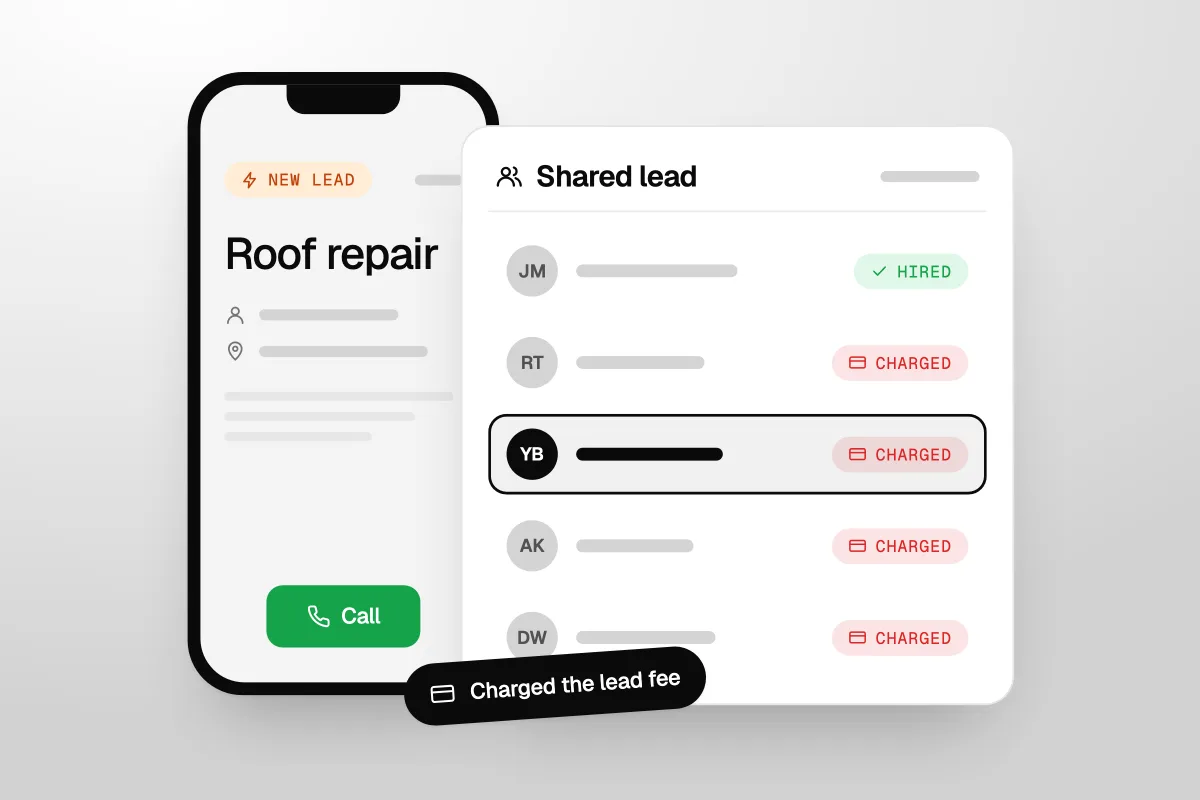
This Angi leads review is for contractors, roofers, plumbers and HVAC owners who are deciding whether to start, keep or quit buying leads from Angi. We read Angi's own help pages for pros on 29 September 2026, the FTC's case against HomeAdvisor, and what pros say in public reviews. Here is how it works now, what you pay for, and who it really suits.
The short answer
Angi leads can pay if you call back within minutes, sell jobs worth far more than a lead, and track what each won job costs you. But every request goes to up to five pros, you pay whether you win or not, and lost quotes earn no credit. Test it on pay per lead before you sign a yearly contract.
How Angi works for pros today
Angi is the company that used to be called Angie's List, and HomeAdvisor is part of the same group (FTC, January 2023). Pros now use one app, Angi for Pros. Its App Store page says it was formerly Angi Leads and Angi Ads, and that more than 200,000 home service pros use it (App Store, checked 29 September 2026).
Leads and Opportunities
Angi sends you work in two ways (Angi Help Center, Leads and Opportunities, checked 29 September 2026):
- Leads. A homeowner has shown interest in your business. You get their name, contact details and project. You are charged the lead fee.
- Opportunities. Requests that match your services and area, or sit just outside it. You see the job and the fee first. Some you can accept straight away. For others you show interest, and if the homeowner shows interest back, it turns into a lead and you pay.
Pay per lead or a yearly subscription
There are two ways to pay, per Angi's billing FAQ and its leads FAQ:
- Pay per lead. You set a monthly budget and Angi sends automatic leads up to it. You are billed every week: Wednesday if you pay by bank, Friday if you pay by card.
- Annual subscription. Your budget is set for the year in your contract, and you are billed monthly. To change your services, area or budget, you call Customer Care.
Opportunities sit on top of both. They do not count toward your monthly budget. If you are a subscriber, they do not get your subscription discount either.
Your budget is a target, not a cap. Angi's own example: with a $500 budget and $480 already used, you can still get one more $40 lead and end the month at $520.
How many pros get the same lead
Up to five. Angi says it matches each homeowner request with no more than five pros. So most of what you buy is a shared lead. You are charged for it whether or not you open it or reply (Angi, leads FAQ).
Angi is open about what that means. It says most closed leads are won by the first pro to reach the homeowner. It says calling within 15 minutes more than doubles your chance of reaching them, and a second call the next day raises it by 45% (Angi, Why It's Important to Call Quickly).
You are not buying a job. You are buying a place in a race against up to four other pros.
What Angi leads cost
Angi does not publish a price list. Its help center says lead fees change with the task, where the homeowner lives, and how much demand there is for the work. So a roof repair lead in a busy city will not cost the same as a small handyman job in a quiet town.
Plenty of blogs print price ranges for each trade. We could not find where their numbers come from, so we left them out. Ask Angi for the price for your own tasks and ZIP codes, in writing.
What about a membership fee? When the FTC brought its case, HomeAdvisor charged an annual membership of $287.99 on top of lead fees (FTC, January 2023). Angi's current help pages talk about budgets and subscriptions, not a membership. Ask the sales rep to list every fee before you sign: lead fees, any subscription, and what happens if you want out early.
To cancel, Angi says you call its Customer Care team, Monday to Friday, 8am to 8pm Eastern. On pay per lead you can also pause leads for up to two weeks (Angi, How to Cancel).
Lead credits: what you can get back
Angi may give you a credit for a bad lead in five cases (Angi, How to Request a Lead Credit, checked 29 September 2026):
- The phone number is wrong, disconnected or not the homeowner's.
- The job is outside the ZIP codes you set.
- The job is not a service you offer.
- You were charged twice for the same homeowner within 45 days.
- You were charged while your leads were paused.
There are rules. The lead must be under 45 days old. You should have tried to call within 24 hours. You cannot have an overdue balance. And you cannot be on an annual subscription: subscribers can report a lead, but Angi does not credit it. Angi reviews a request within 5 business days. A credit is not cash. It comes off future lead charges and expires after six months.
Now the part that stings. Angi says these are not grounds for a credit, because they are built into the lead price:
- The homeowner never answers your calls or messages.
- The homeowner hired another pro before you reached them.
- The homeowner decided not to go ahead.
- The homeowner is just collecting quotes.
- You quoted and did not win.
The most common reasons a lead goes nowhere are the exact reasons Angi will not credit.
What pros say about Angi leads
The public verdict from pros is rough. Angi Leads' Trustpilot page shows a TrustScore of 1.9 out of 5 from 37,261 reviews (Trustpilot, checked 29 September 2026). The Angi for Pros app does better at 3.9 out of 5 from about 39,000 ratings, but that score is for the app, not the leads.
In the written reviews (App Store and Trustpilot), the same complaints come up again and again. We have paraphrased them:
- Paying for jobs someone else won. App Store reviewers say they pay for leads that go to the pro who got there first.
- Homeowners who never pick up. A fence contractor with 14 years on HomeAdvisor wrote in February 2024 that too many leads never answer, and credits are hard to get.
- Quality that changed. A concrete and landscaping pro said their jobs from Angi dropped sharply from late 2023.
- Too many pros per lead. One general contractor claimed a lead went to six to ten pros. That is more than the five Angi's help page states, and we cannot check it.
- Billing and cancelling. On Trustpilot, pros describe wrong or dead phone numbers, trouble cancelling, and charges they did not expect.
There is praise too. A general contractor gave it five stars in 2022 and said it works if you put the effort in and understand what you are buying. Another liked being able to pause leads and the weekly billing.
The pattern is clear. Pros who like Angi treat it as a sales race and watch their numbers. Pros who hate it expected jobs, and got contacts.
The FTC case against HomeAdvisor
In January 2023 the FTC ordered HomeAdvisor to pay up to $7.2 million. The FTC said HomeAdvisor made false or misleading claims about the quality and source of its leads, including that homeowners were ready to hire. It also said HomeAdvisor claimed its leads turned into jobs at rates it could not back up. Sales agents told pros an optional $59.99-a-month mHelpDesk subscription was free when it was not (FTC, 23 January 2023). The FTC approved the final order 3-0 on 21 April 2023 (FTC, April 2023).
The case was about how HomeAdvisor sold leads back then. It does not prove what Angi's leads are like today. But if a sales rep promises you a close rate, ask where the number comes from and get it in writing.
Is Angi worth it?
Our view: for most established trades, Angi is worth a small, capped test. It is not worth a long contract you have not tested. It is a lead source you rent, not a marketing plan.
Who Angi suits
- New businesses with few reviews and no website, who need calls this month.
- Trades with lots of smaller jobs, where a quick quote wins and you can take many jobs a week.
- Shops with someone on the phone all day, who can call every lead within 15 minutes.
- Owners filling a slow season, who can turn the budget down when work picks up.
Who should skip it, or keep it small
- If nobody can answer fast. You pay for leads even if you never call them.
- If you win on quality, not price. A race between five pros can end as a price fight.
- If you are about to sign a yearly deal. Subscribers get no lead credits. Prove it on pay per lead first.
Work out your own cost per job
Do not judge Angi on the price of a lead. Judge it on the cost of a won job. Here is how:
- Add up what you paid Angi over the last few months. Angi emails a billing statement every month.
- Count the jobs you actually won from those leads. Not quotes. Jobs.
- Divide what you paid by the jobs you won. That is your cost per won job.
- Compare it with the profit on an average job. If the cost eats most of the profit, cut back.
- Rate each lead in Angi's web dashboard as you go (1 to 5 stars). Angi says the rating is web only, not in the app (Angi, How to Rate Your Leads). It shows you which tasks and ZIP codes pay.
A cheap lead you never win is the most expensive lead you can buy.
Angi vs Thumbtack vs Local Services Ads vs your own ads
Here is how Angi compares with the other places trades get leads. We only put in what each company says on its own help pages.
| Lead source | How you pay | Is the lead shared? | Who keeps the lead |
|---|---|---|---|
| Angi | A fee per lead, set by task, location and demand. Monthly budget or yearly subscription. | Yes. Up to five pros per request. | You get the homeowner's details. New leads stop when you stop paying. |
| Thumbtack | A fee per lead. You set your own lead prices and a weekly budget. | We found no published limit on how many pros a customer contacts. | You get the customer's details. New leads stop when you stop paying. |
| Google Local Services Ads | A fee per valid lead (call, message or booking), not per click. | No list of pros. The customer contacts you from your ad. | The customer comes to you. New leads stop when you stop paying. |
| Your own ads and website | Per click on Google Search ads. | No. It lands on your site and nobody else gets it. | You keep the lead, the site, the ad data and your customer list. |
Sources: Angi, Thumbtack Help, Google Local Services Ads Help, Google Ads Help, all checked 29 September 2026.
A few notes the table cannot hold. Google checks charged Local Services leads again over time and can credit low-quality ones on its own, in the US and Canada. From 1 October 2026 it can also charge for missed calls in business hours; see what the Local Services Ads missed-call change means.
None of these is always cheaper. Angi and Local Services Ads are fastest to start. Your own ads need a page, tracking and someone to run them. Our guide on how to get more plumbing leads covers every source a plumber can use.
Renting leads vs owning them
Here is how we think about it, from building lead systems for clients. A bought lead is rented. You pay for each one, you share it, and the day you stop paying, it stops. Nothing builds up. Your reviews and profile on Angi live on Angi.
An owned lead system works the other way. Your ads send people to your own site. A form or short quiz tells you what they need. Every enquiry drops into your CRM and gets followed up until it books. Each lead goes to you alone. Your ad account learns who buys, and your reviews build on your own Google profile.
Our own proof here is from a different world. Ads and a quiz funnel we built got two training organisations leads at $2 and $4 each. Those were course enquiries, not roof jobs, so do not compare them with an Angi price. The point is who owned them. Nobody else got those leads, and the clients kept every one.
Rent leads while you build a system you own. Then stop renting.
Owning is not free or instant. It needs a good landing page, tracking and someone to run the ads. So a sensible path is to do both for a while: keep Angi small and capped, build their own system, and cut Angi back once their own cost per won job beats it.
That building work is what we do. Havstock Unlimited is a flat-fee marketing subscription: Google and Meta ads, your website and landing pages, a CRM, follow-up and missed-call texts, all run by one team. We work with contractors and roofing companies, among others. At $4,995 USD a month it will not suit a one-truck crew. If that is you, a small Angi budget, a fast phone and a missed-call text will do more for you right now than we can.
If you keep Angi, do this
- Reply in seconds, call in minutes. Turn on every notification. Set up Angi's automated replies so the homeowner hears from you at once, then call within 15 minutes.
- Follow up more than once. Call, text, then call again the next day. Angi's own numbers say the second call helps.
- Never let a call ring out. If you miss a homeowner calling back, send an automatic text. Our guide to missed call text back shows how.
- Move every lead into your own CRM. Angi's help center has guides for connecting a CRM, Jobber and Zapier.
- Claim every credit you are owed. Wrong number, wrong area, wrong service: report it inside 45 days.
- Trim what does not pay. Drop the tasks and ZIP codes with the worst cost per won job.
Running an HVAC company? See where bought leads fit in how to grow an HVAC business.
FAQ
How much do Angi leads cost?
Angi does not publish a price list. Its help center says lead fees change with the task, the homeowner's location and demand for the work. You set a monthly budget or sign a yearly subscription, and Opportunities cost extra on top. Ask for the fee range for your own tasks and ZIP codes before you sign.
How many contractors get the same Angi lead?
Up to five. Angi's leads FAQ says it matches each homeowner request with no more than five pros. That is why speed matters so much. Angi's own help page says most closed leads are won by the first pro to reach the homeowner, and calling within 15 minutes more than doubles your chance.
Can I get a refund for a bad Angi lead?
You can get a credit, not cash. Angi may credit a wrong number, a job outside your area, a service you do not offer, a double charge or a lead sent while paused. Report it within 45 days. No-shows, lost quotes and shoppers are not credited, and yearly subscribers get no credits.
Do I pay for Angi leads I never answer?
Yes. Angi's leads FAQ says you are charged for a lead whether or not you open or respond to it. Opportunities are different: you only pay if you show interest or accept, and the homeowner shows interest back. So if nobody can call leads quickly, pause or lower your budget.
Is Angi the same as HomeAdvisor?
They are part of the same group. The FTC describes HomeAdvisor as affiliated with Angi, which used to be called Angie's List. Pros now use one app, Angi for Pros, which its App Store page says was formerly Angi Leads and Angi Ads. The 2023 FTC order was against HomeAdvisor.
How do I cancel Angi?
Angi's help page says you cancel by calling its Customer Care team, Monday to Friday, 8am to 8pm Eastern. If you only need a break, pay-per-lead pros can pause leads for up to two weeks. On a yearly subscription, check your contract first for notice periods and any early exit costs.
Is Angi better than Google Local Services Ads?
Neither is better for everyone. Angi shares each request with up to five pros. With Local Services Ads the customer calls or messages you from your ad, and Google can credit low-quality leads on its own. Both charge per lead. Test each one and compare your cost per won job.
That is the honest Angi leads review: it can work, but only as a race you are set up to win. Track your cost per won job, keep the budget capped, and put every lead into a system you own.