Nathan Field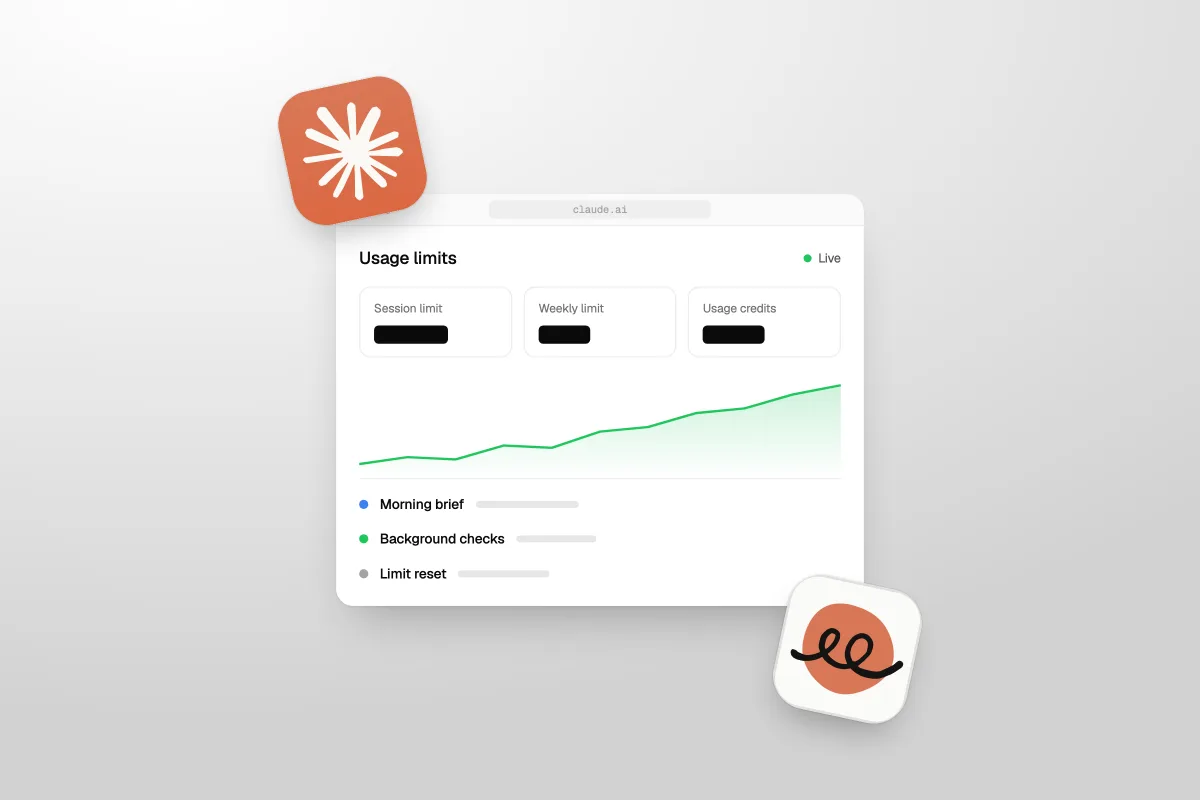
Claude usage limits cap how much you can use Claude in a set time: a session limit that resets every five hours, and a weekly limit on top. Every chat, Claude Code run and Claude Duet check draws from the same pool. When you hit a limit, you wait, upgrade, use a limit reset, or switch on usage credits to keep going.
- Session limit: resets every five hours, on what Anthropic calls a rolling window.
- Weekly limit: paid plans have one on top, and it resets once a week.
- What uses it up: long chats, tools and connectors, the model you pick and the effort level.
- Claude Duet: its morning brief and background checks count too.
- Limit reset: sets your limits back to full. New Duet users get one full reset, usable until 30 November 2026.
We checked all of this on Anthropic's own pages on 26 October 2026: its help articles on usage limits, limit resets and Claude Duet, the Duet product page and launch post, and Claude's pricing page. Anthropic changes these rules often, so check the date.
How do Claude usage limits work?
Claude usage limits control how much you can use Claude over a set stretch of time. Paid plans have two limits running at once:
| Limit | When it resets | What it means for you |
|---|---|---|
| Session limit | Every five hours, on a rolling window | Run out in a busy stretch and you wait five hours at most |
| Weekly limit | Once a week, on its usual day and time | Run out midweek and you may wait days |
The session limit stops you using too much at once. The weekly limit stops you using too much in total. You can be fine on one and stuck on the other.
There is no fixed number of messages. Claude's pricing page says so plainly. Instead, everything you do uses some of your limit, and some things use far more than others. That is why two people on the same plan can run out at very different times.
Each plan gets a different allowance. Per the Claude pricing page, Pro gets at least 5x the usage of Free in each five-hour session, and Max gets 5x or 20x Pro's. Anthropic also says it may add other limits at its own call, like weekly and monthly caps.
What counts toward your limit?
Almost everything you do in Claude counts toward your limit, wherever you do it. Anthropic's help article on how usage and length limits work says your usage on claude.ai, Claude Code and Claude Desktop all comes out of the same limit. The pricing page adds the mobile app to that list.
Here is what changes how fast you use it:
- Long, complex chats. A conversation that runs long enough to set off Claude's automatic context management uses more of your limit.
- Tools and connectors. Anthropic says they are heavy on usage. Web search and connected apps both count.
- The model you pick. Which Claude model you chat with changes how much you use.
- Effort and extended thinking. A higher effort level uses more. So does extended thinking.
- Claude Duet's background work. More on that in the next section.
One model has its own rule. On Max, the Fable model can use up to 50% of your weekly limits. On Pro, Fable runs on usage credits instead.
For a business owner, the point is simple. Claude Code and Claude Duet are not separate budgets. If you run a long Claude Code session in the morning, there is less left for chat in the afternoon. We build client websites with Claude Code, and this is the easiest part to forget: it all comes out of one pot.
Why does Claude Duet use your limits?
Claude Duet uses your limits because it is Claude doing work for you, just without you typing. Anthropic says Duet shares your plan's usage limits with the rest of Claude, including the five-hour session limit and the weekly limit. It uses them at the same rate as chats.
The difference is how much it does on its own. A chat only runs when you send a message. Duet also works in the background:
- Morning brief. Each morning it looks across your email and calendar and picks out what most needs you.
- Background checks. Through the day it checks your connected apps and messages you only when something needs your attention.
- Bigger jobs. Anthropic says jobs like a financial model or a deck need more model turns and more background work.
All of that counts. Anthropic's Get started with Claude Duet article says you may reach your limits sooner than with chat alone.
Anthropic has put one brake on it. Duet checks your accounts at set intervals, every few hours, to keep the background work from using up your limits. The trade-off is speed. Something urgent can arrive between checks and sit until the next one.
Duet is not a separate budget. It spends the same limits as your chats, just while you are not looking.
That gap matters if you hoped Duet would answer new leads. It checks every few hours, it does not text or call anyone, and it draws on limits that can run out. Fast lead replies belong in your CRM and automations, which keep running whatever your Claude plan says. We covered the rest of what Duet can and cannot do in Claude Duet for small business.
When do Claude limits reset?
Your session limit resets every five hours, and your weekly limit resets once a week. Claude's pricing page calls the five-hour one a rolling session window.
The weekly limit keeps its own schedule. Anthropic's help center says it resets on its usual day and time, even after you use a limit reset. A reset refills it, but it does not move the day.
So the two limits feel very different when you hit them:
- Hit the session limit and you wait five hours at most.
- Hit the weekly limit and you may wait days, until your weekly reset comes around.
That is why the weekly limit is the one to watch if Claude is part of your work. Running out in one session costs you an afternoon. Running out on a Tuesday can cost you the rest of the week.
What is a limit reset?
A limit reset sets your usage limits back to full, for free. Anthropic gives them now and then to eligible plans, and you choose when to use one. Depending on the offer, it refills your five-hour session limit or your weekly limit. The one new Claude Duet users get refills both.
Here is how that Duet reset works. When Anthropic lets you into the research preview, you get one full limit reset that refills both your session and weekly limits. The Duet help article says this reset is available until 30 November 2026, checked 26 October 2026.
To use a limit reset, Anthropic's help article on what a limit reset is gives these steps:
- Open Settings, then Usage, on claude.ai or in Claude Desktop.
- Find the Resets section and click Reset for free.
- Click Reset for free again to confirm.
The same button shows up on the message you see when you hit a limit. It is not in the Claude mobile app or in Claude Code. Because your limits are shared across your account, a reset you use on claude.ai counts everywhere, Claude Code included.
A few rules worth knowing before you click:
- You do not have to hit a limit first.
- You cannot undo it once it is used.
- It does not change the day your weekly limit resets.
- An unused reset expires on the date shown on the offer. Settings, then Usage shows that date.
- If you downgrade or cancel before you use it, you lose it.
- It does not refund extra usage you have already been billed for, and it does not change your usage credit balance.
Our tip: save it. Using a full reset when you still have half your limit left throws half of it away. Wait until a busy week runs you low, then use it. If yours is the Duet reset, just make sure you use it before 30 November.
What happens when you hit the limit?
When you hit a limit, Claude stops until that limit resets, unless you choose another way out. Anthropic gives you these options:
| Option | What happens | Cost |
|---|---|---|
| Wait | Your limit refills at its next reset | Nothing |
| Use a limit reset, if you have one | The limit goes back to full right away | Free |
| Use usage credits | Your work carries on, paid with usage credits, instead of stopping | Standard API rates |
| Upgrade your plan | Your new plan's limits apply right away | The new plan's price |
Usage credits are the one to decide on before you need them. On paid plans you can turn them on, and Claude keeps going at standard API rates instead of cutting you off. That is handy in the middle of a client job. It is also a bill that grows with use, so keep an eye on it.
Duet sits in the same pool. Since it shares your limits, a drained weekly limit affects its morning brief and check-ins as well as your chats. If you count on the brief, that is one more reason not to burn the week early.
If you hit limits most weeks, the fix may be a bigger plan, not more credits. That is a different question, and we answered it in Claude Pro vs Max.
How do you make your limits last?
Make your limits last by keeping chats short, switching off what you do not need, and giving Claude Duet a tight job. Anthropic suggests the first four steps below in its help center:
- Start a new conversation when a long chat gets close to your limit. Long threads use more.
- Turn off extended thinking when you do not need deeper reasoning.
- Lower the effort level for routine jobs, like a quick email or a summary.
- Turn off tools you do not need, like web search and connected apps you are not using in that chat.
And here is what we would add from our own work:
- Connect only the apps Duet needs. Connectors are heavy on usage, so start with email and calendar and add more once you see what it costs you.
- Give big jobs on purpose. A deck or a forecast takes many turns. Ask for it when your week has room, not on the day you are already low.
- Write one clear first message. Put the facts, the goal and the format up front. Five rounds of "not quite" make a long thread, and long threads cost more.
- Start big builds fresh. If a long Claude Code job is coming, start it in a new session, not at the tail end of a heavy one.
- Keep your limit reset for a bad week.
If the reason you burn through limits is writing your own ads, emails and posts, it may be the work that needs to change, not the plan. Claude is a good helper for marketing, but it does not run it. We explained why in can Claude replace your marketing team. If you would rather hand that work over, Havstock Unlimited does ads, websites, email, follow-up and AI for one flat monthly fee. If you enjoy doing it yourself, keep going. The habits above will stretch your plan a long way.
FAQ
What are Claude's usage limits?
Claude's usage limits control how much you can use Claude in a set time. Paid plans have a session limit that resets every five hours and a weekly limit that resets once a week. There is no fixed message count. Long chats, tools, connectors, the model you choose and the effort level all change how fast you use them.
Does Claude Code share limits with Claude chat?
Yes. Anthropic says usage on claude.ai, Claude Code and Claude Desktop all counts toward the same limit, and the pricing page adds mobile. Claude Duet shares the same limits too. So a long Claude Code session in the morning leaves less room for chat later that day, and the other way round.
How often does Claude Duet check my accounts?
Anthropic says Claude Duet checks your connected accounts every few hours, at set intervals. It does this partly to keep its background work from using up your limits. The trade-off is that something urgent can arrive between checks, so Duet is not built for replies that need to go out within minutes.
Do I get a limit reset when I join Claude Duet?
Yes. Anthropic's help center says that when you are let into the Claude Duet research preview, you get one full limit reset. It refills both your five-hour session limit and your weekly limit. The reset is available until 30 November 2026, so use it before then. We checked this on 26 October 2026.
Can I use a limit reset on my phone?
No. Anthropic says the Reset for free button is in Settings, then Usage, on claude.ai or in Claude Desktop. It is not in the Claude mobile app or in Claude Code. Because limits are shared across your account, a reset you use on a computer applies everywhere you use Claude, including your phone.
What are usage credits on Claude?
Usage credits let you keep working after you hit a limit, instead of stopping. You can turn them on with a paid plan, and the extra work is charged at standard API rates. They help in a pinch, but the cost grows the more you use. A limit reset does not change your usage credit balance.
Does Claude Duet cost extra?
No. During the research preview, Claude Duet is included with Pro and Max at no extra cost. It is open to US accounts only, through a waitlist. The real cost is usage: its morning brief and background checks count toward your limits, so you may run out sooner than with chat alone.
What should you do about Claude usage limits this week?
Decide now whether you want usage credits on, so you are not choosing in the middle of a client job. If you are joining Claude Duet, use your limit reset before 30 November. And next time you hit a limit, look at what used it up: one long thread, a heavy Claude Code run or Duet's background work. That tells you whether your Claude usage limits need new habits or a new plan.