 Nathan Field
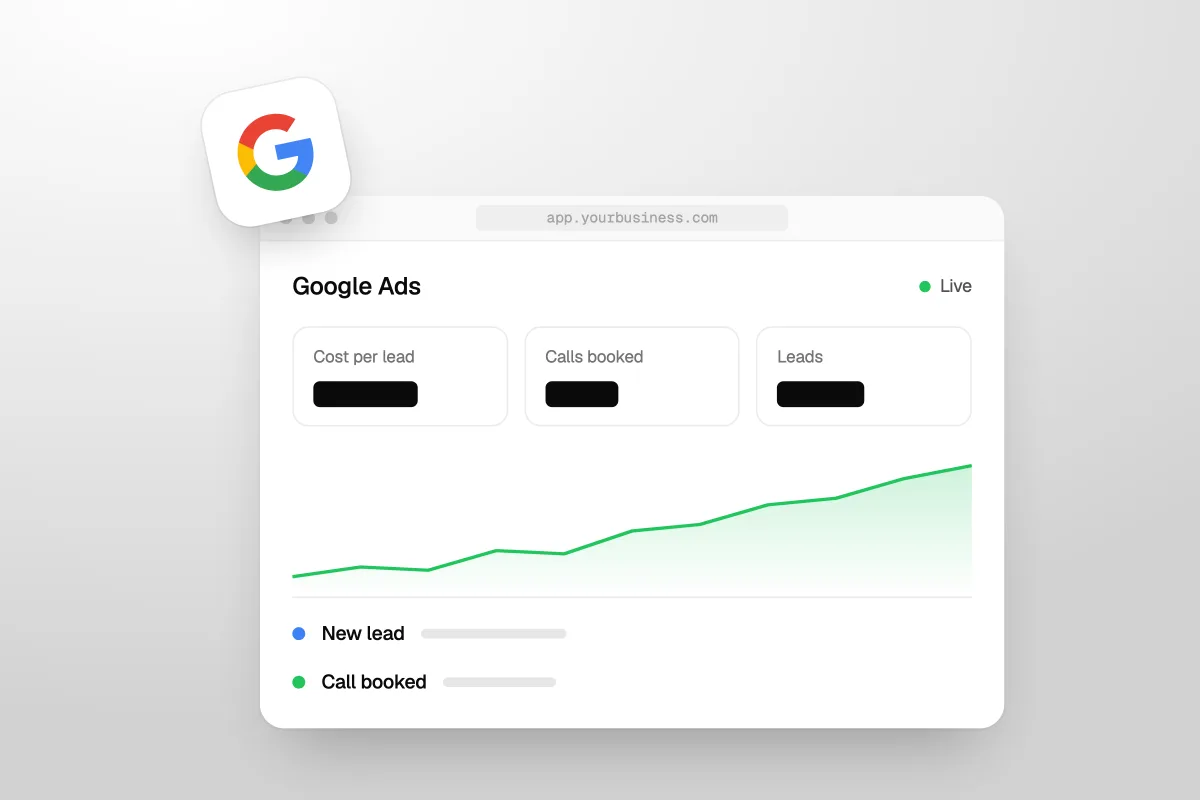
Google Ads for contractors work when you bid on searches from people ready to hire, send them to a page built for that one job, and answer the phone when it rings. How much to spend is not a guess. Work back from what a job is worth to you, what share of leads you close, and the click prices Google shows for your town. This guide walks through that math, the keywords to buy and to block, how Local Services Ads compare, and how to tell if the money is working. Google's rules below were checked on Google's own help pages on 10 November 2026.
The short answer
Set your budget from the job, not from a round number. The most you can pay for a lead is your profit per job times the share of leads you close. Bid on service plus town searches, block DIY and job seekers, and judge the ads on booked jobs, not clicks. Run Local Services Ads alongside if your trade qualifies.
Do Google Ads work for contractors?
Yes, when the basics are in place, because Google search ads reach people at the moment they look for a contractor. Someone typing "roof leak repair near me" has a problem today. That is a different buyer from someone scrolling Facebook. You pay when they click, and you choose which searches you show up for.
Where Google Ads fail for contractors, it is almost always one of these:
- The wrong searches. Ads show for "how to fix a roof leak" or "roofing jobs", and the budget goes on people who will never hire you.
- The homepage as the landing page. The visitor has to hunt for the service they searched for, and leaves.
- Missed calls. The ad works, the phone rings, nobody picks up. Our guide to answering services for contractors compares the fixes and what they cost.
- No tracking. The owner can't tell which clicks became jobs, so good and bad keywords get the same money.
- Too little budget for too many services. A small budget spread over ten services and five towns learns nothing.
Fix those five and Google Ads for contractors becomes a numbers game you can actually read.
Most contractor ad accounts don't fail in the ad. They fail at the phone and the landing page.
How much should a contractor spend on Google Ads?
Spend what a lead is worth to you, times the number of leads you can handle, and give it at least a month to learn. There is no honest single figure for click prices, because every town and trade has its own auction. Here is how to get to a number.
Step 1: work out what a lead is worth
Take your average profit on a job, then multiply by the share of leads that become jobs. That is the most you can pay per lead and still break even. The numbers below are examples to show the math, not benchmarks:
| Trade (example) | Profit per job (example) | Leads that become jobs (example) | Most you can pay per lead |
|---|---|---|---|
| Roof repair | $800 | 1 in 4 | $200 |
| Bathroom remodel | $4,000 | 1 in 8 | $500 |
| Deck build | $2,500 | 1 in 5 | $500 |
Use your own numbers from last year's jobs. If you don't know your close rate, count it for a month before you spend much.
Step 2: check what clicks cost in your town
Google's Keyword Planner, inside your Google Ads account, shows a low and high range for top-of-page bids on each keyword in the area you pick. That is the closest thing to a real click price for your market. If clicks for your main service cost more than a tenth of what a lead is worth, you will need a page that turns a high share of visitors into calls.
Step 3: set a daily budget you can live with
Google Ads budgets are set per day, but they flex. Google's help page on average daily budgets says your spend can reach "two times your average daily budget for most campaigns" on a given day, while the monthly cap is "30.4 times your average daily budget". So plan by the month:
| Average daily budget | Most Google will charge in a month (30.4 times) |
|---|---|
| $30 | $912 |
| $50 | $1,520 |
| $100 | $3,040 |
| $200 | $6,080 |
Our view: put the whole budget on one service in one area first. A focused $50 a day teaches you more than $50 a day spread over every service you offer. Once one campaign makes money, copy what works to the next service.
To test your own numbers, our free ROAS calculator shows what you get back for each dollar of ad spend.
Which keywords should a contractor bid on?
Bid on searches that name a service you sell plus a place or "near me", and block every search that signals DIY, jobs or research. The words show intent. "Kitchen remodeling contractor in Plano" is a buyer. "Kitchen remodel ideas" is a browser.
| Bid on | Block (negative keywords) |
|---|---|
| Service plus town: "roof replacement Mesa" | DIY and how-to: "how to", "diy", "yourself", "video" |
| Service plus "near me": "deck builder near me" | Jobs: "jobs", "hiring", "salary", "apprentice", "training" |
| Urgent problems: "roof leak repair", "foundation crack repair" | Supplies: "home depot", "lowes", "materials", "parts" |
| Hiring words: "contractor", "company", "estimate", "quote" | Services you don't offer, and towns you don't serve |
Match types decide how wide the net is
Google's help page on keyword matching options describes three types:
- Broad match (no symbol): ads "may show on searches that are related to your keyword", which "can include searches that don't contain the direct meaning of your keywords."
- Phrase match (quotes, like "roof repair"): ads may show on searches "that include the meaning of your keyword."
- Exact match (brackets, like [roof repair]): ads may show on searches "that have the same meaning or same intent as the keyword."
For a contractor on a small budget, start with phrase and exact match. Broad match can find searches you didn't think of, but by Google's own description it can also show your ad on searches that don't mean what you meant. Add it later, once conversion tracking is in place and you have money to test.
Negative keywords protect the budget
Google's help page on negative keywords puts it simply: "Negative keywords let you exclude search terms from your campaigns." Start with the block list above before launch. Then check the search terms report every week for the first month and add anything that isn't a buyer.
A contractor's negative keyword list is worth more than any clever ad headline.
Google search ads or Local Services Ads: which is better for contractors?
Most contractors who qualify should run both: Local Services Ads for the cheapest calls from the top of the page, and search ads for the services and towns that Local Services Ads don't cover well. They work differently.
On Google's Local Services Ads page, the pitch is that "you only pay when potential customers get in touch through your ads", not per click. Its list of eligible home services, checked 10 November 2026, includes General contractor, Roofing, HVAC, Plumber, Electrician, Handyman, Painter, Flooring pro, Fencing pro, Siding pro and Foundations pro, among others. Once a business passes Google's checks, it earns the Google Verified badge. Our post on Google Guaranteed becoming Google Verified explains that change.
| Google search ads | Local Services Ads | |
|---|---|---|
| You pay for | Clicks | Leads (calls, messages, bookings) |
| Who can run them | Any business that follows Google's ad policies | Eligible categories that pass Google's screening and verification |
| Control over keywords | Full: you choose and block searches | Little: Google matches you to searches for your category |
| Landing page | Your own page | Your Google profile, with reviews |
| What sets your cost | Your bids and the auction | Your bid per lead and your profile quality |
Google's Local Services help page on ad rankings says "the amount you bid is the maximum amount you're willing to pay for a lead, though you may end up paying less", and that profile quality, including reviews and how fast you respond, affects both your ranking and your cost. So reviews and fast replies save money there.
One warning: Local Services Ads can now charge for calls you miss. Read what the missed-call charges mean before you switch them on, and make sure someone answers.
What should a contractor's Google Ads landing page have?
It should match the search, show you are local and real, and make calling or booking a free estimate the obvious next step. A visitor from a "roof leak repair" ad should land on a roof leak repair page, not your homepage.
- A headline that repeats the search. "Roof leak repair in Mesa, same-week visits" tells them they are in the right place.
- A tap-to-call phone number at the top, on mobile especially, where a tap beats typing.
- A short form. Name, phone, address or ZIP, and what needs doing. Every extra field is one more reason to stop.
- Photos of your own work. Real jobs, real crews, not stock pictures.
- Real reviews, word for word, with the reviewer's first name and town.
- The towns you serve, so people outside the area don't waste a call.
- What happens next. "We call back within the hour and book a free estimate" removes doubt.
- Nothing else. No menu full of links to wander off through.
The same page works for Facebook traffic too, with a softer opening. Our guide to Facebook ads for contractors covers that side.
How do you know if your Google Ads are working?
Count booked jobs and revenue from the ads, not clicks or impressions. Clicks tell you people saw the ad. Jobs tell you it paid. To get there you need three things in place:
- Conversion tracking. Every call from the ad, every form and every booking is recorded in Google Ads as a conversion. Without this, Google's bidding is flying blind, and so are you.
- A CRM that tags the source. Each lead is marked "Google Ads" and followed to booked, won or lost, with the job value.
- A weekly check. Fifteen minutes: search terms report for junk to block, cost per lead, and which leads turned into jobs.
Then judge the account by month, using these numbers:
| Number | How to get it | What it tells you |
|---|---|---|
| Cost per lead | Ad spend divided by calls and forms | Whether the ads and page attract enquiries |
| Cost per booked estimate | Ad spend divided by estimates booked | Whether the leads are real and you follow up |
| Cost per won job | Ad spend divided by jobs won | Whether Google Ads make money for you |
| Return on ad spend | Revenue from ad jobs divided by ad spend | Whether to spend more, hold, or stop |
If the cost per won job is below your profit per job, scale slowly. Our rule of thumb is 20% or so at a time. If it isn't, look at the phone and the follow-up before you blame the ads.
Who should run your Google Ads?
Whoever can also fix the landing page, the phone handling and the follow-up, because that is where most contractor ad money leaks. That is how we run ads for clients as part of Havstock Unlimited: Google and Meta ads, the landing pages, and a CRM that chases every lead, for one monthly fee. You pay Google directly for the clicks or leads. See how we work with contractors and home service companies, or our ads service page for the details.
We are the wrong choice for a small operator. At $4,995 USD a month, our fee would be bigger than a $1,500 monthly ad budget. If that is you, set up Local Services Ads, run one focused search campaign on your main service, answer every call, and review it every Monday yourself. For more low-cost ideas, see our list of construction marketing ideas, ranked by what wins jobs.
FAQ
How much do Google Ads cost for contractors?
There is no fixed price. Each click is set by an auction for your trade and town. Use Keyword Planner in your Google Ads account to see bid ranges near you. Your daily budget caps spend: Google can spend up to twice it on a given day, but no more than 30.4 times it in a month.
What is a good budget to start Google Ads as a contractor?
Start with enough to buy real data on one service in one area for a month. Work out your maximum cost per lead from profit per job and close rate, then fund enough leads to learn. A focused $30 to $50 a day on one service usually teaches more than a bigger budget spread thin.
Are Local Services Ads better than Google search ads for contractors?
Neither is better for everyone. Local Services Ads charge per lead and need Google verification, and you get little keyword control. Search ads charge per click and give you full control over keywords and landing pages. Many contractors in eligible categories, such as roofing or general contracting, run both.
Which match type should contractors use in Google Ads?
Start with phrase and exact match on a small budget. Google says broad match can show ads on related searches that don't carry the direct meaning of your keyword, which can waste money for a local service business. Add broad match later, once conversion tracking works and you can afford to test it.
What negative keywords should a contractor add?
Block DIY and research words like "how to", "diy" and "video", job seekers like "jobs", "hiring" and "salary", and supply searches like store names and "materials". Add services you don't offer and towns you don't serve. Then read the search terms report weekly and keep adding what doesn't fit.
How long before Google Ads work for a contractor?
Give a new campaign at least a month before you judge it, with conversion tracking on from day one. The first weeks are for blocking bad searches and fixing the page. Judge it on cost per won job, not on the first week's clicks, and make changes one at a time.
So are Google Ads worth it for contractors?
They are when the math works: you know what a lead is worth, you bid on buyer searches, you block the rest, and someone answers every call. Start small and focused, track every lead to a booked job, and grow only what pays. Done that way, Google Ads for contractors stop being a gamble and start being a tap you can turn up.