 Nathan Field
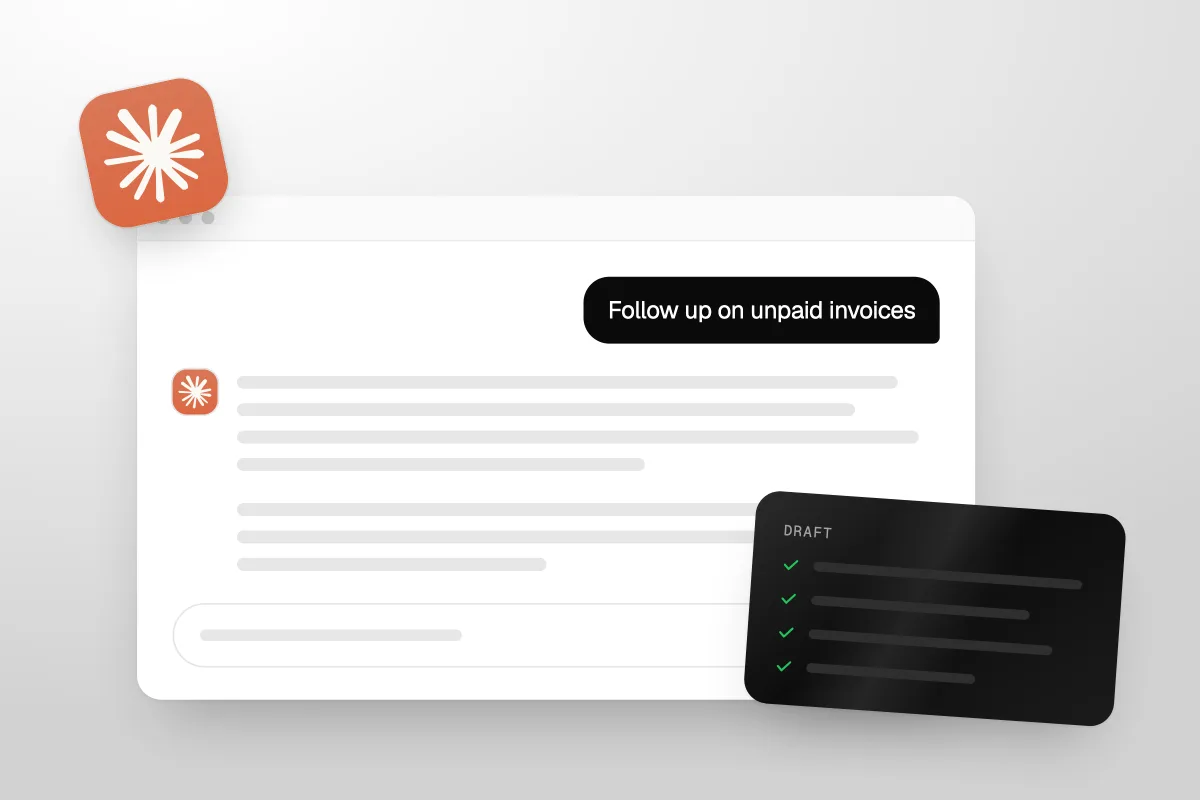
Claude for Small Business is an add-on from Anthropic that puts ready-made workflows for owners inside Claude, at no extra cost on a paid plan. You add it to Claude Cowork, connect tools like QuickBooks, Xero, Stripe or HubSpot, and ask for the job in plain words. Claude drafts the work. By default, nothing sends, posts or pays until you approve it.
It is worth turning on if you already pay for Claude and you have an admin pile. It will not answer your phone, and it will not run your business for you.
- What it is: a plugin of skills and workflows for owners, built by Anthropic.
- What it costs: nothing on top of a paid Claude plan. Pro is $20 a month.
- Best jobs: chasing unpaid invoices, the Monday numbers, month-end, payroll prep, proposals.
- The catch: it drafts, you approve. That is the point, and also the limit.
We read every fact in this post on Anthropic's own pages on 16 November 2026: the Claude for Small Business launch post, the small business solutions page, the plugin's listing and install guide, the Cowork help center and the Claude pricing page. Prices are in US dollars and leave out tax. Anthropic changes these pages often, so check the date.
What is Claude for Small Business?
Claude for Small Business is a bundle of skills and connectors that teaches Claude the jobs a small business owner does every week. Anthropic launched it on 13 May 2026. It runs through Claude Cowork, the part of Claude that does multi-step work in your files and apps instead of just chatting.
At launch, Anthropic called it a toggle inside Cowork, with 15 workflows and 15 skills. It has grown since. The plugin's listing in Claude's marketplace now says 43 ready-to-run workflows and 37 partner connectors.
The idea is simple. A normal chat with Claude stops at advice. You ask how to chase a late payer, it tells you, and you still do the work. With this plugin, Claude reads your books, finds the late payers, and writes each reminder for you to check.
Anthropic's own install guide puts it well. It calls running the plugin "an act of delegation". You say what you want. Claude does the steps. You read what it staged before anything goes out.
A chat tells you how to chase an invoice. This plugin writes the reminder and waits for your yes.
It is not the same as Claude Duet. Duet is a separate Anthropic app, and we covered it in Claude Duet for small business. This post is only about the plugin.
How do you turn on Claude for Small Business?
You add it from the plugins menu in Claude, on the web or in the Claude desktop app. It takes a few minutes. You need a paid plan: Pro, Max, Ultra, Team or Enterprise.
Here are the steps from Anthropic's install guide, checked 16 November 2026:
- Open Claude and select Customize in the left sidebar, then Plugins.
- Open Discover.
- Select Small Business, then Add.
- Connect your tools when Claude asks.
Then run the setup skill. Type /smb-onboard, or just say "set me up". Claude asks what your business does, who works with you and what is hardest right now. It saves that, so every other skill knows your business.
You can go one step further. Anthropic suggests asking Claude to customize the "small-business" plugin for your company. Claude then rewrites the default skills to match your trade, team size and the way you like things done. You save the new version to your account.
To run a job after that, type / and pick a skill, or describe the job in plain words. Claude picks the skill that fits.
You do not need IT help. Anthropic says each connector is one click. If you have no connectors yet, most workflows still run from a spreadsheet, a PDF or a forwarded email.
What can Claude for Small Business do?
It can do most of the back office work that piles up after hours: invoices, bills, payroll prep, month-end, reports, proposals and follow-ups. Each skill drafts the work and shows it to you first.
Here is a sample of the skills, in Anthropic's words, grouped by the job you would actually say out loud:
| Your job | Skill | What it does |
|---|---|---|
| Chase late payers | invoice-chase | Ranks overdue invoices and drafts a reminder for each one, matched to how that customer has paid before |
| Start the week | /monday-brief | One page with cash, sales, pipeline, your calendar and the one thing that most needs you |
| Pay the bills | /pay-the-bills | Codes your bills, checks you have the cash and lines up the payment run for your OK |
| Make payroll | /plan-payroll | Checks you have the cash, drafts reminders for overdue invoices and gets the run ready for you to submit |
| Close the month | /close-month | Closes your books, updates your cash forecast and writes the close packet for your accountant |
| Answer new inquiries | /speed-to-lead | Answers new inquiries on nights and weekends and updates your CRM |
| Win back old customers | /reactivate | Finds customers who stopped buying and drafts a personal win-back message for each |
| Send a quote | proposal-builder | Turns your notes, photos or a request for proposal into a priced proposal, sent for signature once you approve |
| Reply to reviews | review-reputation | Groups your reviews and feedback into themes and drafts review replies |
| Check your ads | ad-manager | Shows what your ads earn and waste, suggests changes, and makes them once you say yes |
There are more: restocking, tax prep for your accountant, hiring, contract review, a call list of leads to ring today, and a social content calendar.
What does a normal week look like?
Say it is Monday. You ask for your Monday brief and get one page: cash, sales, what is due, the one thing that needs you.
On Tuesday you type: "Which invoices are overdue? Follow up on unpaid invoices, oldest first." Claude ranks them and writes a draft reminder for each customer. That exact kind of job is the one Anthropic's guide uses as a first practice run.
Anthropic gives a smart tip here. Before you approve, check one line against something you already know. Pick a customer you know well. Does the draft match your books? If an invoice you know was paid shows as open, stop and fix the mismatch first.
At the end of the month you ask it to close the books and get the packet ready for your accountant. That is a week of admin turned into a few asks and a few reviews.
The habit Anthropic teaches is the right one: describe the job, let Claude do it, and check it against something you know before you approve.
Which apps does Claude for Small Business connect to?
The plugin's listing says it works with 37 partner connectors. It names Intuit QuickBooks, PayPal, HubSpot, Shopify, Salesforce, Gusto, Square, Stripe, Xero, Canva, Docusign, Google Workspace, Microsoft 365, Slack and Zapier.
The install guide lists more by skill, such as MYOB, Zoho Books, NetSuite, Expensify, Ramp, Notion, Mailchimp and Zoom. Each skill comes with default tools. When you customize the plugin, you can point a skill at the tools you actually use.
Three things worth knowing before you connect anything:
- Your permissions carry over. Claude only sees what the connected account can see. If a staff member cannot see something in QuickBooks today, they cannot see it through Claude.
- Missing tools can be added. A skill called build-connector links a tool with no official connector, through Zapier. Anthropic says new connections start read-only, and changes wait for your approval.
- Some features need a higher tier in the other tool. Anthropic's guide warns that making designs or staging sends may need a higher plan in that tool. When a feature is not there, the skill tells you and offers a workaround.
That last point is the hidden cost. The plugin is free. The tools it works through are not.
What does Claude for Small Business cost?
The plugin has no price of its own. You pay for a Claude plan that includes Cowork, and the plugin comes with it. The free Claude plan does not include Cowork, so it cannot run the plugin.
Anthropic's small business FAQ gives the short version: Pro for one person, Team for a business with more than one. Here are the plans from Claude's pricing page, checked 16 November 2026:
| Plan | Price (USD, before tax) | Billing | Usage |
|---|---|---|---|
| Pro | $20 a month, or $17 a month paid yearly ($200 up front) | Monthly or yearly | More than Free |
| Max | $100 a month | Monthly only | 5x Pro, every 5 hours and every week |
| Ultra | $200 a month | Monthly only | 10x Pro's weekly usage, no 5-hour limit for verified accounts |
| Team, standard seat | $25 a seat a month, or $20 paid yearly | Monthly or yearly | More than Pro, for teams of 2 to 150 |
| Team, premium seat | $125 a seat a month, or $100 paid yearly | Monthly or yearly | 5x a standard seat |
Enterprise is $20 a seat a month, billed yearly, with a 20-seat minimum, plus usage at API rates. That is for larger companies, not most of our readers.
Will it use up your Claude limits?
Yes, faster than chat. Anthropic's Cowork page says Cowork uses limits faster than a normal chat, because it runs many steps and tools to finish a job. Pro, it says, suits quick tasks like organizing a folder or pulling together a short report.
So a few skills a week will fit on Pro. A full month-end close plus daily lead work may not. When you hit a limit, you can wait for it to reset, move up a plan, or turn on usage credits, which bill extra at standard API rates. We explain how the limits work in Claude usage limits, and which plan to pick in Claude Pro vs Max.
What will Claude for Small Business not do?
It will not act on its own unless you let it. Every workflow starts in what Anthropic calls approval mode: Claude drafts and stages the work, and nothing sends, posts or pays until you say so.
Here is what that means day to day:
- It does not file anything for you. Anthropic says payroll is set up for you to submit, and bills wait for your approval before they are paid.
- It does not make the big calls. What to charge, what to sign and what to send your accountant stay with you and your advisers.
- It does not answer your phone. The lead skills work through email, your calendar and your CRM. None of Anthropic's pages for the plugin say it answers phone calls.
- It does not reply to a 9pm lead by itself, by default. The speed-to-lead skill writes a reply with real meeting times. In approval mode, that reply waits for you.
You can change that last one. Anthropic says once you trust a workflow, you can let it run on its own schedule. Our view: do that for reports and briefs, not for anything that touches money or customers.
One more setting to check. In the new Claude app, Cowork's permission mode defaults to Auto on Pro, Max, Ultra and Team. In Auto, Claude reviews each action for safety and decides on its own whether to go ahead with actions that change things. Anthropic's own help article says that for work with real consequences, like money, messages sent as you and important files, you should stay close or switch to Manual approval. We would switch to Manual while you learn it.
If a lead calls at 9pm and nobody answers, a polite draft in your inbox at 7am does not win that job.
That is the gap we see most. If missed calls are where you lose work, you need something that picks up the phone, like our AI that answers missed calls and books the job. Claude for Small Business is a back office tool. It is not a front desk.
Is your business data safe with it?
Anthropic's small business pages say Claude respects the permissions you already set in each tool, and that by default you approve every action. They also say Anthropic does not train its models on your business data, and does not sell your data.
One detail is worth a look. Claude's pricing page lists model training as "Opt-out" on Pro, Max and Ultra, and "None by default" on Team and Enterprise. If that matters to you, check your privacy settings on a personal plan, or use Team.
You can disconnect any tool at any time in Settings. For the full policy, Anthropic points to its Trust Center.
Who is Claude for Small Business for, and who should skip it?
It suits owners who already run their business on connected tools and lose evenings to admin. Anthropic says most owners using it run businesses with under ten people, and many are solo.
Turn it on if:
- You already pay for Claude Pro or higher. Then it costs you nothing extra to try.
- Your books live in QuickBooks, Xero or similar, and your payments go through Stripe, PayPal or Square.
- You chase invoices, prep payroll or close the month yourself.
- You are happy to read a draft before it goes out.
This will not suit you if you want the work gone, not drafted. It also will not suit you if your problem is leads, calls and marketing rather than admin. Claude can help plan a campaign, but someone still has to pick the offer, run the ads and follow up fast. We went through that limit in can Claude replace your marketing team.
Our honest take: for a solo owner on Pro with a messy inbox and late payers, this is well worth an hour of setup. Try one job this week. Start with the invoice job.
FAQ
Is Claude for Small Business free?
The plugin itself has no extra fee. But it runs through Claude Cowork, which needs a paid Claude plan: Pro, Max, Ultra, Team or Enterprise. The free plan cannot run it. Pro is $20 a month, or $17 a month paid yearly, checked on Claude's pricing page on 16 November 2026. Connected tools may cost extra.
How do I install the Claude for Small Business plugin?
Open Claude on the web or desktop app. Select Customize in the left sidebar, then Plugins. Open Discover, select Small Business, then Add. Connect your tools when asked. Then type /smb-onboard or say "set me up", and Claude asks about your business so every skill knows it.
Does it work with Xero, not QuickBooks?
Yes. Xero is one of the partner connectors Anthropic names for the plugin, along with QuickBooks, MYOB, Zoho Books and NetSuite in the install guide. Each skill has default tools, and you can point it at the ones you use. If a tool has no connector, Claude can link it through Zapier.
Can Claude send emails or pay bills without asking me?
Not by default. Every workflow starts in approval mode, so nothing sends, posts or pays until you say so. You can let a workflow you trust run on its own schedule. We would keep anything that touches money or customers on approval, and set Cowork's permission mode to Manual.
Is it worth it for a one-person business?
Often, yes. Anthropic says most owners using it run businesses under ten people, many solo, and it suggests Pro for one person. If you already pay for Pro and spend hours on invoices and bills, it costs nothing extra to try. Watch your usage, because Cowork uses limits faster than chat.
How is it different from Claude Duet?
Claude for Small Business is a plugin you add to Claude and run through Cowork, by asking or on a schedule. Claude Duet is a separate Anthropic app. Both draft work for you to approve. If you are deciding between them, read our Claude Duet post first, then try the invoice job here.
Will it answer my leads at night?
It can draft the answer. The speed-to-lead skill writes a reply with real meeting times and updates your CRM. By default, that reply waits for your approval, so a lead at 9pm may not hear back until you wake up. It does not answer phone calls.
Should you turn on Claude for Small Business?
If you pay for Claude already, yes. Add it, run the setup, and ask it to follow up on unpaid invoices. Read every draft. If it saves you an evening, keep going with the Monday brief and month-end.
If what you really need is more leads and faster replies, that is a marketing job, and a plugin will not do it for you. That is what we do at Havstock, for owners who would rather hand it over. Either way, Claude for Small Business is a solid add-on for the admin side, and it costs nothing extra to find out if it fits.