 Nathan Field
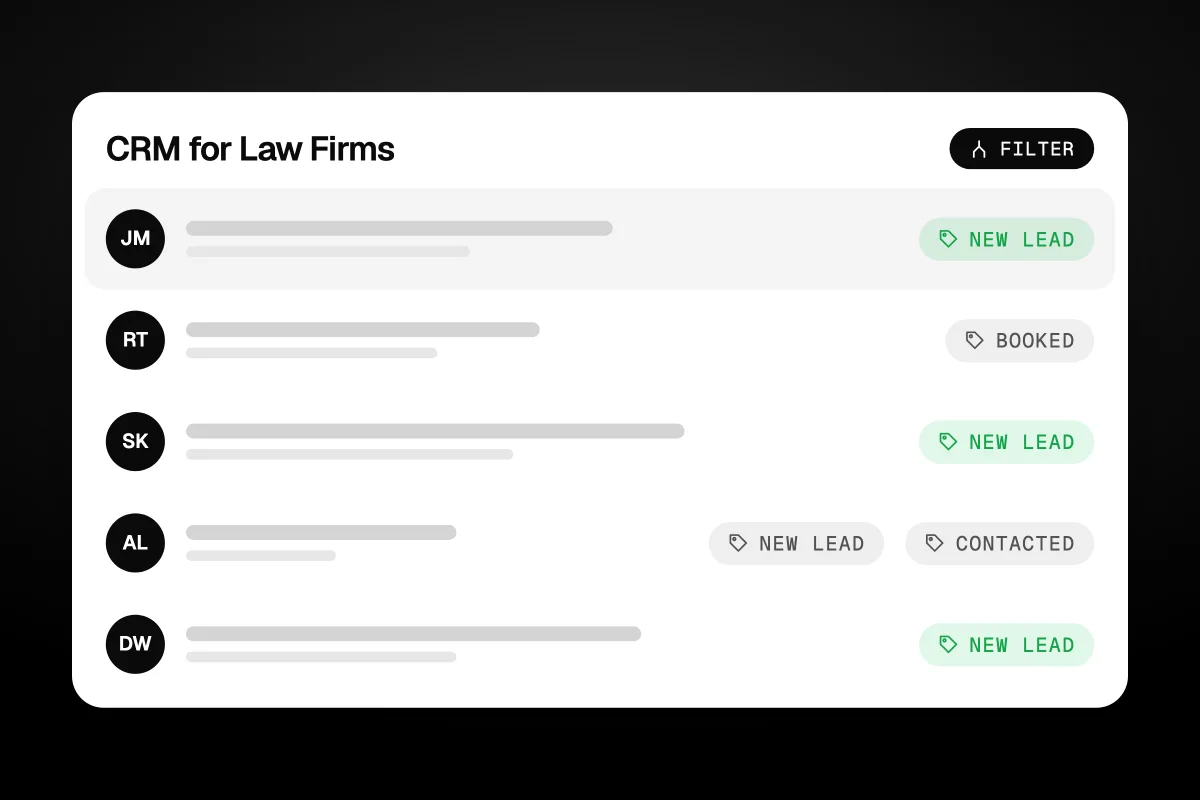
A CRM for law firms tracks every potential client from the first call or form to a signed fee agreement, so no lead is forgotten and you can see which marketing brings in cases. It is not the same as practice management software, which runs the matter after the client signs. Small firms usually pick between a CRM inside their practice management suite and a separate intake CRM. This guide covers what it must do, what it costs and how to choose.
The short answer
A legal CRM handles the part before someone becomes a client: capturing leads from calls, forms and chat, running intake questions, checking conflicts, booking consultations, sending fee agreements and following up. Pick one that fits the practice management software you already use, test it with your real intake, and count the total cost per user.
What is a CRM for a law firm?
A CRM for a law firm is software that manages potential clients before they hire you. CRM stands for client relationship management. In a law firm it mostly means intake: who called, what they need, what was said, when someone follows up, and whether they signed.
Without one, intake lives in a mix of places. A receptionist's notepad. A shared inbox. A spreadsheet one paralegal updates on Fridays. Text messages on a partner's phone. Leads fall through the gaps between those places, and nobody can tell you how many consultations you booked last month or where they came from.
A good legal CRM puts all of that in one list. Each potential client gets a record with their details, the practice area, how they found you, every call and message, and a stage, such as new, contacted, consult booked, consult held, retained or not retained. Reminders tell staff who to call next. Reports show where the firm loses people.
Many firms do not have a lead problem. They have a follow-up problem they cannot see, because intake lives in six different places.
Is a legal CRM the same as practice management software?
No. A legal CRM handles people before they become clients. Practice management software handles the work after they sign. Some products do both, which is why the two get mixed up.
| Legal CRM (intake) | Practice management | |
|---|---|---|
| Who it is about | Potential clients and referral sources | Current clients and their matters |
| Main jobs | Capture leads, intake, consults, follow-up, marketing | Matters, deadlines, documents, time, billing |
| Key number | How many leads become retained clients | Billed and collected hours |
| Who uses it most | Intake staff, reception, marketing | Lawyers, paralegals, billing |
The link between them matters. When a lead signs, their details should move into practice management without anyone typing them twice. That is the main reason many firms pick the CRM that comes with, or connects cleanly to, the software they already use.
Some examples of how vendors package it, from their own pages on 10 November 2026: Clio sells Clio Grow as its client intake and CRM product alongside its practice management. MyCase includes a legal CRM and client intake tools in its Pro and Advanced plans, but not in Basic. Lawmatics is built around intake and marketing, and sells time and billing as an add-on.
What should a law firm CRM do for intake?
It should make sure every enquiry gets a fast reply, the right questions and a clear next step. Here is the list we work from when we set up intake.
- Capture every channel in one place. Phone calls, web forms, live chat, texts and emails should all land in the same list. If calls go to one tool and forms to another, someone will miss one.
- Alert someone instantly. A new lead should ping a person who can act on it within minutes, not sit in an inbox until morning.
- Ask the right intake questions. Different forms or scripts for each practice area. A family law enquiry needs different questions from a personal injury one.
- Help with conflict checks. Clio says Clio Grow runs conflict checks across Clio. Whatever tool you use, the check should happen before the consult, not after.
- Book consultations. Online booking that shows real availability, with reminders by email and text to cut no-shows.
- Send documents for signature. Intake forms and fee agreements sent for e-signature, so a "yes" on the phone becomes a signed client the same day.
- Follow up on its own. A planned set of emails and texts for people who did not book, did not show, or are still deciding.
- Track the source. Every lead tagged with where it came from, so you can see which ads, referrers and directories bring retained clients.
- Report the drop-off. How many leads, how many consults, how many signed, by practice area and source.
After-hours calls deserve their own plan, because people do not only call between nine and five. Our guide to choosing a law firm answering service covers how calls get answered and logged when the office is closed. For the full intake process, from first call to signed agreement, read our legal intake guide.
The CRM does not win the client. The fast, well-asked first conversation does. The CRM just makes sure that conversation happens every time.
Which CRMs do law firms use?
Law firms mostly use one of three kinds: a CRM built into a legal suite, a legal intake CRM, or a general CRM set up for intake. Each fits a different firm.
| Type | Examples | Good fit for | Trade-off |
|---|---|---|---|
| Part of a legal suite | Clio Grow with Clio, MyCase Pro or Advanced | Firms already on that practice management system | Marketing tools can be lighter than a dedicated CRM |
| Legal intake and marketing CRM | Lawmatics, Law Ruler | Firms with lots of leads and paid marketing | Lawmatics shows no public prices and sets minimum users |
| General CRM set up for intake | HubSpot, GoHighLevel | Firms that want strong follow-up, texting and ads tracking | Not legal-specific, so conflicts and matters live elsewhere |
Clio Grow is the natural pick if you already run Clio for practice management. Clio describes it as handling calls, emails, texts, chats and web forms, screening leads, booking consultations, sending intake forms and fee agreements for e-signature, and carrying approved client details into the rest of Clio (Clio Grow, checked 10 November 2026).
MyCase bundles a legal CRM, client intake forms and intake management into its Pro and Advanced plans. If you want one bill for both intake and practice management, it is worth a demo.
Lawmatics focuses on legal intake, marketing automation and follow-up. It suits firms that spend on advertising and handle a high volume of leads.
HubSpot and GoHighLevel are not legal products, but both can be set up for intake. They are strong on follow-up, texting, email and tracking where leads come from. You give up the legal extras, such as conflict checks against your matters, so they work best alongside your practice management software.
How much does a law firm CRM cost?
Expect anywhere from free to a few hundred dollars per user each month, plus setup. Most legal tools price per user, and some only give prices on a sales call. Here is what each vendor showed on 10 November 2026.
| Tool | Price shown | Notes |
|---|---|---|
| MyCase Basic | $50 per user a month yearly, $60 monthly | No legal CRM or intake management |
| MyCase Pro | $100 per user a month yearly, $120 monthly | Includes legal CRM and client intake |
| MyCase Advanced | $130 per user a month yearly, $150 monthly | Includes legal CRM and client intake |
| Lawmatics | No public price | Quote after a demo. Minimum 3 users on Essential and Premium, 5 on Enterprise |
| Clio Grow | Not checked | Clio's pricing page blocked our check. Its Grow page sends pricing questions to a demo |
| HubSpot Free | $0 | Up to 2 users |
| HubSpot Starter | From $7 per seat a month | New customers, paid yearly, for a limited time. $10 month to month. Normally $20 |
| HubSpot Sales Hub Professional | From $90 per seat a month, paid yearly | Plus a required one-time $1,500 onboarding fee |
| GoHighLevel Starter | $97 a month | One flat price, unlimited users |
Sources: MyCase pricing, Lawmatics pricing, HubSpot Sales Hub pricing and GoHighLevel's pricing page, all checked 10 November 2026.
Per-user pricing adds up fast. On our maths, three people on MyCase Pro paid yearly is $300 a month, or $3,600 a year. Three seats on HubSpot Sales Hub Professional is $270 a month plus the $1,500 onboarding fee in year one. Count every person who will touch intake, not just the lawyers.
Software is also only part of the cost. Someone has to set up the stages, forms, follow-up messages and reports, and keep them working. That is often the bigger bill, in staff time or in a consultant's fee.
How do you pick a CRM for a small law firm?
Start from the software you already use and the way leads reach you now, then test the shortlist with your real intake. A small firm does not need the biggest tool. It needs one the team will actually open every day.
- Map where leads come from today. Calls, website forms, referrals, directories, ads. Count roughly how many a month.
- Check your practice management software first. If you are on Clio, look at Clio Grow. If you are on MyCase, look at the Pro plan. A built-in link saves double typing.
- Decide how much marketing you do. If you run ads and get many leads, a tool with strong follow-up, texting and source tracking matters more.
- Write your must-haves. Use the intake list above. Cross off anything you will not use in the first year.
- Demo with a real enquiry. Ask the vendor to show a new lead coming in from your website, getting an intake form, booking a consult and signing a fee agreement.
- Count the full cost. Per-user price times users, minimum seats, onboarding fees and the time to set it up.
- Ask about data and security. Where client information is stored and who can see it. Check your state bar's guidance on confidentiality, too.
Once it is live, measure it. Track leads, consults booked, consults held and clients retained each month. Our guide to law firm KPIs explains which numbers to watch and how to work them out.
Pick the CRM your intake person will love using. A clever tool nobody updates is just an expensive spreadsheet.
When does a firm need help setting up its CRM?
When the software is bought but intake still runs on notepads and memory. That is common. The tool is easy to buy. Building the stages, forms, follow-up messages and source tracking, then training staff, takes real hours.
Havstock sets up and runs CRMs and follow-up for businesses, including law firms. You can see what that covers on our CRM and automation service page and how we work with firms on our law firm marketing page. We build the marketing and intake side. We do not give legal advice, and we do not replace your practice management system.
Havstock is the wrong choice if you only need software and have someone in-house with time to set it up. Buy direct from the vendor and use their onboarding. If you want a large agency with a team for legal marketing, Scorpion is one example to compare. For more on bringing leads in once intake works, see our guide to law firm lead generation.
FAQ
What is the difference between Clio Grow and Clio Manage?
Clio Grow handles potential clients: intake, follow-up, consultations and fee agreements. Clio Manage handles the work after a client signs: matters, documents, time and billing. Clio describes Grow as carrying approved client details into the rest of Clio, so the two are built to work as a pair.
Can a law firm use HubSpot as its CRM?
Yes. HubSpot is a general CRM, so it can track leads, intake stages, emails and follow-up for a law firm. It has no legal features like conflict checks against your matters, so most firms run it alongside practice management software. Check the per-seat price and onboarding fees for the plan you need.
Do solo lawyers need a CRM?
A solo lawyer with a few enquiries a month can manage with a simple system. Once leads come from several places, or you miss calls while in court, a CRM pays off by catching every enquiry and following up for you. Start with the cheapest tool that captures every channel in one place.
Is a CRM worth it for a small law firm?
It is worth it if you lose track of leads, follow up late, or cannot say which marketing brings in clients. A CRM fixes all three. If your intake is already tight and every enquiry gets a same-day reply, the gain is smaller. Track your numbers for a month before you buy.
How long does it take to set up a law firm CRM?
The software can be live in a day. A working intake system takes longer: building stages, intake forms by practice area, follow-up messages, booking links and source tracking, then training staff. Plan on a few weeks for a small firm, and set aside time to fix what staff find awkward.
Is client data in a CRM confidential?
Vendors offer different security features, so ask where data is stored, who can access it and how it is protected. Lawyers have confidentiality duties set by their state bar rules. We do not give legal advice, so check your state bar's guidance and ask the vendor before you store client details.
What is the next step for your firm?
List every place an enquiry can reach your firm, then count how many got a reply within an hour last month. That one number tells you how urgently you need a CRM for law firms, and which features matter most. If you would rather have the intake, follow-up and marketing set up and run for you, see how Havstock Unlimited works.