 Nathan Field
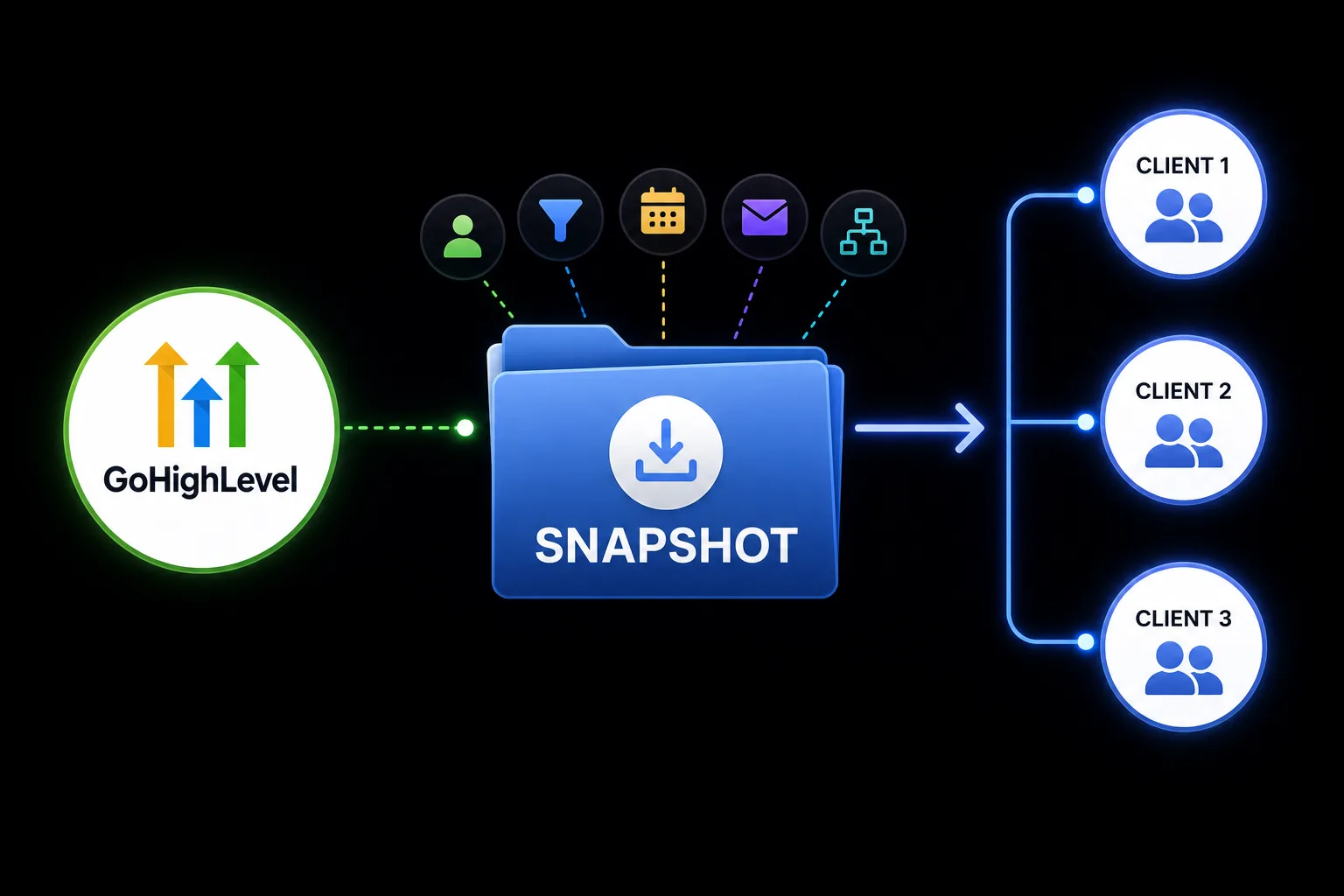
If you're building the same GoHighLevel account over and over again for every client, you're wasting valuable time.
The short answer: GoHighLevel snapshots are saved copies of a sub-account's setup, such as its workflows, funnels, forms, calendars, pipelines and templates. You create one under Agency View > Account Snapshots, then load it into any new or existing sub-account. A snapshot copies the structure, never the contacts, conversations or connected accounts (checked 1 October 2026).
Imagine setting up a CRM, pipelines, calendars, workflows, email campaigns, forms, funnels, and automations once, and then copying everything into a new client account with just a few clicks.
That's exactly what GoHighLevel Snapshots are designed to do.
For agencies, snapshots are one of the biggest time-saving features in the platform.
Here's everything you need to know.
What Are GoHighLevel Snapshots?
A Snapshot is a reusable template that copies the setup of one GoHighLevel sub-account into another. You do not build a snapshot from scratch. You build a sub-account the way you want it, then save a snapshot of it. If the agency account and sub-account idea is new to you, our guide to what GoHighLevel is explains it.
Instead of rebuilding everything manually, a Snapshot can include:
Funnels and websites
Forms, surveys and quizzes
Calendars
Pipelines
Workflows and triggers
Email and text templates
Custom fields and custom values
Tags
Trigger links
Smart lists
Dashboards and custom reports
Review settings
Membership products and offers
Conversation AI and Voice AI agents
That list comes from GoHighLevel's snapshot help doc, checked 1 October 2026. Think of it as a blueprint for your business.
What a snapshot does not copy matters just as much. It carries the structure, not the data. Contacts, appointments, conversations and their history, and your reviews stay behind. So do account connections such as Stripe, other integrations, and the phone numbers assigned to Voice AI agents. Plan to reconnect those in every new account.
Why Agencies Love Snapshots
Every new client usually needs a similar setup.
Without Snapshots, you would spend hours recreating the same assets.
Snapshots allow you to:
Launch clients faster
Standardize your services
Reduce setup mistakes
Improve team consistency
Scale without hiring additional staff
For growing agencies, this can save dozens of hours every month.
One limit to know first: the $97 Starter plan has 3 sub-accounts. If you want to load a snapshot into many client accounts, you need the $297 Unlimited or $497 Agency Pro plan (checked 1 October 2026; see our GoHighLevel pricing breakdown). If you want to try it, our special link gets you a 30-day free trial of GoHighLevel (we may earn a commission from this link) plus a free live bootcamp. Sign up on GoHighLevel's own site and you get the standard 14 days, with no bootcamp.
What Should Every Snapshot Include?
A well-built Snapshot should contain the essentials.
CRM Setup
Start with a clean CRM structure.
Include:
Custom Fields
Smart Lists
Tags
Contact Preferences
A consistent CRM keeps every client organized.
Sales Pipeline
Create pipeline stages that match your sales process.
For example:
New Lead
Contacted
Qualified
Appointment Booked
Proposal Sent
Won
Lost
Every client immediately has a proven sales pipeline.
Calendars
Include:
Discovery Call Calendar
Strategy Session
Client Onboarding Call
Each calendar can already contain availability rules and reminder workflows.
Core Workflows
Most agencies build the same automations repeatedly.
Your Snapshot should include:
Lead Nurture
Appointment Confirmation
Appointment Reminders
No-Show Recovery
Review Requests
Client Onboarding
Reactivation Campaign
These become instant value for every new client.
Funnels
Many agencies include ready-to-use funnels such as:
Lead Generation Funnel
Application Funnel
Free Guide Funnel
Webinar Funnel
Contact Page
Clients can launch much faster.
How to Create a Snapshot
Snapshots are managed from your agency view, not from inside a sub-account.
Build a template sub-account. Keep one clean account just for this. Never snapshot a live client account full of real data and one-off changes.
Use placeholders. Write copy with clear markers such as [YOUR NAME] and [YOUR OFFER], so nothing gets missed later.
Connect every piece. Each form should feed a workflow, each calendar should have its reminder workflow, and the pipeline stages should match the funnel steps.
Add a short setup page. List what is inside, which funnel connects to which workflow, what needs changing and which integrations to reconnect.
Create the snapshot. Go to Agency View > Account Snapshots and click + Create New Snapshot. Give it a clear name with a version number, pick your template sub-account as the source, choose the assets (Select All, or pick by category), then click Create.
How to Import a Snapshot
Importing and loading are two different steps. Importing adds a snapshot someone shared with you to your agency's snapshot library. They send you a share link, and it can be reusable, one-time, or locked to one agency or sub-account.
Loading puts a snapshot into a sub-account. For an existing account, open the three-dot menu next to the sub-account, choose Manage Client, then Load Snapshot. Pick the snapshot and choose which assets to bring in. You can also create a brand new sub-account straight from a snapshot.
If the account already has work in it, GoHighLevel shows you the assets that clash and asks you to Override or Skip each one. Skip keeps what is there. Override replaces it, and GoHighLevel says an override cannot be undone, so only override in a new, empty account.
Before anything goes live, open each imported workflow, replace the placeholder text, and check it is switched on the way you want.
On the $497 Agency Pro plan you can also attach a snapshot to a SaaS plan, so every client who signs up gets it loaded automatically. Our white label CRM and SaaS Mode guide covers that setup.
Build Industry-Specific Snapshots
Instead of using one generic Snapshot, many agencies create versions for different industries.
Examples include:
| Industry | Snapshot Includes |
|---|---|
| Real Estate | Property inquiry funnels, appointment workflows |
| Dental | Appointment reminders, review requests |
| Fitness | Trial booking funnel, membership automation |
| Coaching | Discovery call funnel, onboarding workflow |
| Home Services | Quote requests, missed call text back |
This allows you to serve niche markets more efficiently.
Update Your Snapshots Regularly
Your Snapshot shouldn't stay the same forever.
As you improve your systems:
Update workflows
Add better funnels
Improve email templates
Refine automation
Remove outdated assets
Every improvement benefits future clients.
A snapshot does not update itself when you change the template account. Make the change in the template, Refresh the snapshot to capture it, then Push the update to the client accounts linked to it.
Two habits keep this manageable:
Version every change. Give each update a clear name, like "Coaching v1.1" and "Coaching v2.0", so you can tell versions apart and roll back. GoHighLevel also has snapshot version management built in.
Retest after platform updates. GoHighLevel changes often. A trigger or form element that changes can break a workflow after import, so test your snapshots after big updates and at least once a quarter.
Common Snapshot Mistakes
Including Unnecessary Assets
Avoid cluttering your Snapshot with workflows or funnels that most clients won't use.
Keep it clean and organized.
Forgetting to Test
Always install your Snapshot into a test account before deploying it to clients.
This helps identify missing links, broken automations, or outdated settings.
Never Updating It
Your Snapshot should evolve as your agency grows.
Treat it like a living product.
Snapshotting a Live Account
Duplicate funnels, broken workflows and old forms all come along for the ride. Build from a clean template account instead.
Leaving Placeholder Text
It happens more than you would think. Someone changes the logo and goes live with [YOUR NAME] still on the page. Click through every page before launch.
Overwriting an Active Account
Choosing Override on an account with live campaigns can wipe out real work, and it cannot be undone. Import into a test or empty account first, every time.
How AI Can Improve Your Snapshot
AI tools like Claude can help you improve the content inside your Snapshot by creating:
Welcome emails
Funnel copy
SMS templates
Blog content
SOPs
Client onboarding guides
Once the content is ready, GoHighLevel automates its delivery. If you have not set up an account yet, start a 30-day free trial through our special link and build your first template account there.
Is Building a Snapshot Worth It?
Absolutely.
Whether you're onboarding five clients a month or fifty, Snapshots eliminate repetitive work and create a consistent client experience.
The more clients you serve, the more valuable they become.
GoHighLevel Snapshots are one of the platform's most powerful features for agencies.
Instead of rebuilding systems from scratch, you can package your best-performing funnels, automations, CRM setup, and workflows into a reusable template.
Combined with AI tools like Claude for content creation, Snapshots help agencies launch clients faster, maintain consistency, and scale more efficiently.
In 2026, the agencies that grow the fastest aren't working harder.
They're building systems they can reuse.
FAQs
What is a GoHighLevel Snapshot?
A Snapshot is a reusable template that copies funnels, workflows, CRM settings, calendars, and other assets from one GoHighLevel sub-account into another. You build the setup in a template sub-account first, then save a snapshot of it from Agency View > Account Snapshots.
Who should use Snapshots?
Marketing agencies, consultants, SaaS businesses, and anyone onboarding multiple GoHighLevel accounts. If you only run one business in one sub-account, you rarely need one.
Can I update a Snapshot?
Yes. Change the template account, refresh the snapshot to capture the changes, then push the update to the client accounts linked to it. Accounts set up from it do not change on their own.
Do Snapshots include workflows?
Yes. Workflows, funnels, calendars, pipelines, forms, and many other assets can all be included.
Do Snapshots copy contacts?
No. Contacts, appointments, conversations and reviews never transfer. Neither do connected accounts such as Stripe or other integrations. You reconnect those in each new account.
Should I create multiple Snapshots?
Yes. Many agencies build separate Snapshots for different industries or service offerings.
GoHighLevel snapshots save the setup time. GoHighLevel is the tool, and someone still has to do the work of building the funnels, writing the follow-up and keeping it all running. If you would rather hand that part over, see how Havstock Unlimited works.