 Nathan Field
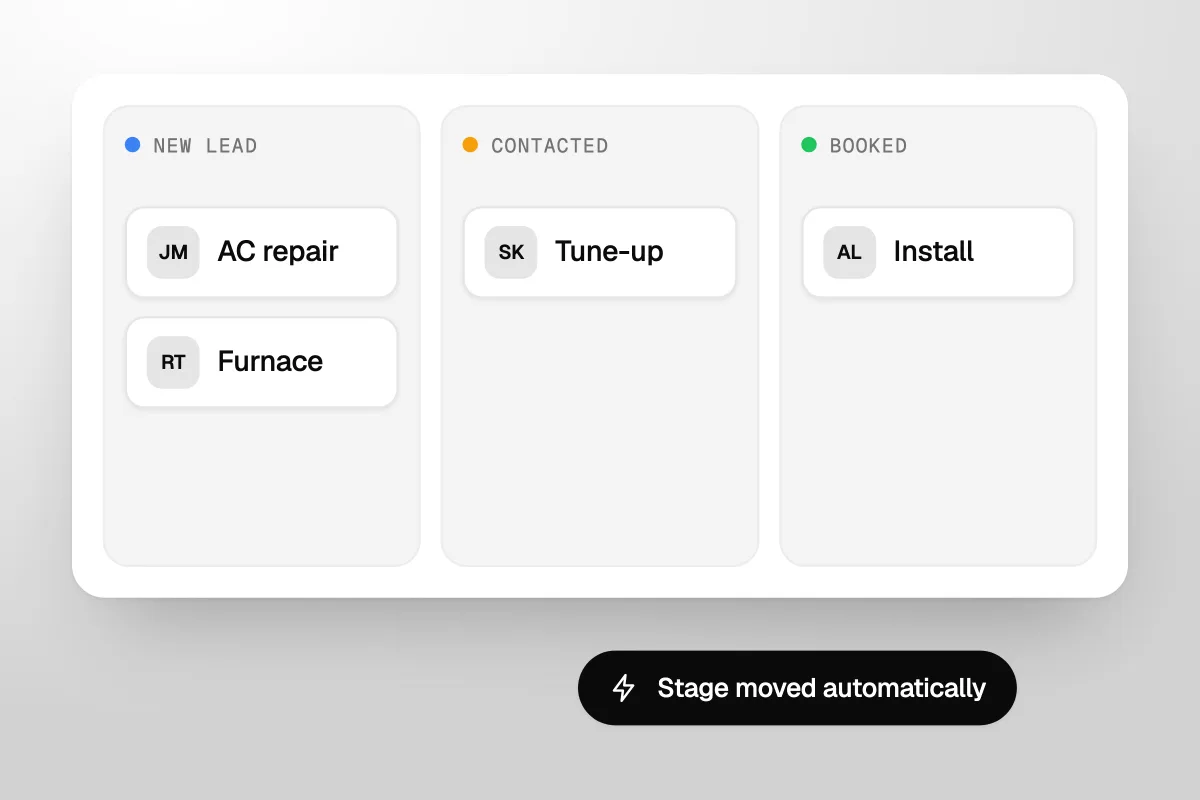
An HVAC CRM is the system that tracks every lead, quote and past customer, so your shop wins more AC repair, furnace, tune-up and install jobs instead of just running them. Most software sold to HVAC companies as a CRM is really field service software. It dispatches techs and sends invoices well. The part that wins the next job, the follow-up, is often a paid add-on or missing. This guide shows what that part should do, what the main tools cost (prices checked on each vendor's own page on 10 November 2026), and how to set it up so your team actually uses it.
The short answer
An HVAC CRM has two jobs. Run the work: schedule, dispatch, invoice. Win the work: answer every lead fast, chase every replacement quote, and bring past customers back for their tune-up. Most field service tools do the first job well. Check the second before you buy, because it is often an add-on.
What is an HVAC CRM?
An HVAC CRM is a customer database built around how heating and cooling jobs come in and come back. CRM stands for customer relationship management. In plain terms, it is one place that holds every person who has called you, what they asked for, what you quoted, and what should happen next.
A generic sales CRM tracks deals. An HVAC shop needs a few more things on each record:
- The equipment. Which furnace or AC unit is in the home, roughly how old it is, and when it was last serviced.
- The job type. AC repair, furnace repair, a tune-up or a new install. Each one needs a different follow-up.
- The plan status. Is the customer on a maintenance plan, and when does it run out?
- The source. Did the lead come from Google, a yard sign, a referral or a Facebook ad?
Once that is in place, the CRM can do the routine follow-up for you. The homeowner you quoted for a new AC last Tuesday gets a check-in text. The family due for a fall furnace tune-up gets a booking link in September. Nobody has to remember.
Is field service software the same as a CRM?
No, though the two overlap and most vendors sell them as one product. Field service software runs a job once it is booked. A CRM, in the sales sense, gets the job booked in the first place and brings the customer back next season.
| Job | Field service software | Sales and marketing CRM |
|---|---|---|
| Scheduling and dispatch | Core feature | Not its job |
| Invoices and payments | Core feature | Not its job |
| Customer and equipment records | Yes | Yes |
| Answering new leads fast | Sometimes, often an add-on | Core feature |
| Chasing open quotes | Sometimes, often an add-on | Core feature |
| Seasonal tune-up campaigns | Sometimes, often an add-on | Core feature |
| Tracking which ads bring booked jobs | Basic reports | Core feature |
You can see the split on the vendors' own pricing pages. Housecall Pro lists Pipeline, its automated follow-up tool, and Campaigns, for text, email and postcard marketing, as add-ons. Jobber sells Pipeline for $49 a month and a Marketing Suite for $99 a month on top of its plans. That is not a knock on either tool. It just means the word "CRM" in the brochure may not cover the part that wins work.
Dispatch software tells you where the truck goes today. A CRM tells you who should hear from you this week.
What should an HVAC CRM do to win more jobs?
It should make sure no lead, quote or past customer goes quiet without a next step. Here is what that looks like, roughly in the order we would switch it on:
- Catch every lead in one list. Calls, web forms, Facebook leads, chat and texts all land in the same place, tagged with where they came from. Leads spread across three inboxes get missed.
- Reply fast, even when nobody can pick up. A missed call should send a text within a minute or two, so the caller has a reason to wait for you. Our guide to missed call text back shows what to send. This matters most on no-heat and no-cool calls, because that homeowner is ringing the next company on the list.
- Chase every replacement quote. A new system install is your biggest ticket and the easiest to lose quietly. Homeowners collect a few quotes and then sit on them. The CRM should check in the next day, again a few days later, and again after two weeks, then hand the quote to a person to call.
- Book tune-ups by season. AC tune-up reminders go out in spring, furnace tune-up reminders in fall, each with a link to book. That fills the quiet weeks between the summer and winter rush.
- Renew maintenance plans. Every plan has an end date. The CRM should remind the customer before it runs out and make renewing a one-tap job.
- Ask for a review after every visit. One text with a link, sent when the tech closes the job.
- Win back old customers. The person whose furnace you fixed three years ago, and never heard from again, already knows your name. A short, polite message can bring some of them back.
- Show which marketing pays. Each booked job should trace back to its source, so you can see whether Google, Facebook or yard signs earn their keep.
None of this needs a big team. It needs rules written once and a system that runs them every day. If you want the wider picture of where HVAC leads come from in the first place, our guide on how to get more HVAC leads ranks the channels in order.
We would rather see one replacement quote chased properly than ten new leads left to sit.
Which HVAC CRMs do contractors use, and what do they cost?
Housecall Pro and Jobber publish their prices, starting at $59 and $29 a month on yearly billing. ServiceTitan and FieldEdge only give a price after a sales call. All four are field service platforms built for trades like HVAC. Here is what each vendor's own pricing page showed on 10 November 2026:
| Tool | Plans and price a month | Users | Follow-up and marketing |
|---|---|---|---|
| Housecall Pro | Basic $59 yearly or $79 monthly. Essentials $149 or $189. Max $299 or $329. | 1, 5 and 8 users. Extra users on Max are $35 a month. | Online booking and review management from Basic. Pipeline (automated follow-ups) and Campaigns (text, email, postcard) listed as add-ons, with no price shown. |
| Jobber | Core $29 yearly or $49 monthly. Connect $99 or $139. Grow $149 or $199. | Prices shown are for 1 user. Plus, for bigger teams, starts at $399 yearly for 5 users. | Automated quote follow-ups and client reminders from Connect. Add-ons: Pipeline $49, Marketing Suite $99, AI Receptionist $29. |
| ServiceTitan | Starter, Essentials and The Works. Quote only. | Priced per technician | Ask on the demo which marketing tools are in your quote. |
| FieldEdge | Select, Premier and Elite. Quote only. | Not shown | MarketingEdge and Proposal Pro add-ons, marked "Call for Pricing". |
A few details from the same pages. Housecall Pro and Jobber both offer a 14-day free trial with no credit card. FieldEdge says it does not offer a free trial. ServiceTitan describes its pricing as "per-technician", so the bill grows with your crew. Jobber notes that its prices are in USD and exclude sales tax. These pages change often, so check them again on the day you sign.
The other route: keep dispatch, add a marketing CRM
Plenty of shops already run their day on one of these tools and like it. Ripping it out to get better follow-up rarely makes sense. The other option is to keep the field service software for dispatch and invoices, and run leads, quotes and campaigns in a separate CRM built for marketing. That is how we would set up an HVAC company: the dispatch tool stays, and a marketing CRM handles the winning side. You can see how that works on our page about marketing for HVAC companies.
The cost of that route is a second system to keep tidy. If nobody owns it, two systems are worse than one.
Do plumbers need a different CRM?
No. A plumbing CRM needs the same core as an HVAC one, with different triggers. Many shops do both trades, so one CRM with clear job types is usually the right call. Jobber, for one, lists both HVAC and plumbing among the industries it serves.
The differences are in what you follow up and when:
| HVAC | Plumbing | |
|---|---|---|
| Biggest ticket to chase | System replacement and install quotes | Water heater replacements and repipes |
| When the phone gets busy | The first heat wave and the first cold snap | More spread through the year, with spikes when pipes freeze |
| Repeat work to book | Spring AC and fall furnace tune-ups, maintenance plans | Drain cleaning and inspections, maintenance plans if you sell them |
| Urgent calls | No heat, no cool | Burst pipe, no hot water, a backed-up drain |
For plumbing, the speed of the first reply matters even more, because a burst pipe can't wait for a callback tomorrow. For HVAC, the seasonal campaigns do more of the heavy lifting. Set the rules for each trade, keep them in one list, and tag every contact with the work you did for them.
How do you set up an HVAC CRM so the team uses it?
Start with one job, keep data entry close to zero for techs, and give one person the keys. Most CRMs fail because they ask busy people to type, not because the software is bad. Here is the order we use:
- Pick an owner. One person, usually in the office, who checks the CRM daily and fixes what breaks.
- Set stages that match how you sell. For example: New lead, Contacted, Visit booked, Quote sent, Won, Lost. Keep it short. Six stages beat fifteen.
- Connect the lead sources. Website forms, call tracking, Facebook leads and chat should flow in on their own. If someone has to retype a lead, it will be retyped late, or not at all.
- Switch on the missed-call text first. It is the quickest win and it proves the system works.
- Add quote follow-up next. Every quote over a set amount gets the follow-up sequence and a call task for a person.
- Load your past customers. Import them with the equipment type and last service date, then tag them for the spring and fall tune-up campaigns.
- Keep the tech's part to one tap. Techs close the job in the field app. The CRM picks it up from there: review request, maintenance plan offer, next tune-up date.
- Review it every Monday. Fifteen minutes: new leads, open quotes, lost jobs and why. That habit matters more than any feature.
Then add one automation a month, not ten in a week. A team that trusts five working automations will use them. A team buried under twenty half-tested ones will switch them off.
If a tech has to type into the CRM after a 12-hour day in July, it won't get typed.
Phones matter here too. A CRM can only follow up on a lead it knows about, so calls you miss after hours should still land in it. Our guide to HVAC answering services compares the options and what they cost in a heat wave.
When should an HVAC company hand the CRM to someone else?
When the shop has more leads than follow-up, and nobody in the office has the hours to build and run the rules. That is the work we do. Havstock Unlimited is marketing on a flat monthly fee: ads, your website, and a CRM with pipelines, missed-call texts, quote follow-up and tune-up reminders set up for you. The CRM runs on GoHighLevel and comes with the plan. See what is included on our CRM and automations service page.
It is the wrong choice for a small shop. At $4,995 USD a month, Havstock will not pay off for a one or two truck business. If that is you, Jobber Connect at $99 a month on yearly billing, with its quote follow-ups switched on, plus a missed-call text, covers most of what this guide describes. Bigger shops that want one vendor for everything, dispatch included, should get quotes from ServiceTitan and FieldEdge and compare them with Housecall Pro Max. For the full growth plan around the CRM, see how to grow an HVAC business.
FAQ
What is the difference between an HVAC CRM and field service software?
Field service software runs booked jobs: scheduling, dispatch, invoices and payments. A CRM wins and keeps jobs: it answers new leads, chases open quotes, books seasonal tune-ups and renews maintenance plans. Many HVAC tools do both, but the follow-up and marketing parts are often sold as add-ons, so check before you buy.
How much does an HVAC CRM cost?
On vendors' own pages, checked 10 November 2026: Housecall Pro runs $59 to $299 a month on yearly billing, and Jobber $29 to $149 for one user, with Plus from $399. Follow-up and marketing add-ons cost extra on both. ServiceTitan and FieldEdge only quote after a demo, and ServiceTitan prices per technician.
Is ServiceTitan worth it for a small HVAC company?
Nobody can say without your quote, because ServiceTitan does not publish prices. Its pricing page says it charges per technician and offers three plans. Get the quote in writing, then compare it with Housecall Pro and Jobber's published prices for the same number of users and the follow-up features you need.
Can I keep my field service software and add a separate CRM?
Yes, and many shops do. The field service tool keeps dispatch and invoices. A marketing CRM handles leads, quote follow-up, tune-up campaigns and reviews. The catch is a second system to keep clean. Give one person ownership, and make sure booked and finished jobs show up in the CRM without anyone retyping them.
What should an HVAC CRM automate first?
Start with the missed-call text, because it saves leads from day one and proves the system works. Next, add follow-up on replacement quotes, your biggest tickets. Then load past customers and run spring AC and fall furnace tune-up reminders. Add review requests after that. One new automation a month is a pace teams keep up with.
Does an HVAC CRM work for plumbing too?
Yes. A plumbing CRM needs the same core: one lead list, fast replies, quote follow-up and repeat work reminders. The triggers differ. Plumbing has more urgent calls spread through the year, and water heater replacements to chase. If you run both trades, use one CRM with clear job types rather than two systems.
Do I need a CRM if I only run one truck?
You need the habits more than the software. A one-truck shop still loses jobs to missed calls and forgotten quotes. A low-cost plan with automated quote follow-ups, such as Jobber Connect, plus a missed-call text, covers most of it. Add a dedicated marketing CRM only when leads outgrow what you can chase by hand.
So which HVAC CRM should you pick?
The right HVAC CRM is the one that makes sure every lead gets a fast reply, every install quote gets chased, and every past customer hears from you before their next tune-up. Run the jobs in whatever dispatch tool you like. Just don't let the winning side live in someone's memory. For where those leads come from in the first place, read how to get more HVAC leads.