 Nathan Field
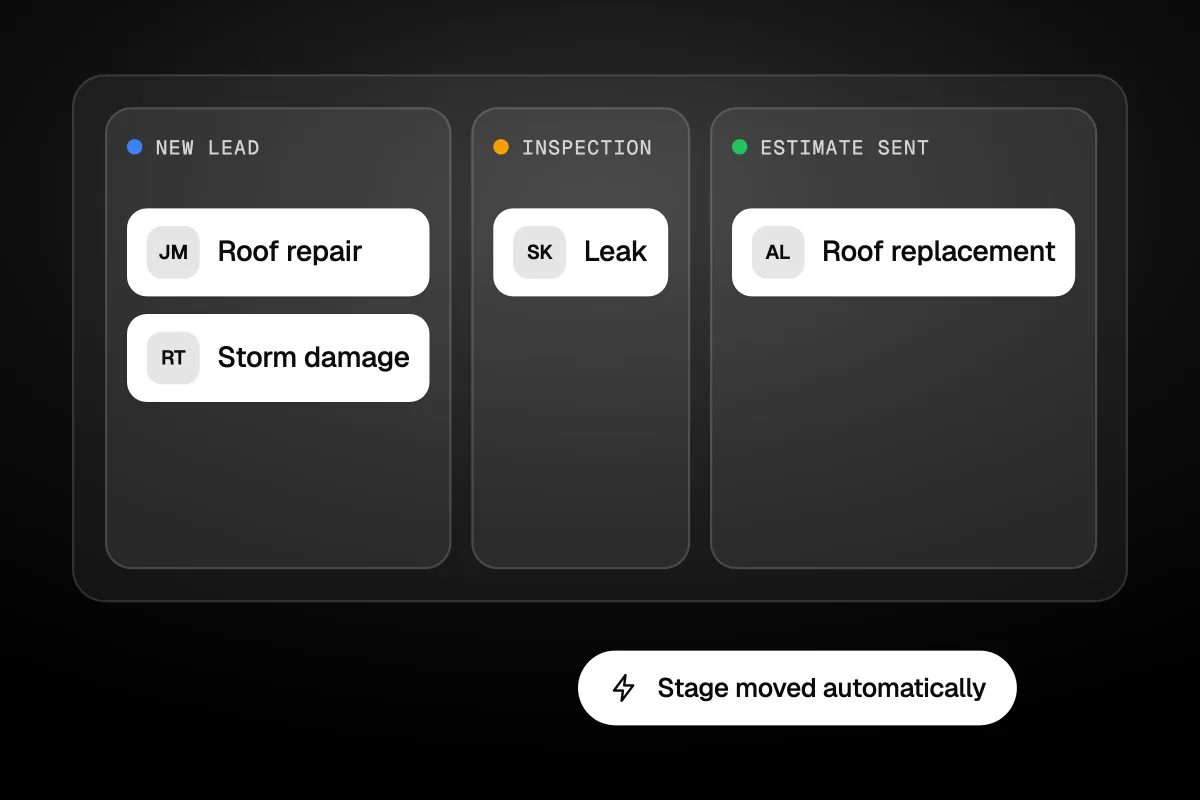
A roofing CRM should move every job from new lead to inspection to estimate sent to signed contract, and chase the homeowner at each step so nothing sits. That is the test for any CRM for roofing, whether you run two crews or twenty. The features that matter are fast lead capture, inspection scheduling with photos, measurements and estimates, estimate follow-up and job tracking. If you do insurance work after storms, add claim and supplement tracking. Most of the rest is nice to have. Below is what each feature is for, how AccuLynx, JobNimbus and Roofr compare, and what they cost on their own pages.
The short answer
Pick a roofing CRM by the work you actually do. Retail repair and replacement shops need fast lead follow-up, measurements and clean estimates: Roofr shows prices from $0 and is easy to test. Storm and insurance shops need supplement tracking: AccuLynx's Elite plan lists it, priced by quote. Small mixed-trade crews may be fine with a field service tool.
What is a roofing CRM?
A roofing CRM is software that tracks every homeowner and every job from the first call to the final payment. It holds the contact, the address, the photos, the measurements, the estimate and the job's stage, and it tells your team what to do next.
A general CRM tracks people. A roofing CRM tracks roofs. That difference shows up in the details: aerial measurements, material orders, crew schedules, insurance claims and supplements. A homeowner might call once about a leak and come back three years later for a roof replacement. The CRM should remember both.
For most roofers, the CRM is also the sales tool. Every lead you pay for, from ads, door knocking, referrals or Facebook ads for contractors, lands here first. If it isn't chased from here, the money is gone.
What should a roofing CRM do?
A roofing CRM should handle five jobs: catch new leads fast, book inspections, produce estimates, follow up until the homeowner signs, and track the job through production. Here is what each one means in practice.
Catch the new lead fast
Leads come from forms, calls, ads and canvassing. The CRM should pull them into one list, tag the source, and alert the right rep straight away. Speed matters more in roofing than most trades because homeowners with a leak call several companies at once. A text that goes out within a minute, even just "Got your request, when can we take a look?", keeps you in the running.
Book and run the inspection
The inspection is where the job is won. Your CRM should book it, send a reminder, and let the rep add photos and notes from a phone on the roof. Those photos matter later, for the estimate, for the homeowner and for the insurer on storm damage jobs.
Measure and send the estimate
Good roofing CRMs connect to aerial measurement reports, so the rep doesn't climb every roof just to get the squares. The estimate should pull from your price list and go out as a proposal the homeowner can sign online. Once it is out, the card moves to Estimate sent.
Follow up until they sign
This is the step most shops skip. An estimate sent and never chased is the most expensive lead you own, because you already paid for the inspection. Set a follow-up: a text two days later, a call task at day five, a final check-in at day ten. Stop when they sign or say no.
Track the job through production
After the contract, the CRM should track materials, crew, the build date, the final inspection and payment. On a roof repair this is a short list. On a roof replacement with an insurance claim, it can run for weeks.
An estimate sent and never chased is the most expensive lead you own.
What can most roofers skip?
Most roofers can skip features built for a different kind of shop. Big storm restoration teams need tools a two-crew retail roofer will never open. Before you pay for a higher plan, check if you need these:
- Supplement and mortgage check tracking. Essential for insurance work. Useless if you only do retail.
- Multiple location setup. Only if you run more than one office.
- Commission tracking. Worth it with commission sales reps. Skip it if the owner sells.
- Several job boards. One board covers most small shops. You need more when repairs, replacements and gutters run as separate teams.
- Canvassing tools. Only useful if your team knocks doors.
Pay for what you will use in the next year, not what you might grow into.
How do AccuLynx, JobNimbus and Roofr compare?
AccuLynx is built for storm and insurance work and only quotes prices after a sales call. Roofr publishes its prices and starts free. JobNimbus is a popular roofing CRM too, but its pricing page would not load for us. We checked each vendor's own page on 16 November 2026:
| Tool | Price on its own page | Users | Worth knowing |
|---|---|---|---|
| AccuLynx | Price on request (Pro and Elite plans, custom quote) | Not stated | Elite adds supplement tracking, permits, a production calendar, commissions, embedded web forms and multi-location setup |
| JobNimbus | Not checked: the pricing page would not load from our location | Not checked | Ask for a written quote |
| Roofr Starter | $0 a month, $19 per measurement report | Unlimited | 1 basic job board, 10 trial proposals, invoices and work orders |
| Roofr Essentials | $249 a month billed monthly, or $209 a month billed yearly | Unlimited | $13 reports, unlimited proposals, invoices and work orders, card and ACH payments, e-signatures |
| Roofr Scale | $349 a month billed monthly, or $299 a month billed yearly | Unlimited | 7 job boards, crew management, job costing, QuickBooks integration |
| Jobber (field service tool) | Core $49 a month, Connect $139, Grow $199 (1 user, no commitment) | 1 on those prices, more cost extra | Not roofing-specific. Quotes, scheduling, invoicing, automated reminders and quote follow-ups on Connect |
A few notes on reading that table:
- AccuLynx keeps its prices behind a call. Its plan options page says every roofing company is unique and sales will "provide you with a custom price quote". Both plans include leads and CRM, estimates and contracts, a mobile field app, invoicing and job cost tracking.
- Roofr doesn't charge per seat. Its pricing page lists unlimited users on every plan. Measurement reports are paid per report on top. An Instant Estimator add-on, a website builder and an AI receptionist are extra. The page also shows an offer until 30 November: pick any plan and get two months free.
- JobNimbus could not be checked. We would rather leave a price out than guess. If it is on your list, get its quote in writing and add it to the comparison yourself.
What does a roofing CRM cost?
A roofing CRM costs anywhere from $0 a month plus report fees to a few hundred dollars a month on public price lists, and more for quoted plans. The sticker price is only part of it. Count these too:
- Per-user fees. Some tools charge per seat. Roofr doesn't. Jobber's listed prices are for one user, with more seats at a higher price.
- Measurement reports. At Roofr's listed $13 to $19 per report, 30 estimates a month adds a few hundred dollars. Do your own maths with your own volume.
- Add-ons. Instant estimators, websites, AI phone answering and payments often sit outside the base plan.
- Setup time. Someone has to load your price list, templates and stages. That is hours, not minutes.
Annual billing lowers the monthly price on most tools, but locks you in. Run a month or two on monthly billing first, then switch once the team actually uses it.
Price the CRM on what a month of jobs costs to run through it, not on the headline number.
Do you need a roofing CRM or a field service tool?
You need a roofing CRM if roofs are most of your work, and especially if you do insurance or storm jobs. A field service tool like Jobber is enough if you run a mixed crew: some roof repair, some gutters, some general maintenance, with short jobs and simple quotes.
The difference is in the roof-only parts. Field service tools don't usually handle aerial measurements, material orders by squares, insurance claims or supplements. Roofing CRMs do. On the other hand, field service tools tend to be simpler and cheaper to start.
Here is a simple rule:
| Your work | Start with |
|---|---|
| Mostly retail roof repair and replacement | A roofing CRM with public pricing and measurements built in |
| Storm damage and insurance claims | A roofing CRM with claim and supplement tracking |
| Mixed exterior work, small jobs, one or two crews | A field service tool, plus a good lead follow-up setup |
We wrote the same split for heating and cooling shops in our HVAC CRM guide, and for practices in our dental CRM guide. The pattern holds: the job tool runs the work, and something has to chase the people who haven't said yes yet.
How do you pick a roofing CRM?
Pick a roofing CRM by testing it on one real job from your last month, start to finish.
- Write down your stages. For example: New lead, Inspection, Estimate sent, Signed, In production, Paid. Any CRM you test should match them without a fight.
- Pick three must-haves. For a storm shop that might be supplements, photos and a production calendar. For a retail shop, measurements, e-signed proposals and follow-up texts.
- Run one real job through each tool. Enter the lead, book the inspection, add photos, build the estimate, send it, and mark it signed.
- Time your office manager. If it takes twice as long as now, the team won't use it.
- Get every price in writing. Base plan, users, reports, add-ons, payments and setup. Compare the yearly total, not the monthly number.
- Check what leaves with you. Ask how you export your customers, photos and job history if you switch later.
A demo with fake data always looks good. Your own messy job is the real test.
When is a roofing CRM not the fix?
A roofing CRM is not the fix when you don't have enough leads. If your crews sit idle half the week, the problem is upstream: ads, your Google profile, referrals and your website. Our guide on how to get more roofing leads covers that side.
It is also not the fix if nobody owns it. A roofing CRM where reps skip the photos and leave estimates in "draft" is worse than a whiteboard, because everyone thinks it is under control.
A CRM organizes demand. It doesn't create it.
This will not suit you if you are a one-person shop doing a few repairs a month. A phone, a calendar and a simple quote template will do. Come back to it when leads start slipping.
Where does Havstock fit?
We handle the part before the inspection: ads, the website, the Google profile and the follow-up that turns a new lead into a booked visit. You keep the roofing CRM that runs your jobs. See how we work with roofing companies, or see how Havstock Unlimited works. At $4,995 USD a month it suits roofers spending real money on leads. A small shop is better off starting with a free or low-cost tool and a missed-call text.
FAQ
What is the best CRM for roofers?
It depends on your work. Storm and insurance shops lean toward AccuLynx, whose Elite plan lists supplement and mortgage check tracking. Retail shops that want public pricing can test Roofr, which starts at $0 plus report fees. Mixed-trade crews may be fine with Jobber. Test each on one real job before you decide.
How much does AccuLynx cost?
AccuLynx doesn't publish prices. Its plan options page, checked 16 November 2026, offers two plans, Pro and Elite, and says sales will give you a custom price quote. Ask for every cost in writing: users, setup, add-ons and payment fees. Then compare the yearly total with tools that publish prices.
How much does Roofr cost?
On its pricing page, checked 16 November 2026, Roofr Starter is $0 a month with $19 measurement reports. Essentials is $249 a month billed monthly or $209 billed yearly. Scale is $349 a month billed monthly or $299 billed yearly. Every plan lists unlimited users, and reports cost extra.
Can I use a general CRM for roofing?
You can, for the sales side. A general CRM handles leads, pipelines, texts and follow-up well. It usually won't do aerial measurements, material orders or insurance supplements. Many roofers use a roofing CRM for jobs and a marketing CRM for lead follow-up. That works if bookings sync, so nobody types things twice.
Do roofers need a CRM for storm damage work?
Yes, more than any other kind of roofing work. Storm jobs run longer, involve the insurer, and need photos, claim numbers, supplements and payment tracking. Without a system, things fall through between the adjuster meeting and the final check. Look for claim and supplement tracking, and a clear job stage for each step.
What should a roofing CRM automate first?
Start with the first reply to every new lead, because a homeowner with a leak calls several roofers at once. Next, add follow-up on every estimate sent. Then add inspection reminders and review requests after the job. One automation at a time is a pace a busy crew can keep up with.
So, which roofing CRM should you pick?
Match the roofing CRM to your work, not to the longest feature list. Storm shops need claims and supplements. Retail shops need fast estimates and steady follow-up. Mixed crews may only need a field service tool and a good missed-call text. Whatever you pick, make sure every new lead gets a fast reply and every estimate gets chased until the homeowner says yes or no.