Nathan Field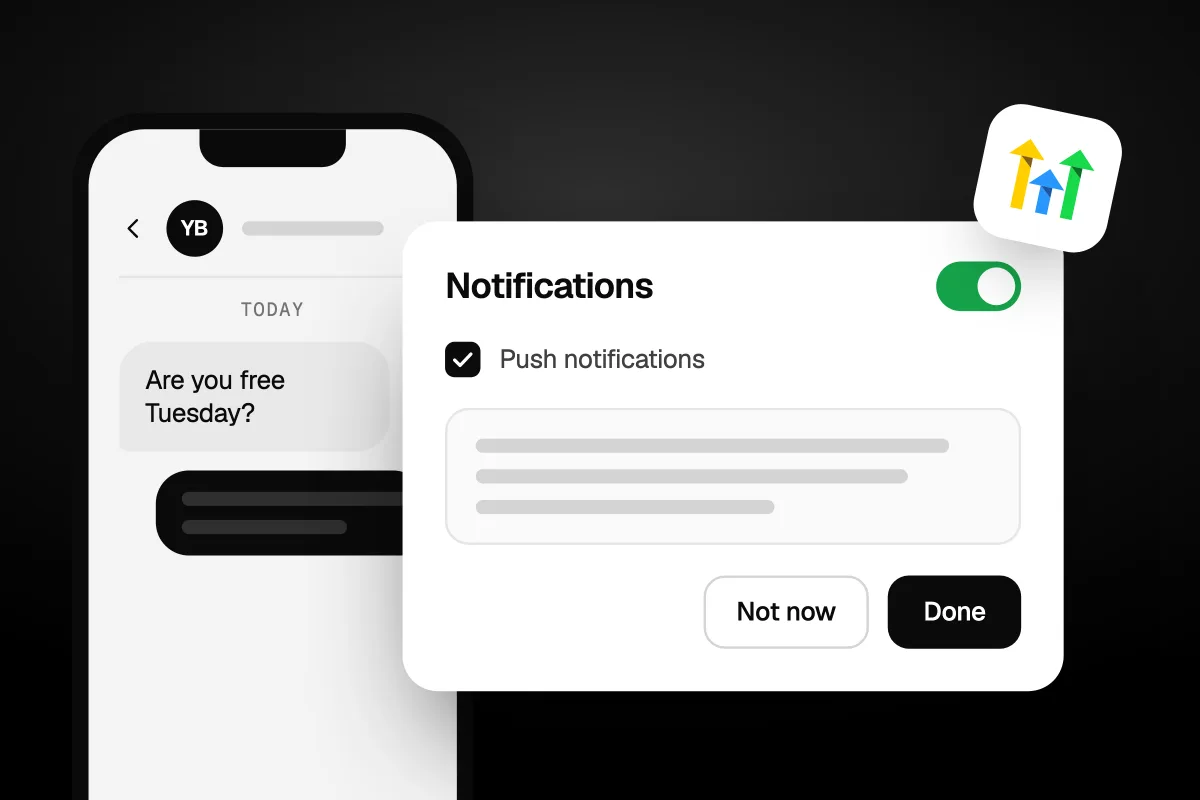
Yes, the GoHighLevel app is free on iPhone and Android, and there is a desktop app for Windows, Mac and Linux. In the app stores it is called HighLevel, not GoHighLevel. There is also a twin called Lead Connector that carries no GoHighLevel name. On your phone you can answer texts and DMs, take and make calls, manage your calendar and work with contacts. Building things still happens on the web.
- Name in the stores: HighLevel, on the App Store and Google Play. The no-brand twin is Lead Connector.
- Price: free with any GoHighLevel plan. You need an account to log in.
- On your phone: conversations, calls, calendar, contacts, invoices and payments.
- Desktop: apps for Windows, macOS and Linux.
- Your own brand: the white label mobile app is a $497 a month add-on.
- No notifications? In the app, go to Settings, then Diagnose Notifications.
We checked all of this on 26 October 2026, on GoHighLevel's help pages, its pricing page, and the App Store and Google Play listings.
Does GoHighLevel have an app?
Yes. GoHighLevel's pricing page lists the "HighLevel mobile app" as a core feature on every plan, so you don't pay extra for it. There is a desktop app too, which we cover below.
The phone app is for running the day, not building the system. Here is the moment it is made for. A lead texts "Are you free Tuesday?" at 7pm. Your phone buzzes. You open the conversation, check your calendar and book them in before they ask anyone else.
Push notifications are the reason most people install it. Without them, that text sits in the inbox until you next open a laptop.
You do need a GoHighLevel account. The Google Play listing says it straight: "Register on www.gohighlevel.com to use the App!" If you don't have one yet, our special link gets you a 30-day free trial plus a free live bootcamp. Sign up on GoHighLevel's own site and you get the standard 14 days, with no bootcamp. Start the 30-day free trial here (we may earn a commission from this link).
If you are still working out what the platform does, read what GoHighLevel is first. The app makes more sense once you know what sits behind it.
The app is for answering. The web is for building.
Which app do you download?
Download HighLevel if you signed up with GoHighLevel yourself. If an agency gave you your login, ask them which app to use. It may be Lead Connector or their own branded app.
Check the publisher before you install. The official apps are below, as listed on 26 October 2026:
| App | Name in the store | Publisher on Google Play | Who it suits |
|---|---|---|---|
| HighLevel | HighLevel (App Store subtitle: "SMS & Reviews for businesses") | HighLevel | Agencies and business owners who signed up directly |
| Lead Connector | Lead Connector | LeadConnector | Agencies whose clients shouldn't see the GoHighLevel name |
| Your agency's own app | Your agency's brand | Varies | Clients of agencies that pay for the white label app |
As far as GoHighLevel's own pages show, HighLevel and Lead Connector are the same app with different names. Both got version 4.27.0 on the App Store on 21 October 2026, and both were updated on Google Play on 25 October 2026. GoHighLevel's help pages list them side by side, with the same version numbers for new features. On iPhone, both need iOS 16.6 or later.
The two names are the same reason GoHighLevel shows up as LeadConnector on Zapier. Our GoHighLevel Zapier guide explains where that name comes from.
You sign in with the same email and password you use on the web. No account yet? Start with the 30-day free trial on our special link, then download HighLevel and sign in.
Direct links to the official listings: HighLevel on the App Store and HighLevel on Google Play.
What can you do in the mobile app?
Most of the day-to-day work. You can reply to messages, take and make calls, manage your calendar and contacts, and send invoices. Here is what GoHighLevel's own pages show:
| Task | In the app? | Source |
|---|---|---|
| Reply to SMS, email, Facebook Messenger, Instagram DMs and WhatsApp in one inbox | Yes | GoHighLevel's mobile app blog post, September 2025 |
| View, cancel and reschedule appointments | Yes | Same post |
| Send invoices and request payments | Yes | Same post |
| Manage your pipeline and tasks | Yes | Same post |
| Take inbound calls on your phone | Yes, once switched on in the web app | Help page, modified 1 September 2026 |
| Call out from a number you already own | Yes, on version 4.25.0 or later | Help page, modified 5 October 2026 |
| Edit contacts, notes and tasks | Yes, on version 3.9 or later | Help page, modified 3 September 2025 |
| Add or remove tags in bulk | Yes, up to 500 contacts and 10 tags at a time | Same help page |
| Build funnels, websites or workflows | We found no GoHighLevel page that shows this | None |
Calls
Calls don't ring your app by default. You switch it on in the web app. GoHighLevel's help page on forwarding inbound calls to the mobile app gives the path:
- Go to Settings, then My Staff, and click Edit on your user.
- Open Call and Voicemail Settings.
- Pick an Inbound Number for that user.
- Under Forward Calls to, tick Mobile app, then Save.
You need a number bought in that sub-account and assigned to the user. Then calls can ring on up to 10 devices logged in to the same user, and answering on one stops the rest. Two catches from the same page. Shared logins are not supported, so every person needs their own user. And if you work across several sub-accounts, you only get calls from the one you last switched to.
If you can't pick up, the caller shouldn't hear nothing back. Our guide to missed call text back shows how to send them a text straight away.
For outbound calls, GoHighLevel now lets you call from a number you already own, as long as it is verified in the sub-account first. In the Call Dialer, pick it on the "Select call from" screen. It shows a "Verified" badge.
Contacts
Each contact has a Details tab, a Tasks & Notes tab and an Activities tab with a feed of calls, appointments, payments and page visits. Press and hold a contact for quick actions: Call, SMS, Email, Book Appointment and Collect Payment.
Is there a GoHighLevel desktop app?
Yes, for Windows, macOS and Linux. GoHighLevel's guide to the HighLevel and LeadConnector desktop app (modified 2 April 2026) has download links for both names on all three. Linux comes as Debian and Red Hat packages, for x64 and arm64.
It is GoHighLevel in its own window, with your computer's own notifications. The help page doesn't list extra features beyond that. Here is how it works:
- Signing in: click Sign In and your browser opens. If you are already logged in to GoHighLevel there, it sends you back to the app.
- Sub-accounts: switch between them from the account menu, if you have access to more than one.
- Your agency's domain: you can log in through a white label domain if your agency has one.
- Notifications: turn on notifications for the app in your computer's own settings first.
Is it worth installing? If GoHighLevel sits in a browser tab all day, yes. A separate window with real notifications is easier to keep an eye on. If you only log in now and then, the browser is fine.
Can agencies put their own brand on the app?
Yes. On mobile, it costs extra. GoHighLevel's pricing page lists a "White label mobile app" add-on at $497 a month. The Enterprise plan includes it.
So an agency has three choices for its clients:
| Option | Cost | What clients see |
|---|---|---|
| HighLevel app | Free | The HighLevel name and logo |
| Lead Connector app | Free | A neutral name, not GoHighLevel and not your agency |
| White label mobile app | $497 a month, or included on Enterprise | Your agency's brand |
One trade-off to know. New features don't always reach white label apps at once. GoHighLevel's help page on the contacts workspace says white label apps need the new build requested from support.
The desktop app is a different story. GoHighLevel's White-Label Desktop App Setup Guide (modified 17 July 2026) has agencies brand it from the Desktop App tab in the Agency Dashboard. You set the app name, icon, theme, login title and logo, then click Build App. Once it is published, the Promote toggle shows sub-account users a download banner. That help page doesn't list a price.
Our take: for a single business, $497 a month for your name on an app is hard to justify. Lead Connector already hides the GoHighLevel name for free. For an agency selling the platform to many clients as its own software, a branded app can be part of what they are paying for.
Lead Connector hides the GoHighLevel name for free. Paying $497 a month only makes sense when your brand is the product.
Why are app notifications not arriving?
Usually it is a phone setting, a GoHighLevel setting or the wrong sub-account. GoHighLevel built a check into the app that finds most of it. Work through these in order.
- Run the diagnosis. In the app, go to Settings, then Diagnose Notifications, then Start Diagnosis. It checks four things: Network, Notifications, Sound and Test delivery. The last one sends a real test alert, and you tap Received, Didn't receive or Resend. Fix whatever it flags, then tap Run diagnosis again. Steps from GoHighLevel's Diagnose Mobile App Notification Issues page, modified 26 September 2026.
- Check your phone. Allow notifications for the app. Check the ringer and Focus mode, which the Sound check looks at. For calls, GoHighLevel also says to let the app run in the background, and on Android to turn off battery optimization for it.
- Check your GoHighLevel settings on the web. In the sub-account, go to Settings, then My Profile, then Notifications. GoHighLevel's page on managing notification settings (modified 7 October 2026) says the channels can include In-App/Web, Desktop, Email, Mobile and SMS. Look at which channel is on for new messages, tasks and appointments.
- Check the sub-account. For calls, you only get them from the sub-account you last switched to. Switch to one without inbound calling and calls stop from all of them.
- Stop sharing logins. Calls to the app don't support several people on one login. Give each person their own user.
Push notifications are only as good as the alerts behind them. If nothing is set to notify you on the web, the phone has nothing to show.
Still nothing? In the diagnosis, tap Copy report and paste it into a support request. Our guide to GoHighLevel support covers who can open a ticket, and what to do if you log in through an agency and can't see the help button.
Run the diagnosis before you reinstall anything.
Can you run your business from the app alone?
No. The app is where you answer. The web is where you set things up. Most of the setup in this post happens in the web app: call forwarding in My Staff, alerts in My Profile, branding in the Agency Dashboard. We found no GoHighLevel page that shows building a funnel or a workflow on a phone.
That is fine for most people. You build once at a desk, then run the day from your phone. It will not suit you if you want to build on the go.
The harder part is what sits behind the alerts. GoHighLevel is the tool. Someone still has to do the work: the follow-up texts, the booking flow, the pipeline that tells you who to call. The app just gets the message to you fast. If you would rather hand that part over, see how Havstock Unlimited works. We build and run the CRM and automations side, so your phone buzzes for the right things.
FAQ
Is the GoHighLevel app free?
Yes. GoHighLevel's pricing page lists the HighLevel mobile app as a core feature on every plan, and the HighLevel and Lead Connector apps are free downloads. You need a GoHighLevel account to log in. Only the white label mobile app costs extra, at $497 a month, unless you are on the Enterprise plan.
What is the GoHighLevel app called in the App Store?
It is called HighLevel, with the subtitle "SMS & Reviews for businesses". On Google Play it is also called HighLevel, published by HighLevel. There is a second version called Lead Connector that does not carry the GoHighLevel name. If an agency set up your account, ask them which app to download.
What is the difference between the HighLevel and Lead Connector apps?
Mainly the name. Both got version 4.27.0 on the App Store on 21 October 2026, and GoHighLevel's help pages list new features for both at the same version numbers. Lead Connector carries no GoHighLevel name, so agencies use it when they would rather clients didn't see it.
Can you make calls from the GoHighLevel app?
Yes. You can make calls from the app's dialer, including from a number you already own once it is verified. To take inbound calls on your phone, switch it on in the web app under Settings, My Staff, Call and Voicemail Settings. You need a number bought in the sub-account and assigned to you.
Is there a GoHighLevel app for Mac or Windows?
Yes. GoHighLevel has desktop apps for Windows, macOS and Linux, under both the HighLevel and LeadConnector names. It runs GoHighLevel in its own window with your computer's own notifications. You sign in through your browser. Agencies can also build a white label desktop app from the Agency Dashboard.
How much is the GoHighLevel white label app?
GoHighLevel's pricing page lists the white label mobile app at $497 a month, and the Enterprise plan includes it. The free Lead Connector app is the cheaper middle ground: it hides the GoHighLevel name, but it doesn't show your brand either. The desktop app setup guide doesn't list a price.
Why am I not getting GoHighLevel notifications on my phone?
Start with the built-in check: Settings, then Diagnose Notifications, then Start Diagnosis. It tests your network, notification permission, sound and a real test alert. Then check Settings, My Profile, Notifications on the web. If it still fails, copy the report from the diagnosis and send it to support.
The GoHighLevel app does one job well: it gets the lead's message to you while it is still warm. Download HighLevel, turn on push notifications, run the diagnosis once, and set up the rest at your desk. If you are not on GoHighLevel yet, start your 30-day free trial of GoHighLevel here.