Nathan Field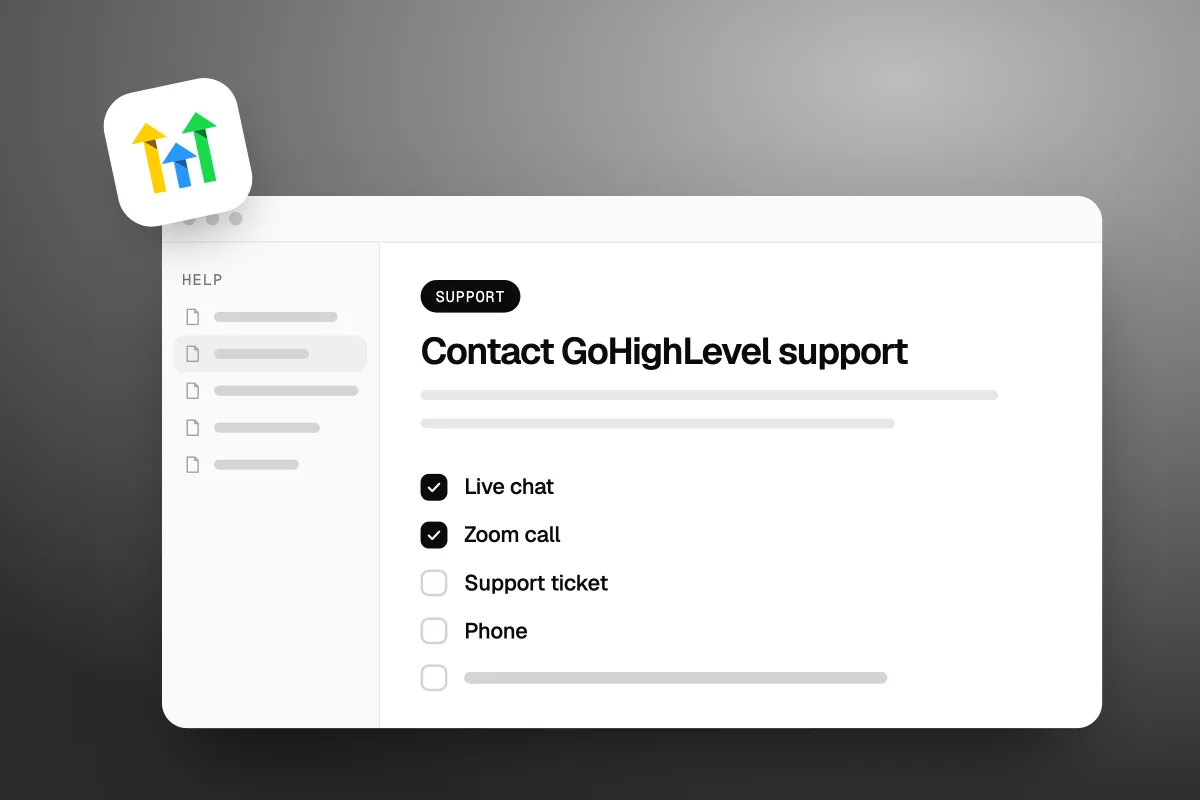
To contact GoHighLevel support, click the blue question mark in the top right corner of the desktop app and pick live chat, a Zoom call or a support ticket. Live chat runs 24/7. There is a phone line, but it is for sales, billing and login problems, and it only serves agency admins. There is no general support email. And if you log in to a sub-account through an agency, you will not see the Help button at all. Your agency is your support.
- Live chat: 24/7, inside your account. You can pick AI Support Chat or Agent Chat.
- Zoom call: join a queue and talk to an agent live, on screen.
- Support ticket: the only way to get support by email.
- Phone: +1 (888) 732-4197 for sales, billing or login problems. Agency admins only.
- Email: no general support address. Billing questions can go to billing@gohighlevel.com, which opens a ticket.
- Sub-account users: no direct access. Ask your agency.
Everything below comes from GoHighLevel's own help pages, checked on 26 October 2026.
How do you contact GoHighLevel support?
Open GoHighLevel on a computer, click the blue question mark in the top right corner, and choose how you want help. GoHighLevel's 24/7 Customer Support Options page (modified 3 August 2026) says the button is "Available on Desktop only". You will not find it on your phone.
From there you get four ways in:
| Channel | Good for | What happens |
|---|---|---|
| Live chat | Quick questions, something broken right now | An agent tries to fix it in the chat. If they can't, they pass it to a better team and open a ticket |
| Zoom call | Problems that are easier to show than type | You join a queue for the next free agent. If it isn't fixed on the call, they open a ticket |
| Support ticket | Bugs and anything that needs digging | You go back and forth with support by email |
| Phone | Sales, billing and login problems | They check you are an agency admin before they help |
Live chat is open "at any time of the day or night, seven days a week", in GoHighLevel's words. The help page doesn't give hours for Zoom.
Who you talk to also depends on how new you are. GoHighLevel's support journey page (modified 30 September 2026) splits it up like this:
- On a trial (first 14 days): the Trial Experience Team, through a kickoff call booked at speakwith.us/kickoff.
- Paying, first 90 days: the Customer Success team, at speakwith.us/success. These are hands-on working sessions for setup.
- Paying, after 90 days: the Support Team, through live chat or Zoom.
Not signed up yet? A live walk-through is the cheapest support you will ever get. Our special link gets you a 30-day free trial plus a free live bootcamp. Sign up on GoHighLevel's own site and you get the standard 14 days, with no bootcamp. Start the 30-day free trial here (we may earn a commission from this link).
Live chat is the front door. Tickets are where the hard problems go.
Is there a GoHighLevel support phone number?
Yes. In the US it is +1 (888) 732-4197, but it is not a general help line. GoHighLevel says you can call "at any time of the day" for "sales, billing, or login related issues". For product questions and troubleshooting, the same page points paying customers to live chat or Zoom.
The bigger catch is who they will talk to. Every caller is checked. The page says it plainly: "We WILL NOT serve Non-Agency Admins who call the support phone number." If you are not an agency admin, they will ask you to get one to call, or to give you access.
Before you call, have two things ready:
- Your Agency Relationship Number.
- Your agency login email.
For billing, call the same number and pick option 2.
GoHighLevel also lists numbers outside the US:
| Country | Number |
|---|---|
| United States | +1 (888) 732-4197 |
| United Kingdom | +44 808 502 2329 |
| Australia | +61 1800 983 916 |
| South Africa | +27 87 250 2674 |
| Netherlands | +31 97010208764 |
| Philippines | +63 1800 1 550 0097 |
The phone is most useful when you can't get into your account at all. Locked out means no question mark button, so the phone and the chat widget on GoHighLevel's main website are your way back in.
Is there a GoHighLevel support email?
No. GoHighLevel's help page is blunt about it: "HighLevel does NOT have a general support email address." To get help by email, you open a support ticket, and the replies come to your inbox.
Their reason is fair. A ticket raised inside the app carries the details support needs. A loose email to a general address would not. So every email conversation starts as a ticket.
There are two exceptions worth knowing:
- Billing. Send an email to billing@gohighlevel.com. It opens a ticket on its own. Put in your agency name, agency login email, Agency Relationship Number if you have it, a short description, and any invoice or payment details.
- Can't log in. Call the number above, use the chat widget on GoHighLevel's main website and say you can't log in, or use the ticket form linked from the help page.
If you see a "GoHighLevel support email" listed on another site, it is not one GoHighLevel lists. Don't send account details to it.
Why do sub-account users see no help button?
Because GoHighLevel only gives support to agency admins and agency users. Sub-account users can't reach it at all. The help page calls sub-accounts "locations", and says: "Location Admins and Location Users will NOT see the blue question mark button."
The reason is control. GoHighLevel says its agents "are unable to make changes to an agency account without the consent of a validated Agency Admin or Agency User." Your agency owns the account, so your agency is your support.
What to do depends on who you are:
- You use GoHighLevel through an agency. Many businesses do, often under the agency's own brand name. Ask your agency. That is part of what you pay them for.
- You signed up with GoHighLevel yourself. Then you are the agency admin. Log in with your agency login, not a sub-account user login, and the button should be there.
- You work in an agency but have a sub-account login. An agency admin can add you as an agency user: Agency Settings, then Team, then + Add Employee, with User Type set to Agency and the role set to Admin.
If you run an agency, give your clients a clear path anyway. GoHighLevel's Custom Menu Links guide (modified 18 September 2026) says "Agencies can provide direct links to help documentation, knowledge bases, or customer support portals." Go to Settings, then Custom Menu Links, then Create New. One menu link that says "Get help" saves a lot of "who do I ask?" messages.
No help button is not a bug. It means your agency is your support.
Is premium support worth it?
For most single businesses, no. Premium support costs $500 a month or $5,000 a year, and you can only buy it after your first 90 days. It is worth it when an hour of downtime costs you more than the fee.
Here is what GoHighLevel's Overview of Premium Customer Support (modified 12 August 2026) says you get:
| Standard | Premium | |
|---|---|---|
| Price | Included in your plan | $500 a month, or $5,000 a year |
| 24/7 chat, Zoom, ticket and phone | Yes | Yes |
| Chat and Zoom wait | 6 minutes | 1 minute |
| First reply to a ticket | 10 hours | 3 hours |
| Technical Account Manager | No | Yes |
| Dedicated Slack channel | No | Yes |
| Quarterly Business Reviews | No | Yes |
| Who can buy it | Everyone | After 90 days with GoHighLevel |
Those wait times are GoHighLevel's own figures. We have not timed them.
Do the maths. On standard support, GoHighLevel puts the chat and Zoom wait at 6 minutes. Premium saves you about five minutes a chat and seven hours on a first ticket reply, for $6,000 a year. A solo business owner won't feel that. An agency with dozens of client sub-accounts might, because one broken booking flow can hit every client at once.
If you do buy it, it is billed apart from your main plan. From your agency account, go to Settings, then Billing, find Premium Support under Add-ons, and click Subscribe Now. You can cancel from Billing at any time, and it runs to the end of the period you paid for. The Enterprise plan includes it, per GoHighLevel's pricing page.
New and want hands-on help? Premium is not open to you until day 90 anyway. The free live bootcamp on our special link with the 30-day free trial is the closest thing in your first month.
How do you get a faster answer?
Use the right channel, log in as an agency admin, and hand support everything it needs in the first message. Most of the wait is back and forth.
Start by matching the problem to the channel:
| Your problem | Go to |
|---|---|
| Can't log in | Phone, or the chat widget on GoHighLevel's website |
| Billing or a charge you don't recognise | billing@gohighlevel.com, or the phone, option 2 |
| Something is broken right now | Live chat |
| Hard to explain in words | Zoom call |
| A bug you can repeat | Support ticket |
| "How do I...?" | The help docs first, then AI Support Chat |
Then do these, in this order:
- Check it isn't an outage. GoHighLevel has a public status page at status.gohighlevel.com. When we checked on 26 October 2026, it showed all services online. If something is down for everyone, a ticket won't fix it any sooner.
- Raise the ticket from the broken screen. GoHighLevel's guide to reporting a bug (modified 19 August 2026) gives the path: click the Help & Support icon, then Raise Ticket, then Technical Support. Pick the scope, such as "Within a Sub-Location", then the product area, such as Calendars or Automation. On the form, "Click to upload" grabs a screenshot of your whole screen for you.
- Write it like a bug report. What you did, what you expected, what happened instead, which sub-account, and the exact error text. A short screen recording beats three paragraphs.
- Let support look inside your account. GoHighLevel's Support Access setting (modified 1 June 2026) lets their team into your account for a set time. Go to Agency View, then Settings, then Company, then Advanced Settings, and scroll to Support Access. Set an end date, and revoke it when the problem is fixed.
- Reply fast. GoHighLevel turns a chat into a ticket when you don't confirm a fix worked, or don't send the details they asked for. Every slow reply adds another round.
One shortcut for texting problems. If your texts to US numbers are failing, check your registration before you open a ticket. Our GoHighLevel A2P registration guide walks through what to look at.
For "how do I" questions, GoHighLevel also points you to its knowledge base, its YouTube channel, a Daily Q&A session and a Facebook group. To join the group, you give the email you signed up with and your agency name.
Most of the wait is back and forth. Send everything in the first message.
What if support can't fix it?
It becomes a ticket, and the fix moves to email. GoHighLevel says that if live chat can't solve it, agents "escalate the issue to a team that may be better suited to help" and open a ticket. A Zoom call that runs out of road ends the same way. Keep replying on that ticket. It is now the only thread.
After that, it depends on what kind of problem you have.
It's a bug
Then it is on GoHighLevel's side, and you wait for the fix. Ask on the ticket if there is a workaround you can use in the meantime. If a client is waiting on you, tell them it is logged with the platform.
It's a feature GoHighLevel doesn't have
Support can't add features. GoHighLevel runs a public feedback board at ideas.gohighlevel.com, called HighLevel Feedback, with feature requests sorted by product area. Search it first. Someone may have asked already.
It's a setup problem, not a bug
This is the big one. Support's job, in GoHighLevel's own words, is "product questions and troubleshooting". In your first 90 days, the Success team runs hands-on setup sessions. After that, they can tell you which setting does what. They won't write your follow-up texts or plan your pipeline.
If you are stuck there, you have two options. Learn it, or bring someone in. Our guide to hiring a GoHighLevel expert covers what that costs and the red flags to watch for. And if you are still deciding whether the platform suits you at all, our GoHighLevel review lays out the pros and cons, and what GoHighLevel is covers the basics.
GoHighLevel is the tool. Someone still has to do the work. Support will tell you which button to press. It will not build your booking flow. If you would rather hand that part over, see how Havstock Unlimited works. We set up and run the CRM and automations side for you.
That will not suit everyone. If you like building things yourself and only need the odd answer, standard support and the help docs are enough. Don't pay anyone.
FAQ
Does GoHighLevel have 24/7 support?
Yes. GoHighLevel's help page says you can start a live chat "at any time of the day or night, seven days a week", and its pricing page lists 24/7 support on the Starter plan. Live chat, Zoom calls and tickets are all included in your plan. Only agency admins and agency users can reach them.
What is the GoHighLevel support phone number?
In the US it is +1 (888) 732-4197, and for billing you pick option 2. GoHighLevel lists it for sales, billing and login problems, and it checks every caller is an agency admin. There are also numbers for the UK, Australia, South Africa, the Netherlands and the Philippines.
Does GoHighLevel have a support email?
No. GoHighLevel says it does not have a general support email address. To get help by email, open a support ticket inside the app and the replies come to your inbox. For billing only, billing@gohighlevel.com opens a ticket for you. Include your agency name and login email.
Why can't I see the help button in GoHighLevel?
You are probably logged in as a sub-account user. GoHighLevel calls these location users, and they do not see the blue question mark. Only agency admins and agency users do. Ask your agency for help, or log in with your agency login if you signed up with GoHighLevel yourself.
How much is GoHighLevel premium support?
Premium support costs $500 a month or $5,000 a year, billed apart from your main plan. You can only buy it after 90 days with GoHighLevel. It adds a Technical Account Manager, a Slack channel and shorter waits: GoHighLevel says 1 minute for chat and Zoom, and 3 hours for a first ticket reply.
Can I get GoHighLevel support in the mobile app?
Not through the help button. GoHighLevel says the blue question mark is "Available on Desktop only", so live chat, Zoom and tickets start from a computer. Away from your desk, agency admins can still call the support line about sales, billing or login problems, any time of day.
How long does GoHighLevel support take to reply?
On standard support, GoHighLevel says the chat and Zoom wait is about 6 minutes and the first reply to a ticket takes about 10 hours. Premium support cuts those to 1 minute and 3 hours. Those are GoHighLevel's own figures. Replying fast to their questions keeps your ticket moving.
GoHighLevel support is good for "which button does what" and "this is broken". It is not set up for sub-account users, and it won't build anything for you. Know which one you need before you click the question mark. If you are not on GoHighLevel yet, start your 30-day free trial of GoHighLevel here and join the free live bootcamp in your first week.