
 Nathan Field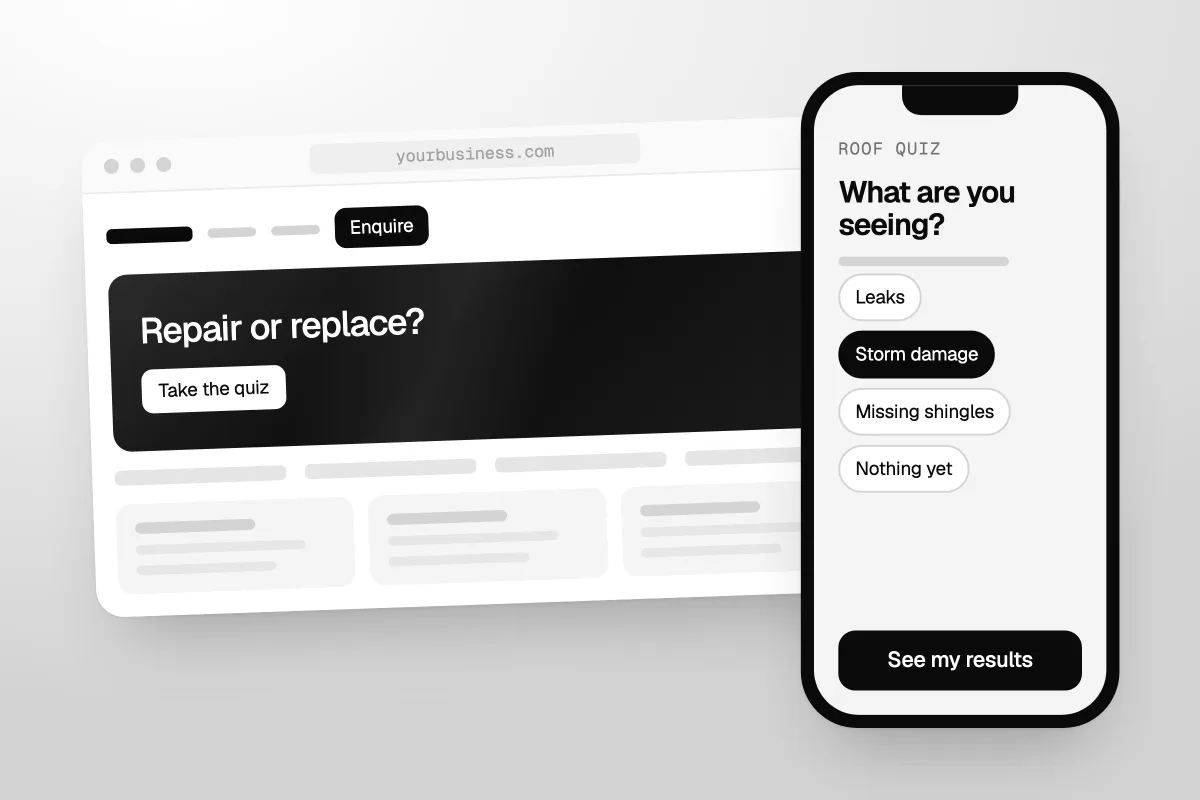
A quiz funnel is a short quiz that gives people a personal result and collects their details on the way. Someone clicks an ad or a link, answers a few questions, leaves their email to see the result, and lands on a results page that tells them what to do next. Then the follow-up matches their answers. Here is when it beats a plain lead magnet and how to build one, in any tool or in GoHighLevel.
The short answer
A quiz funnel works best when your buyers do not know which option they need. Pick 3 or 4 results first. Write 4 to 7 questions that point to them. Ask for the email just before the result. Give each results page one clear next step. Then send follow-up that matches the result, not one email for everyone.
What is a quiz funnel?
It is a lead magnet you take part in, instead of one you download. A checklist gives every person the same file. A quiz asks first, then gives each person their own answer. The lead gets something that feels made for them. You learn who they are before you ever speak.
Every quiz funnel has the same parts:
- The traffic. An ad, a post, an email or a button on your site.
- The quiz page. A headline that says what the quiz will tell them, and a button to start.
- The questions. Usually 4 to 7, one per screen, tap to answer.
- The email gate. A short form before the result: name, email, maybe phone.
- The results page. Their result, what it means and one next step.
- The follow-up. Emails or texts that match the result they got.
Most quiz software sells you parts 2 to 5. Part 6 is where the sales happen, and it usually lives in another tool.
Outcome quizzes and score quizzes
There are two kinds of quiz. Pick one before you write a single question.
| Outcome quiz | Score quiz | |
|---|---|---|
| The question it answers | "Which one fits me?" | "How am I doing?" |
| How it works | Each answer points to a result. The result with the most points wins. | Each answer is worth points. The total puts them in a tier. |
| Example | "Which course is right for you?" | "How ready is your business for ads?" |
| Best for | Businesses that sell more than one thing | Services that start with an audit or a call |
We use a roof quiz as the example in this guide. Say you run a roofing company. Homeowners do not know if they need a repair or a new roof. A quiz called "Repair or replace?" sorts them into three results: quick repair, inspection first, or time to replace. That is an outcome quiz. It is an example, not a client.
Quiz funnel vs lead magnet
A quiz is a lead magnet too. The real question is whether a quiz beats a plain one, like a checklist, a guide or a price sheet. Here is how they compare.
| Quiz funnel | Plain lead magnet (PDF, checklist, guide) | |
|---|---|---|
| What the lead gets | A result about them | The same file as everyone else |
| What you learn | Their answers: problem, timing, fit | Their name and email |
| Build time | Longer: questions, scoring, a page per result | Shorter: one page, one file |
| Follow-up | Can change with each result | One sequence for everyone |
| Best when | People do not know which option they need | The information itself is the prize |
When a quiz wins
- Your buyer has to choose. You sell more than one course, treatment, package or service, and people are not sure which one is for them.
- You want to know who is ready. A timing question ("How soon do you need it fixed?") tells you who to call today and who to send emails to for a while.
- You run ads to people who have never heard of you. In our view, a stranger will tap an answer sooner than they will fill in a form for a PDF they are not sure they want.
- You ask the same questions on every sales call. Put them in the quiz and the answers arrive first.
We use quizzes in client work. Two training organisations (names withheld) got $2 leads and $4 leads from our ads and quiz funnel. If you run courses, our RTO marketing guide shows where a quiz fits next to a plain course page.
When a plain lead magnet is the better fit
- You sell one thing to one kind of buyer. There is nothing to sort.
- The information is the prize: a price list, a template or a checklist people already search for.
- You have no time to write follow-up for each result. A quiz with the same follow-up for everyone is just a slower form.
- You need it live this week. One page and one PDF is a faster build than a quiz with a page for every result.
If a plain one suits you better, our guide to creating a lead magnet that converts walks you through it.
If the result does not change what happens next, you did not build a quiz funnel. You built a slower form.
How to build a quiz funnel, step by step
These steps work in any tool. We write the results first and the questions last. It feels backwards, but it stops you writing questions that lead nowhere.
1. Pick one decision the quiz helps with
A good quiz answers one question the buyer already has. "Repair or replace?" is one. "Which course fits my job?" is one. "How healthy is my marketing?" is too vague, because nobody wakes up asking it. Write the quiz title as the buyer's own question.
2. Choose your results before your questions
Write 3 or 4 results. Two feels like a coin toss. Six is hard to write good follow-up for. For each result, write down:
- What the result is called ("Inspection first")
- What it means, in two or three plain sentences
- The one next step that fits (book an inspection, get a quote, read a guide)
- Who handles it next (a person today, or emails for a few weeks)
For a score quiz, the results are tiers, like low, middle and high. The same rule applies. Each tier needs its own next step.
3. Write 4 to 7 questions
Every question must move someone toward a result, or tell you something you will use later. If it does neither, cut it. Here is a mix that works for the roof quiz:
- Situation: "How old is your roof?"
- Problem: "What are you seeing?" (Leaks, storm damage, missing shingles, nothing yet)
- Timing: "How soon do you need it fixed?" (This week, this month, just planning)
- Fit: "Do you own the home?"
Use tap-to-answer buttons, not typing. Put one question on each screen and start with the easy ones. Then take the quiz on a phone before anyone else does.
Every extra question is one more chance to quit. If it does not change the result or the follow-up, cut it.
4. Ask for the email just before the result
This is the email gate. Put it after the last question and before the result. By then people have done the work and want their answer. Ask at the start and many will leave before question one.
Keep the form short: name and email. Add phone only if you will really call or text, and say so on the form ("We'll text you your results"). Write the button as what they get. "See my results" beats "Submit".
Some people show the result first and ask for the email after. More people see a result that way, but fewer leave their details. For paid traffic, we gate. For a warm audience who already trusts you, showing the result first is fine.
5. Write a results page that gives a real answer
The results page is not a teaser. Give the actual answer on screen. Then:
- Name the result in big text: "Your result: Inspection first."
- Say what it means, using their answers: "You're seeing leaks on a roof that is over 20 years old."
- Give one next step that fits the result. One button, not three.
Match the step to the result. "Time to replace" gets "Book a roof check". "Just planning" gets a short guide. Send everyone to the same "Book a call" button and the people who are not ready just leave.
6. Build follow-up for each result
This is the step most quiz funnels skip, and it is the one that wins the sale. The person just told you their problem and their timing. Do not send them the same welcome email as everyone else.
- Message 1, right away: their result again, plus the next step.
- Messages 2 to 4, over the next week or two: a tip for their result, an answer to their likely worry, and an example of someone in the same spot.
- Hot results: a task for a person to call or text them the same day.
After the first few messages, everyone can join your normal newsletter. You do not need a ten-email sequence for every answer.
The emails must follow the law. In the US, the FTC's CAN-SPAM compliance guide says every marketing email needs a clear way to opt out and your valid physical postal address. You must honour an opt-out within 10 business days.
The quiz is the easy part. The follow-up is where a quiz funnel makes its money.
7. Send traffic and measure each result
Point the ad at the quiz page, and make the ad ask the same question as the quiz title. Then track:
- How many people start the quiz
- How many finish and leave their details
- How many land in each result
- How many from each result book, buy or reply
Look at where people quit. If many drop on one question, rewrite it or cut it. If one result never books, fix that result's next step before you touch the quiz.
Quiz funnel mistakes
Results that say nothing
"You're a go-getter!" is not a result. A result tells someone what is going on and what to do about it.
The same follow-up for every result
This throws away the answers you just collected. At the very least, the first email should match the result.
Promising what a quiz cannot do
A roof quiz cannot tell someone their roof is safe. A health quiz cannot diagnose anyone. Call the result what it is: a starting point. Then send the people who need an expert to an expert.
Never testing every path
Take the quiz once for every result, using your own email. Check the results page, the tags, the first email and every link. A broken path looks fine until you notice the leads stopped.
How to build a quiz funnel in GoHighLevel
GoHighLevel has its own Quiz Builder, so the quiz, the email gate, the results page and the follow-up can all live in one account. That matters. With a separate quiz tool, you connect it to your email tool and your CRM, and every link between them is something that can break. GoHighLevel lists "Forms, Surveys & Quizzes" in its core features, and its cheapest plan is $97 a month (GoHighLevel's pricing page, checked 1 October 2026). Our GoHighLevel pricing guide covers what else you pay for, like texts and emails.
If you want to follow along, you can start a 30-day free trial of GoHighLevel (we may earn a commission from this link). Our special link gets you a 30-day free trial plus a free live bootcamp. Sign up on GoHighLevel's own site and you get the standard 14 days, with no bootcamp.
Quiz or survey?
GoHighLevel has both. Use a quiz when you want scoring and a results page. Use a survey when you mainly want to screen leads on budget and timing before a sales call. We cover surveys in our guide to GoHighLevel forms and surveys for lead qualification.
The build, click by click
- Create the quiz. Go to Sites, then Quizzes, then + Add Quiz. Start from scratch or pick a template from the Template Library.
- Add your questions. Drag in Single Choice, Multiple Choice or Yes / No questions. Add pages to get one question per screen. Choice questions also have "Jump To" options if you need branches.
- Add the email gate. On the last page, add the Email field, and Phone if you need it. Make them required. The results page shows after the quiz is submitted, so this last page is your gate.
- Set up the results. Click the grid icon to add categories (your results), then give each answer points and a category. For a score quiz, points alone are enough. GoHighLevel turns the points into a percentage: the points scored divided by the most points possible.
- Build the results page. In Settings, choose Edit Results Page. For a score quiz, use Configure Score Tiers to set each tier's range and text. For an outcome quiz, the Individual Category section shows the highest-scoring category. The Call to Action section can show a different button for each tier.
- Save results to the contact. Map the score, tier and top category to custom fields, so you can filter and segment by result later.
- Build the follow-up. In Automation, create a workflow with the Quiz Submitted trigger. Filter by quiz name, overall score or category score. A "Between" filter catches a score range, such as 30 to 60. Then add your emails, texts, tags and a task for your team.
- Publish. Click Integrate. Copy the embed code into a custom code element on a funnel page, or use the share link in your ads. Under Styles & Options, you can add your Facebook Pixel ID.
One easy first follow-up: the Notifications tab can send the lead a PDF of their results page by auto responder. GoHighLevel's Quiz Builder Guide has screenshots of each screen. It was last changed on 2 September 2026, so expect small differences.
The 30-day free trial is enough time to build one quiz funnel and test every path before you pay.
One workflow per result, not one per answer
Make one workflow for each result, filtered by its category or score range. A workflow per answer turns into a mess you cannot keep up to date. For what to put in the emails, see our guide to GoHighLevel email sequences.
When GoHighLevel is not the right pick
This will not suit you if you only want a quiz and you already have an email tool and a CRM you like. A quiz tool that connects to them is simpler than moving your whole business. GoHighLevel makes the most sense when you also want the CRM, the follow-up and the funnel pages in one place.
Build the quiz in an afternoon. Spend the rest of the week on the results pages and the follow-up.
Who should build it?
GoHighLevel is the tool. Someone still has to do the work: pick the results, write the questions and the results pages, write the follow-up for each result, and test every path. If you would rather hand that part over, see how Havstock Unlimited works. Quiz funnels are part of our websites and funnels work.
FAQ
Do quiz funnels work?
They work when the result changes what happens next. If every result leads to the same email and the same "Book a call" button, a short form would do the job faster. They work best when buyers must choose between options, or when an answer about timing tells you who to call first.
How many questions should a quiz funnel have?
We aim for 4 to 7. That is enough to sort people into 3 or 4 results without boring them. Every question should either move someone toward a result or tell you something your follow-up will use. If it does neither, cut it, even if the answer would be interesting.
Should you ask for the email before or after the result?
Before, for most paid traffic. Put the email gate after the last question and before the results page, when people most want their answer. Then give them the full result straight away. For a warm audience that already trusts you, showing the result first and offering more by email can work too.
Is a quiz funnel better than a lead magnet?
Not always. A quiz is a lead magnet too. It beats a plain PDF or checklist when people do not know which option they need, or when you want to know who is ready to buy. If you sell one thing and the information is the prize, a plain lead magnet is simpler and just as good.
Can you build a quiz funnel in GoHighLevel?
Yes. GoHighLevel has a Quiz Builder under Sites, then Quizzes. It handles questions, scoring, categories and a results page. The Quiz Submitted workflow trigger then sends follow-up based on the score or category. You can embed the quiz on a funnel page or share it as a link in your ads.
What should a quiz results page say?
Give the name of the result, what it means using their own answers, and one next step that fits. Make it a real answer, not a teaser that sends them off to their inbox. Match the button to the result, so ready buyers can book and early browsers get something useful to read first.
A quiz funnel is worth building when your buyers have a choice to make and your follow-up can change with their answer. Start small: one quiz, a few results, one follow-up path per result. Add more once you see which result books. If you want to build it yourself, try GoHighLevel free for 30 days and test your quiz funnel before you pay.